mirror of
https://github.com/dbeaver/cloudbeaver.git
synced 2026-04-25 05:36:14 +03:00
[GH-ISSUE #1040] Greenplum #240
Labels
No labels
AS
can't reproduce
can't reproduce
deployment
development
documentation
duplicate
duplicate
ee
enhancement
external
new driver
performance
pull-request
third party issue
wait for response
wait for review
wontfix
x:Oracle
x:cassandra
x:clickhouse
x:db2
x:duckdb
x:greenplum
x:h2
x:h2gis
x:hana
x:hive
x:intersystems
x:kyuubi
x:maria
x:mongo
x:mysql
x:postgresql
x:presto
x:sql server
x:sqlite
x:teradata
x:trino
xf:accessibility
xf:administration
xf:ai
xf:authentication
xf:aws
xf:commit-mode
xf:connection
xf:dark theme
xf:data editor
xf:datatransfer
xf:dba
xf:driver management
xf:erd
xf:filters
xf:i18n
xf:i18n
xf:installer
xf:json
xf:kerberos
xf:ldap
xf:local config
xf:log viewer
xf:metadata
xf:metadata editor
xf:navigator
xf:okta
xf:query manager
xf:resource manager
xf:scripts
xf:sql editor
xf:tasks
xf:ui/uix
xo: Firefox
xo:eclipse
xo:internet explorer
xo:macos
xp:major
xrn:internal
No milestone
No project
No assignees
1 participant

Notifications
Due date
No due date set.
Dependencies
No dependencies set.
Reference
starred/cloudbeaver#240
Loading…
Add table
Add a link
Reference in a new issue
No description provided.
Delete branch "%!s()"
Deleting a branch is permanent. Although the deleted branch may continue to exist for a short time before it actually gets removed, it CANNOT be undone in most cases. Continue?
Originally created by @ASEthan on GitHub (Aug 9, 2022).
Original GitHub issue: https://github.com/dbeaver/cloudbeaver/issues/1040
Can i add Greenplum into the cloudbeaver and how to do it
@kseniiaguzeeva commented on GitHub (Aug 9, 2022):
Thank you for your interest in CloudBeaver. Greenplum driver is available by default in Enterprise version.
You can add it manually to Community Edition. Here is the instruction.
@ASEthan commented on GitHub (Aug 9, 2022):
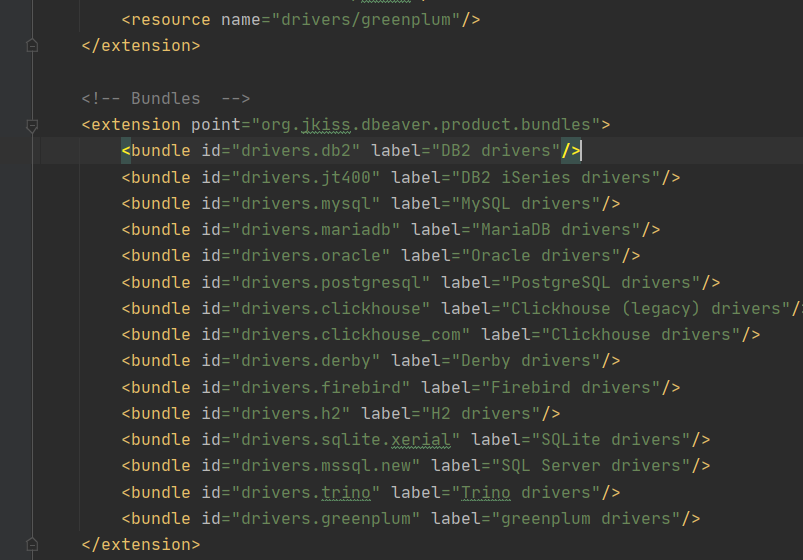
I add greenplum to Community Edition but it is not work


@kseniiaguzeeva commented on GitHub (Aug 10, 2022):
Could you please describe how did you configure it step by step?
Related tickets may also help you:
https://github.com/dbeaver/cloudbeaver/issues/37
https://github.com/dbeaver/cloudbeaver/issues/192
@ASEthan commented on GitHub (Aug 11, 2022):
I noticed the Greenplum driver in DBeave
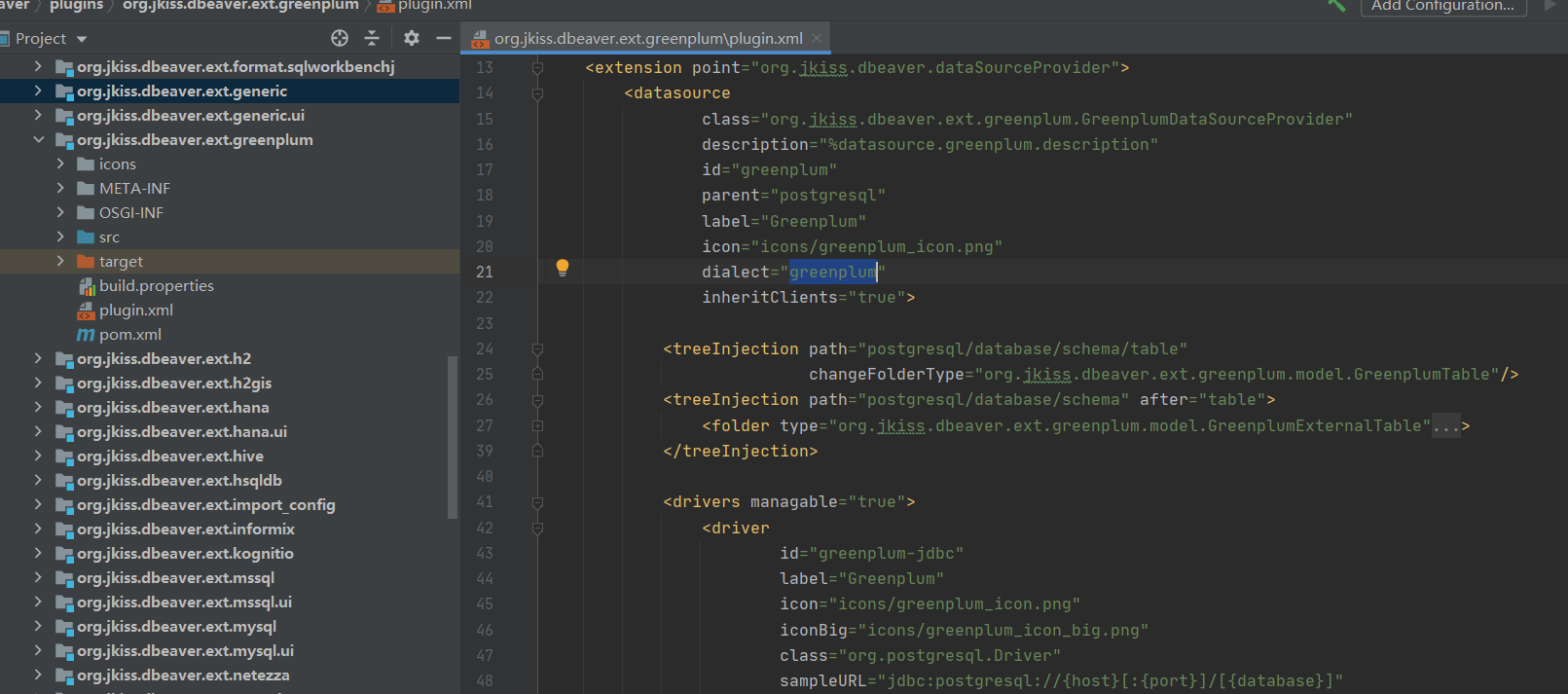
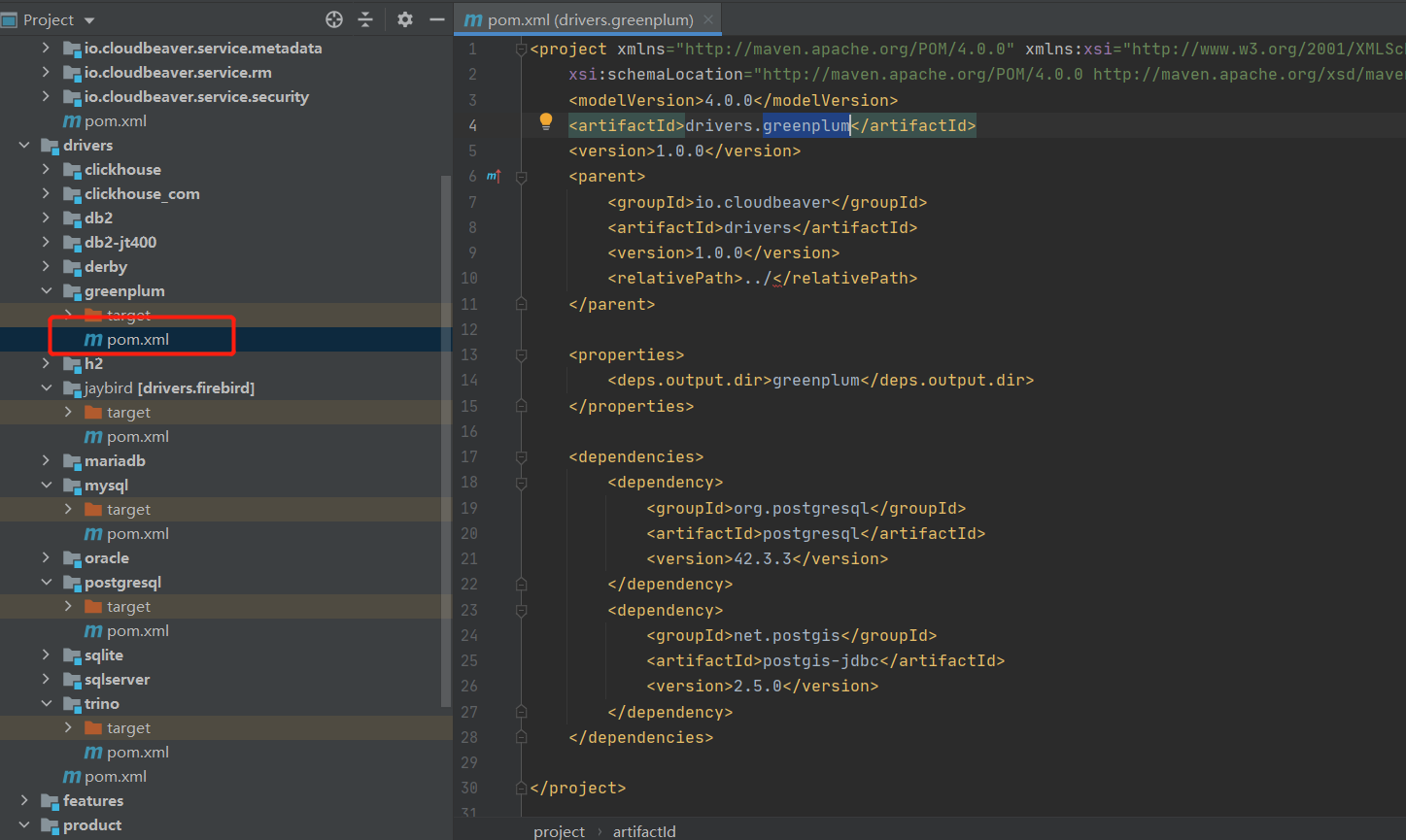
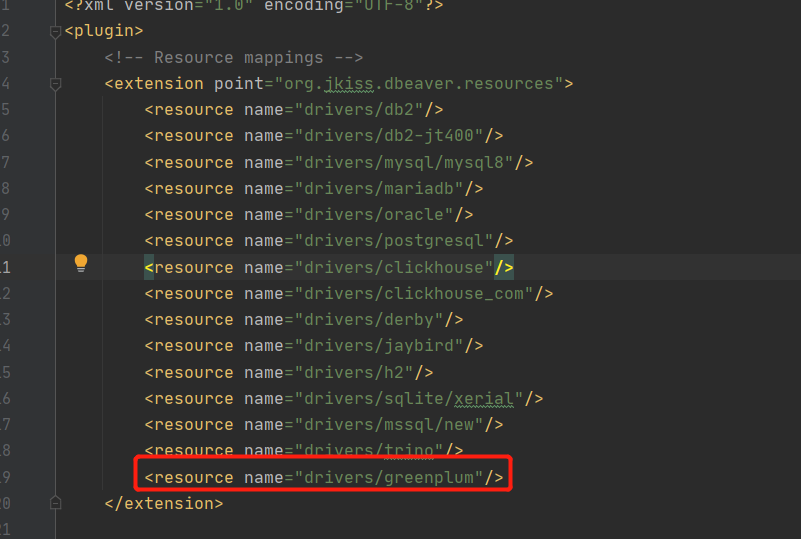
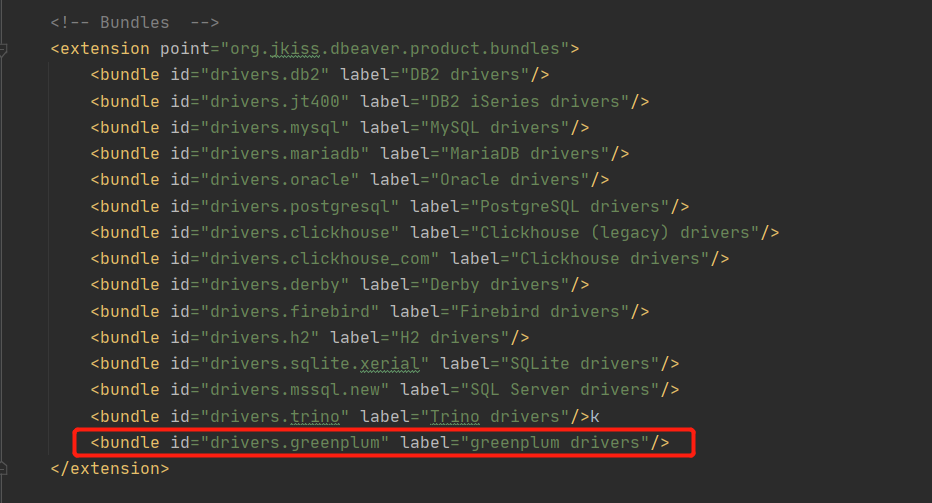
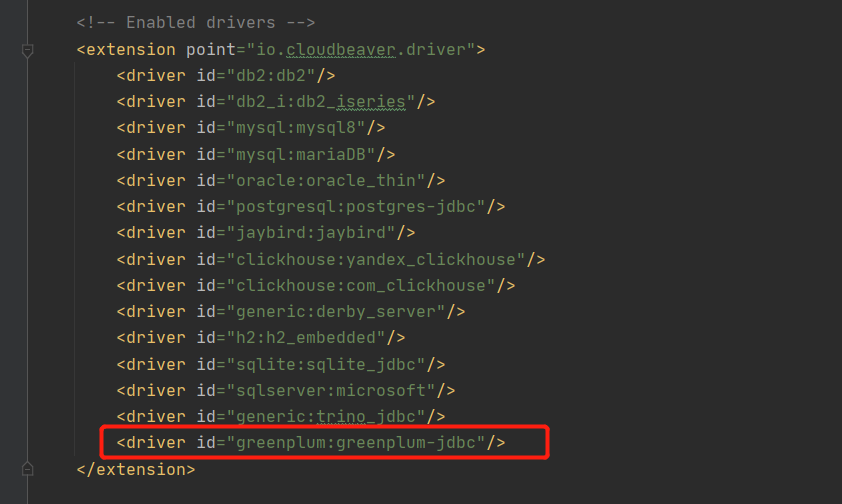

So I Create a new sub-folder greenplum in server/drivers like this
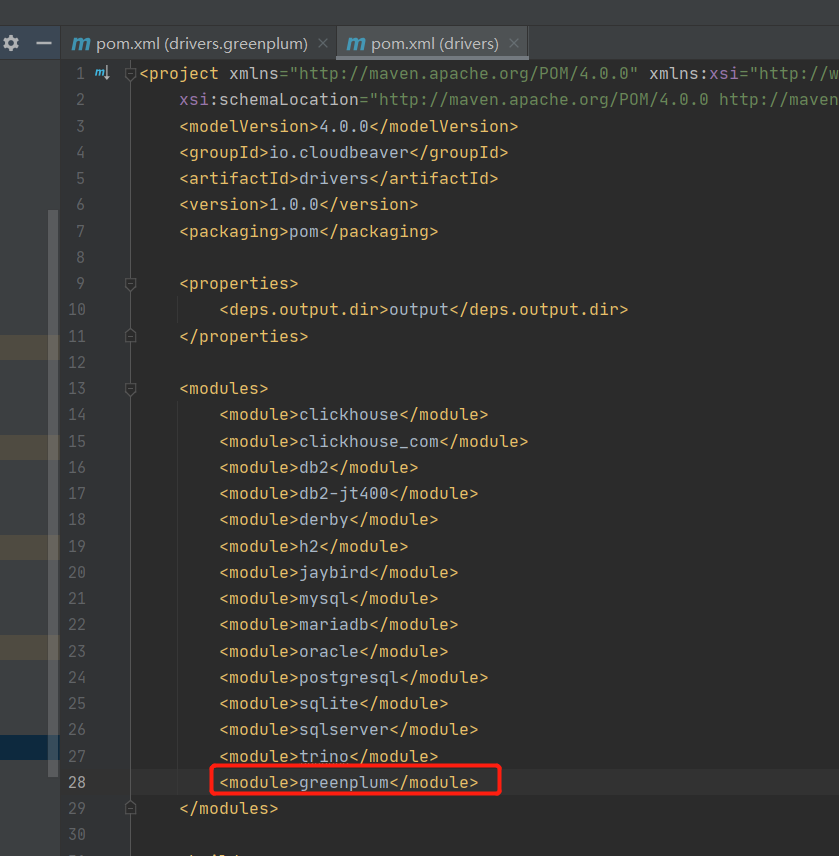
and add it to the main server/drivers/pom.xml
next I open the server/bundles/io.cloudbeaver.resources.drivers.base/plugin.xml add
resource name="drivers/greenplum"
bundle id="drivers.greenplum" label="greenplum drivers"
driver id="greenplum:greenplum-jdbc"
Then i just run the cloudbeaver\deploy\build.bat
finally I find it is not work
@ASEthan commented on GitHub (Aug 11, 2022):
I found a solution
Changed the Greenplum driver code in DBeave
<file type="jar" path="drivers/greenplum" bundle="drivers.greenplum"/>@kseniiaguzeeva commented on GitHub (Aug 11, 2022):
Nice to hear it.