mirror of
https://github.com/dbeaver/cloudbeaver.git
synced 2026-04-25 05:36:14 +03:00
[GH-ISSUE #478] Icons not showing on CloudBeaver interface while using Firefox #143
Labels
No labels
AS
can't reproduce
can't reproduce
deployment
development
documentation
duplicate
duplicate
ee
enhancement
external
new driver
performance
pull-request
third party issue
wait for response
wait for review
wontfix
x:Oracle
x:cassandra
x:clickhouse
x:db2
x:duckdb
x:greenplum
x:h2
x:h2gis
x:hana
x:hive
x:intersystems
x:kyuubi
x:maria
x:mongo
x:mysql
x:postgresql
x:presto
x:sql server
x:sqlite
x:teradata
x:trino
xf:accessibility
xf:administration
xf:ai
xf:authentication
xf:aws
xf:commit-mode
xf:connection
xf:dark theme
xf:data editor
xf:datatransfer
xf:dba
xf:driver management
xf:erd
xf:filters
xf:i18n
xf:i18n
xf:installer
xf:json
xf:kerberos
xf:ldap
xf:local config
xf:log viewer
xf:metadata
xf:metadata editor
xf:navigator
xf:okta
xf:query manager
xf:resource manager
xf:scripts
xf:sql editor
xf:tasks
xf:ui/uix
xo: Firefox
xo:eclipse
xo:internet explorer
xo:macos
xp:major
xrn:internal
No milestone
No project
No assignees
1 participant

Notifications
Due date
No due date set.
Dependencies
No dependencies set.
Reference
starred/cloudbeaver#143
Loading…
Add table
Add a link
Reference in a new issue
No description provided.
Delete branch "%!s()"
Deleting a branch is permanent. Although the deleted branch may continue to exist for a short time before it actually gets removed, it CANNOT be undone in most cases. Continue?
Originally created by @MaxVRAM on GitHub (Sep 17, 2021).
Original GitHub issue: https://github.com/dbeaver/cloudbeaver/issues/478
As the title suggestions. There are only a few icons that show in the GUI when I'm using CloudBeaver on Firefox. Version information and browser inspect log details below the example screenshots.
Screenshots
Firefox
Chrome
System
OS: Ubuntu 20.04.3 LTS x86_64
Kernel: 5.11.0-34-generic
Flavour: Kubuntu
DE: Plasma / Breeze
Browser 1: Firefox 92.0 (64-bit)
Browser 2: Google Chrome Version 93.0.4577.82 (Official Build) (64-bit)
Host: Docker on Synology RS820+
Logs / Details
While inspecting the page using Chrome, there's only a single warning about Roboto preloaded and not used.
In Firefox, however, there are a huge list of
Cookie "DBEAVER_SESSION_ID" will be soon treated as cross-side cookie... ... because the scheme does not match.warnings across many of the API and CSS files.Also, in Firefox there is a single error message
@kseniiaguzeeva commented on GitHub (Sep 18, 2021):
Thank you for the report. But I cannot reproduce it. Could you please tell me CloudBeaver version?
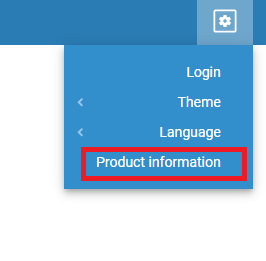
We did some improvements for Firefox in 21.1.4 release.
@jathek commented on GitHub (Sep 18, 2021):
I'm experiencing this as well. The icons load in Chrome (93.0.4577.82) and Edge (93.0.961.52) but not in Firefox (92.0).
I'm running the docker image with the following compose:
Product description: Cloudbeaver Web UI Application
Build time: September 9, 2021
Backend version: 21.1.4.202109091449
Frontend version: 21.1.4.202109091450
@kseniiaguzeeva commented on GitHub (Sep 18, 2021):
Thank you. I reproduced it.
@MaxVRAM commented on GitHub (Sep 19, 2021):
I feel like I provided everything except the critical CloudBeaver version number 😆 Here's the info from my CloudBeaver panel.
Product name
CloudBeaver CE Server
Product description
Cloudbeaver Web UI Application
Build time
September 9, 2021
Backend version
21.1.4.202109091449
Frontend version
21.1.4.202109091450****
Thanks for the quick response @kseniiaguzeeva
@kseniiaguzeeva commented on GitHub (Oct 1, 2021):
The issue is fixed in the latest release 21.1.5 https://github.com/dbeaver/cloudbeaver.