[GH-ISSUE #98] No response after clicking buttons on inside 'Auto Py to Exe' page #93

Closed
opened 2026-02-26 12:20:28 +03:00 by kerem · 4 comments
Owner

Originally created by @Hiking288 on GitHub (May 24, 2020).
Original GitHub issue: https://github.com/brentvollebregt/auto-py-to-exe/issues/98

Hello,
downloaded the repo then processed the following steps as you said,
- Open cmd/terminal and cd into the project
- Execute python -m pip install -r requirements.txt
- python -m auto_py_to_exe (An inside browser page launched)
but when trid to click 'browse' button to add the path, it didn't work.
tried others buttons in this page, also not work...
cd to [C:\Users\Administrator.PC-201911292027\Desktop\auto-py-to-exe-master] or
[C:\Users\Administrator.PC-201911292027\Desktop\auto-py-to-exe-master\auto_py_to_exe] or even the path of my own project then process 'python -m auto_py_to_exe' to lanuch the browser...

Originally created by @Hiking288 on GitHub (May 24, 2020). Original GitHub issue: https://github.com/brentvollebregt/auto-py-to-exe/issues/98 Hello, downloaded the repo then processed the following steps as you said, - Open cmd/terminal and cd into the project - Execute python -m pip install -r requirements.txt - **python -m auto_py_to_exe (An inside browser page launched)** but when trid to click 'browse' button to add the path, it didn't work. tried others buttons in this page, also not work... cd to [C:\Users\Administrator.PC-201911292027\Desktop\auto-py-to-exe-master] or [C:\Users\Administrator.PC-201911292027\Desktop\auto-py-to-exe-master\auto_py_to_exe] or even the path of my own project then process 'python -m auto_py_to_exe' to lanuch the browser...
kerem closed this issue 2026-02-26 12:20:28 +03:00
Author
Owner

@Hiking288 commented on GitHub (May 24, 2020):

图片

<!-- gh-comment-id:633215597 --> @Hiking288 commented on GitHub (May 24, 2020): ![图片](https://user-images.githubusercontent.com/34464030/82752789-1f8a6a00-9df3-11ea-93c2-f12e813ebb54.png)
Author
Owner

@brentvollebregt commented on GitHub (May 24, 2020):

Looks like you haven't got all the style sheets and the ui hasn't initialised correctly.

My first recommendation would be to hit shift+F5 in the ui. This should force a reload of any older assets.

If this doesn't work, open up chrome dev tools by pressing F12 in the ui. If you go to the console tab, are there any errors?

<!-- gh-comment-id:633281424 --> @brentvollebregt commented on GitHub (May 24, 2020): Looks like you haven't got all the style sheets and the ui hasn't initialised correctly. My first recommendation would be to hit shift+F5 in the ui. This should force a reload of any older assets. If this doesn't work, open up chrome dev tools by pressing F12 in the ui. If you go to the console tab, are there any errors?
Author
Owner

@Hiking288 commented on GitHub (May 24, 2020):

Looks like you haven't got all the style sheets and the ui hasn't initialised correctly.

My first recommendation would be to hit shift+F5 in the ui. This should force a reload of any older assets.

If this doesn't work, open up chrome dev tools by pressing F12 in the ui. If you go to the console tab, are there any errors?

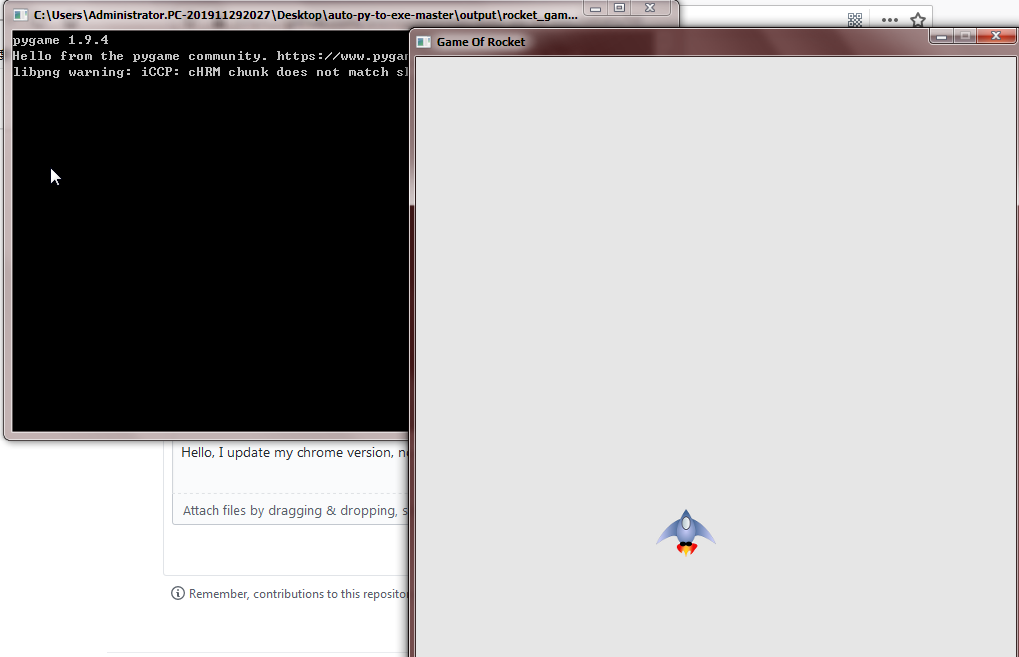
Hello, I update my chrome version, now, can use this tools, it's so cool.
图片

<!-- gh-comment-id:633313451 --> @Hiking288 commented on GitHub (May 24, 2020): > > > Looks like you haven't got all the style sheets and the ui hasn't initialised correctly. > > My first recommendation would be to hit shift+F5 in the ui. This should force a reload of any older assets. > > If this doesn't work, open up chrome dev tools by pressing F12 in the ui. If you go to the console tab, are there any errors? Hello, I update my chrome version, now, can use this tools, it's so cool. ![图片](https://user-images.githubusercontent.com/34464030/82766408-9a826d80-9e51-11ea-9809-9dbe7b9e7614.png)
Author
Owner

@Hiking288 commented on GitHub (May 24, 2020):

thanks so much, would close this issue as it works normally now

<!-- gh-comment-id:633316289 --> @Hiking288 commented on GitHub (May 24, 2020): thanks so much, would close this issue as it works normally now
Sign in to join this conversation.
No milestone
No project
No assignees
1 participant
Notifications
Due date
The due date is invalid or out of range. Please use the format "yyyy-mm-dd".

No due date set.

Dependencies

No dependencies set.

Reference
starred/auto-py-to-exe#93
No description provided.