[GH-ISSUE #224] graphical interface does not show up #204

Closed
opened 2026-02-26 12:20:49 +03:00 by kerem · 4 comments
Owner

Originally created by @DG119 on GitHub (Dec 3, 2021).
Original GitHub issue: https://github.com/brentvollebregt/auto-py-to-exe/issues/224

Hello guys, the graphical interface won't show up, and the terminal is just stuck there.
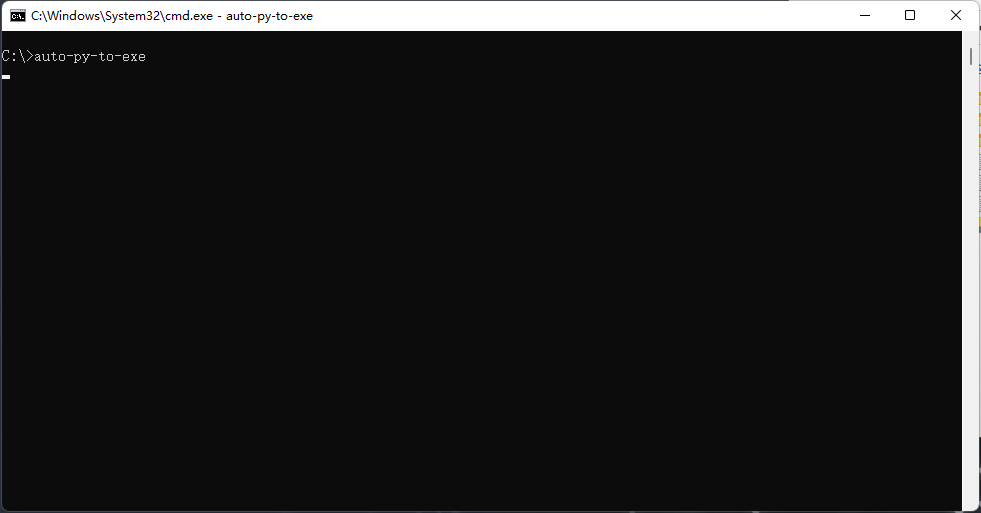
1

It worked fine previously, I have no idea what happened. I tried to pip uninstall and pip install it, nothing has changed.
There's no error message whatsoever.

Thanks in advance for any helps!

Originally created by @DG119 on GitHub (Dec 3, 2021). Original GitHub issue: https://github.com/brentvollebregt/auto-py-to-exe/issues/224 Hello guys, the graphical interface won't show up, and the terminal is just stuck there. ![1](https://user-images.githubusercontent.com/93947664/144524053-87504fae-cc82-481b-9b72-2cb3b6a80726.png) It worked fine previously, I have no idea what happened. I tried to pip uninstall and pip install it, nothing has changed. There's no error message whatsoever. Thanks in advance for any helps!
kerem closed this issue 2026-02-26 12:20:49 +03:00
Author
Owner

@DG119 commented on GitHub (Dec 3, 2021):

Actually, I remembered. I updated my python to Python 3.9.9
Could this be the reason?

<!-- gh-comment-id:985138405 --> @DG119 commented on GitHub (Dec 3, 2021): Actually, I remembered. I updated my python to Python 3.9.9 Could this be the reason?
Author
Owner

@brentvollebregt commented on GitHub (Dec 3, 2021):

Actually, I remembered. I updated my python to Python 3.9.9
Could this be the reason?

I don't believe this will be the issue.

If you execute auto-py-to-exe --no-chrome, does the UI appear after selecting a browser (if it asks)?

<!-- gh-comment-id:985437416 --> @brentvollebregt commented on GitHub (Dec 3, 2021): > Actually, I remembered. I updated my python to Python 3.9.9 > Could this be the reason? I don't believe this will be the issue. If you execute `auto-py-to-exe --no-chrome`, does the UI appear after selecting a browser (if it asks)?
Author
Owner

@DG119 commented on GitHub (Dec 3, 2021):

Hi, thanks for the reply first of all. And no, nothing appeared, the same thing happened just like my previous screenshot.
Edit: Actually it might be because of my computer itself. I've noticed that when I double click a pdf file it will not open in Chrome like it used to do. I'll try to restart my computer.

<!-- gh-comment-id:985457146 --> @DG119 commented on GitHub (Dec 3, 2021): > Hi, thanks for the reply first of all. And no, nothing appeared, the same thing happened just like my previous screenshot. Edit: Actually it might be because of my computer itself. I've noticed that when I double click a pdf file it will not open in Chrome like it used to do. I'll try to restart my computer.
Author
Owner

@DG119 commented on GitHub (Dec 3, 2021):

Yep, it's working fine now after the restart. Sorry for the trouble.

<!-- gh-comment-id:985750121 --> @DG119 commented on GitHub (Dec 3, 2021): Yep, it's working fine now after the restart. Sorry for the trouble.
Sign in to join this conversation.
No milestone
No project
No assignees
1 participant
Notifications
Due date
The due date is invalid or out of range. Please use the format "yyyy-mm-dd".

No due date set.

Dependencies

No dependencies set.

Reference
starred/auto-py-to-exe#204
No description provided.