mirror of
https://github.com/brentvollebregt/auto-py-to-exe.git
synced 2026-04-25 19:55:49 +03:00
[GH-ISSUE #218] change pyinstaller temp directory #201

Loading…
Add table
Add a link
Reference in a new issue
No description provided.
Delete branch "%!s()"
Deleting a branch is permanent. Although the deleted branch may continue to exist for a short time before it actually gets removed, it CANNOT be undone in most cases. Continue?
Originally created by @rstudiocode on GitHub (Nov 18, 2021).
Original GitHub issue: https://github.com/brentvollebregt/auto-py-to-exe/issues/218
Originally assigned to: @brentvollebregt on GitHub.
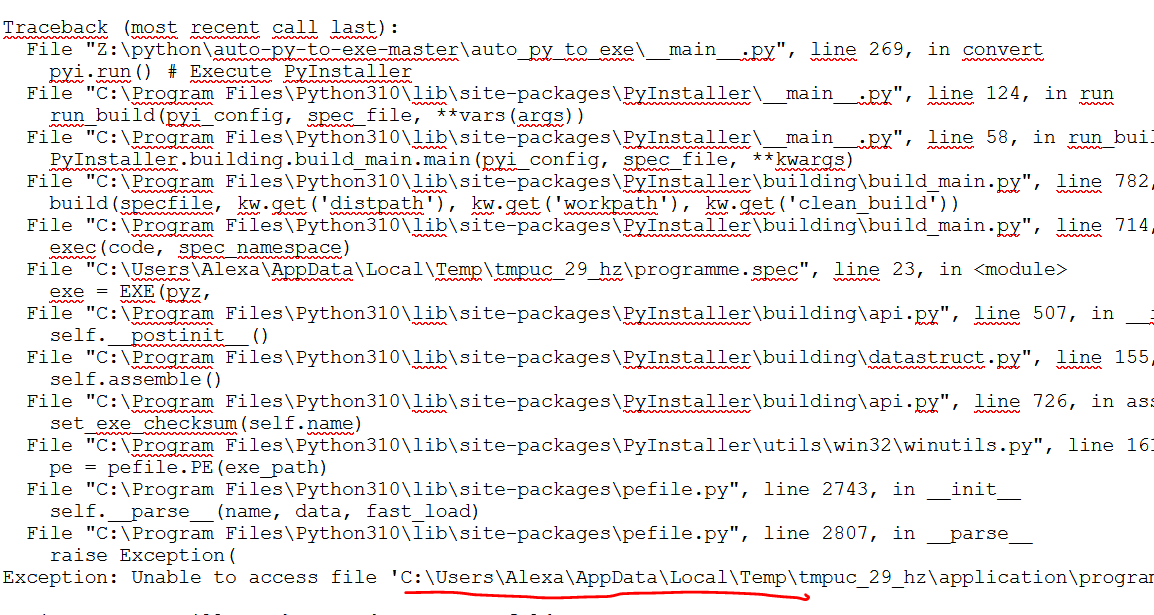
Hello, I noticed that when auto-py-to-exe creates an .exe file, it first stores it in a temporary folder before putting it in the output folder. I would like to know how to change the location of this temporary folder. Indeed, my antivirus incorrectly detects the file created in the temporary folder and quarantines it. this error results:
image
I could very well add an exclusion to the C: \Users\Alexa\AppData\Local\Temp\folder
but it could be dangerous for the computer. So I would like to make sure that the temporary folder is created in C: \ Users \ Alexa \ Downloads \ tempor
To avoid risks: this folder would be only devoted to auto-py-to-exe temp files. I would add an exclusion only for this folder. ?
Thanks in advance for your answer.
@brentvollebregt commented on GitHub (Nov 24, 2021):
This is a pretty fair request and will be nice to get around the antivirus issues I see a lot of people having.
Passing the temporary directory as an argument will be the best option as it's usually created on startup.
@brentvollebregt commented on GitHub (Nov 28, 2021):
@rstudiocode I've just added the argument
--build-directory-overrideto develop. Could you checkout develop and see if it works for you? Argument details have been added to the README on the develop branch.@brentvollebregt commented on GitHub (Dec 5, 2021):
This feature has been released in v2.12.0