mirror of
https://github.com/tzapu/WiFiManager.git
synced 2026-04-27 00:55:52 +03:00
[GH-ISSUE #425] AP unstable, specially when there are a lot of networks #357
Labels
No labels
📶 WiFi
🕸️ HTTP
Branch
DEV Help Wanted
Discussion
Documentation
ESP32
Example
Good First Issue
Hotfix
In Progress
Incomplete
Needs Feeback
Priority
QA
Question
Task
Upstream/Dependancy
bug
duplicate
enhancement
invalid
pull-request
wontfix
No milestone
No project
No assignees
1 participant

Notifications
Due date
No due date set.
Dependencies
No dependencies set.
Reference
starred/WiFiManager#357
Loading…
Add table
Add a link
Reference in a new issue
No description provided.
Delete branch "%!s()"
Deleting a branch is permanent. Although the deleted branch may continue to exist for a short time before it actually gets removed, it CANNOT be undone in most cases. Continue?
Originally created by @Jsolo1 on GitHub (Sep 20, 2017).
Original GitHub issue: https://github.com/tzapu/WiFiManager/issues/425
In a quite enviroment I can very easily connect to the Access point created by Autoconnect. But when there are a lot of Wifi networks around it is impossible to connect to it. Tried with multiple devices across different platforms and none of them can manage to make it work. I found the following issue which seems very similar:
https://github.com/tzapu/WiFiManager/issues/227
Checking with a Wifi Analyzer, the wifi goes on and off:
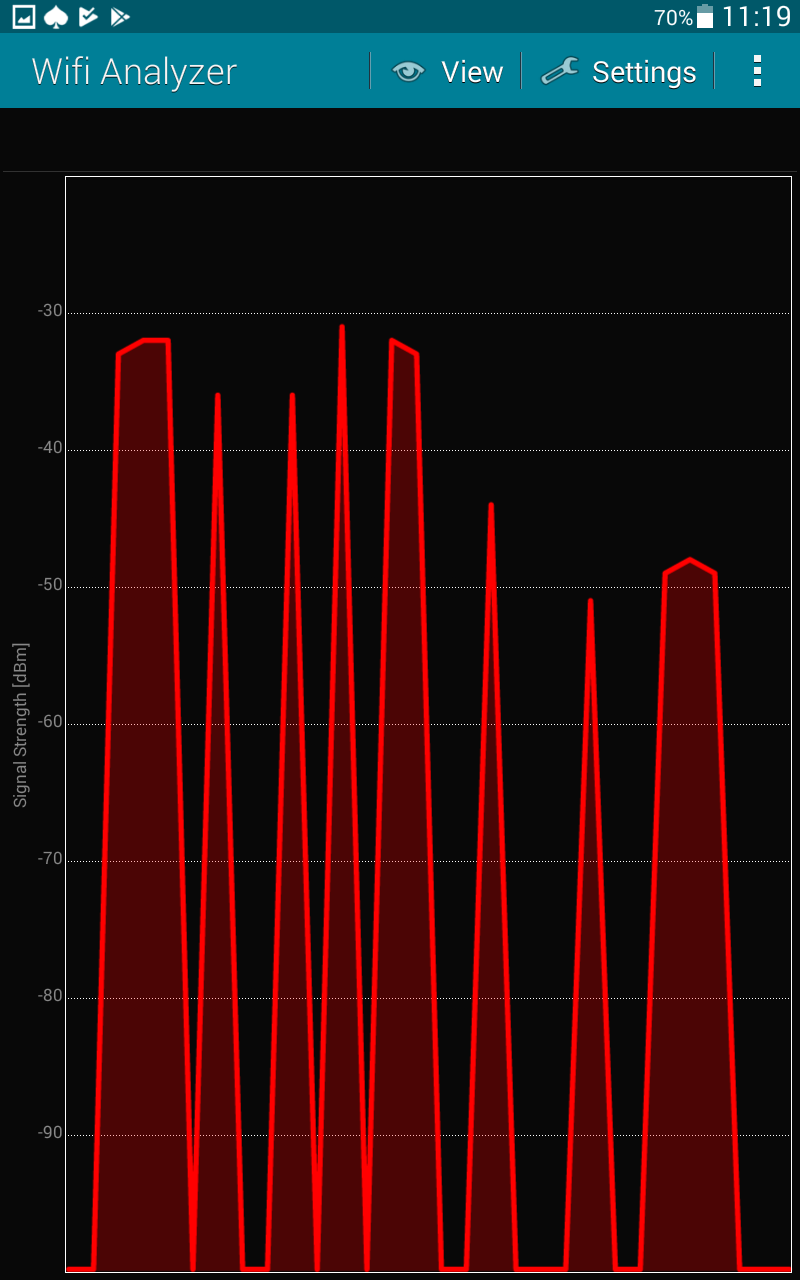
Then I included a few lines of code before the AP is created by the WifiManager:
Here the full function:
With no success.
Any ideas?
Thanks
@tablatronix commented on GitHub (Sep 20, 2017):
This is usually only an issue when you have bad sta info and the esp is trying to connect.
Have you tried erasing the config to see if it stabilizes ?
@Jsolo1 commented on GitHub (Sep 20, 2017):
Ok, erasing the credentials makes it stable but there must be a way to stop it from trying to connect over and over, because when the ESP is moved from one network to another, where there are multiple other networks around, it would be impossible to erase/change the credentials unless connecting it to a computer.
Maybe making the function that tries to connect slower? Like every 30 seconds / 1 minute?
@tablatronix commented on GitHub (Sep 20, 2017):
The workaround is to disable sta mode if not connected when starting the config portal, this is handled in my PR for dev
wifimanager does not do the connecting, you could also disable autoconnect in your own code, or swtich off sta mode before starting configportal
There are a few pull requests that fix this, but they do not address other issues like persistent mode problems.
@tablatronix commented on GitHub (Sep 20, 2017):
@Jsolo1 commented on GitHub (Sep 20, 2017):
That did the trick, i've also added a small loop to try to connect 5 times before starting the portal, and a timeout in the portal with a reset, that way it's error proof!
Thanks!
@janoist1 commented on GitHub (Jan 11, 2018):
I seem to be having the same issue: It is very unstable, sometimes it allows me to connect sometimes it doesn't.
It's not fully clear what was the workaround, can you explain it a bit more detailed please? Thanks @tablatronix .
@janoist1 commented on GitHub (Jan 12, 2018):
Ok, I think I've got it. Putting the code above into the
configModeCallbackcallback looks to have been resolved my issue. 👍@gunhansancar commented on GitHub (Mar 22, 2018):
@janoist1 @tablatronix When I put that code inside
configModeCallbackit works ok but then in the Config page it doesn't show the available wifi networks. Like thescanfunction doesn't work anymore.@tablatronix commented on GitHub (Mar 22, 2018):
no idea, use development version