[GH-ISSUE #1237] cannot create an AP after autoConnect failed #1057

Open
opened 2026-02-28 01:28:20 +03:00 by kerem · 24 comments
Owner

Originally created by @yuan910715 on GitHub (Apr 7, 2021).
Original GitHub issue: https://github.com/tzapu/WiFiManager/issues/1237

Basic Infos

Hardware

WiFimanager Branch/Release: Release

Esp8266/Esp32:

Hardware: ESP8266

Core Version: Release v2.0.3-apha Development

Description

I want to create an offline mode access point to provide some web pages after the autoConnect timeout, but after the autoConnect timeout, I can't search the offline mode access point, whether it's AP or AP_ STA mode, below it's a minimum version program, please help me , thanks

Settings in IDE

Module: NodeMcu

Additional libraries:

Sketch

#BEGIN
#include <WiFiManager.h>

void setup() {
    Serial.begin(115200);
    WiFi.mode(WIFI_STA);
    WiFiManager wm;      
    wm.setDebugOutput(true);
    wm.setTimeout(30);
    bool res;
    Serial.println("auto_test.");
    res = wm.autoConnect("auto_test");
    if(!res) {        
       Serial.println("offline mode");     
       WiFi.mode(WIFI_AP_STA);
       IPAddress apIP(192, 168, 4, 1);
       WiFi.softAPConfig(apIP, apIP, IPAddress(255, 255, 255, 0));
       WiFi.softAP("Offline");
    } 
    else {
       Serial.println("connected.");
    }
}

void loop() {
  // put your main code here, to run repeatedly:

}
#END

Debug Messages

14:18:48.453 -> *WM: [2] setSTAConfig static ip not set, skipping 
14:18:48.453 -> *WM: [1] Connecting to SAVED AP: yuan_mi11
14:18:48.453 -> *WM: [3] Using Password: 123456
14:18:48.453 -> *WM: [3] WiFi station enable 
14:18:48.453 -> *WM: [3] enableSTA PERSISTENT ON 
14:18:48.453 -> *WM: [1] connectTimeout not set, ESP waitForConnectResult... 
14:18:57.199 -> *WM: [2] Connection result: WL_NO_SSID_AVAIL
14:18:57.199 -> *WM: [3] lastconxresult: WL_NO_SSID_AVAIL
14:18:57.199 -> *WM: [1] AutoConnect: FAILED 
14:18:57.199 -> *WM: [2] Starting Config Portal 
14:18:57.199 -> *WM: [3] WIFI station disconnect 
14:18:57.199 -> *WM: [3] WiFi station enable 
14:18:57.199 -> *WM: [2] Disabling STA 
14:18:57.199 -> *WM: [2] Enabling AP 
14:18:57.199 -> *WM: [1] StartAP with SSID:  auto_test
14:18:57.677 -> *WM: [2] AP has anonymous access! 
14:18:57.677 -> *WM: [1] SoftAP Configuration 
14:18:57.724 -> *WM: [1] -------------------- 
14:18:57.724 -> *WM: [1] ssid:             auto_test
14:18:57.724 -> *WM: [1] password:         
14:18:57.724 -> *WM: [1] ssid_len:         9
14:18:57.724 -> *WM: [1] channel:          1
14:18:57.724 -> *WM: [1] authmode:        
14:18:57.724 -> *WM: [1] ssid_hidden:     
14:18:57.724 -> *WM: [1] max_connection:   4
14:18:57.724 -> *WM: [1] country:          CN
14:18:57.724 -> *WM: [1] beacon_interval:  100(ms)
14:18:57.724 -> *WM: [1] -------------------- 
14:18:58.200 -> *WM: [1] AP IP address: 192.168.4.1
14:18:58.247 -> *WM: [3] setupConfigPortal 
14:18:58.247 -> *WM: [1] Starting Web Portal 
14:18:58.247 -> *WM: [3] dns server started with ip:  192.168.4.1
14:18:58.247 -> *WM: [2] HTTP server started 
14:19:00.392 -> *WM: [2] WiFi Scan completed in 2185 ms
14:19:00.392 -> *WM: [2] Config Portal Running, blocking, waiting for clients... 
14:19:13.818 -> *WM: [3] -> connectivitycheck.platform.hicloud.com 
14:19:13.818 -> *WM: [2] <- Request redirected to captive portal 
14:19:18.317 -> *WM: [2] Portal Timeout In 8 seconds
14:19:27.171 -> *WM: [1] config portal has timed out 
14:19:27.171 -> *WM: [3] configportal abort 
14:19:27.171 -> *WM: [2] disconnect configportal 
14:19:28.175 -> *WM: [2] restoring usermode STA
14:19:28.175 -> *WM: [2] WiFi Reconnect, was idle 
14:19:28.216 -> *WM: [2] wifi status: WL_DISCONNECTED
14:19:28.216 -> *WM: [2] wifi mode: STA
14:19:28.216 -> *WM: [1] config portal exiting 
14:19:28.216 -> offline mode
14:19:28.263 -> *WM: [3] unloading 

Originally created by @yuan910715 on GitHub (Apr 7, 2021). Original GitHub issue: https://github.com/tzapu/WiFiManager/issues/1237 ### Basic Infos #### Hardware WiFimanager Branch/Release: Release Esp8266/Esp32: Hardware: ESP8266 Core Version: Release v2.0.3-apha Development ### Description I want to create an offline mode access point to provide some web pages after the autoConnect timeout, but after the autoConnect timeout, I can't search the offline mode access point, whether it's AP or AP_ STA mode, below it's a minimum version program, please help me , thanks ### Settings in IDE Module: NodeMcu Additional libraries: ### Sketch ```cpp #BEGIN #include <WiFiManager.h> void setup() { Serial.begin(115200); WiFi.mode(WIFI_STA); WiFiManager wm; wm.setDebugOutput(true); wm.setTimeout(30); bool res; Serial.println("auto_test."); res = wm.autoConnect("auto_test"); if(!res) { Serial.println("offline mode"); WiFi.mode(WIFI_AP_STA); IPAddress apIP(192, 168, 4, 1); WiFi.softAPConfig(apIP, apIP, IPAddress(255, 255, 255, 0)); WiFi.softAP("Offline"); } else { Serial.println("connected."); } } void loop() { // put your main code here, to run repeatedly: } #END ``` ### Debug Messages ``` 14:18:48.453 -> *WM: [2] setSTAConfig static ip not set, skipping 14:18:48.453 -> *WM: [1] Connecting to SAVED AP: yuan_mi11 14:18:48.453 -> *WM: [3] Using Password: 123456 14:18:48.453 -> *WM: [3] WiFi station enable 14:18:48.453 -> *WM: [3] enableSTA PERSISTENT ON 14:18:48.453 -> *WM: [1] connectTimeout not set, ESP waitForConnectResult... 14:18:57.199 -> *WM: [2] Connection result: WL_NO_SSID_AVAIL 14:18:57.199 -> *WM: [3] lastconxresult: WL_NO_SSID_AVAIL 14:18:57.199 -> *WM: [1] AutoConnect: FAILED 14:18:57.199 -> *WM: [2] Starting Config Portal 14:18:57.199 -> *WM: [3] WIFI station disconnect 14:18:57.199 -> *WM: [3] WiFi station enable 14:18:57.199 -> *WM: [2] Disabling STA 14:18:57.199 -> *WM: [2] Enabling AP 14:18:57.199 -> *WM: [1] StartAP with SSID: auto_test 14:18:57.677 -> *WM: [2] AP has anonymous access! 14:18:57.677 -> *WM: [1] SoftAP Configuration 14:18:57.724 -> *WM: [1] -------------------- 14:18:57.724 -> *WM: [1] ssid: auto_test 14:18:57.724 -> *WM: [1] password: 14:18:57.724 -> *WM: [1] ssid_len: 9 14:18:57.724 -> *WM: [1] channel: 1 14:18:57.724 -> *WM: [1] authmode: 14:18:57.724 -> *WM: [1] ssid_hidden: 14:18:57.724 -> *WM: [1] max_connection: 4 14:18:57.724 -> *WM: [1] country: CN 14:18:57.724 -> *WM: [1] beacon_interval: 100(ms) 14:18:57.724 -> *WM: [1] -------------------- 14:18:58.200 -> *WM: [1] AP IP address: 192.168.4.1 14:18:58.247 -> *WM: [3] setupConfigPortal 14:18:58.247 -> *WM: [1] Starting Web Portal 14:18:58.247 -> *WM: [3] dns server started with ip: 192.168.4.1 14:18:58.247 -> *WM: [2] HTTP server started 14:19:00.392 -> *WM: [2] WiFi Scan completed in 2185 ms 14:19:00.392 -> *WM: [2] Config Portal Running, blocking, waiting for clients... 14:19:13.818 -> *WM: [3] -> connectivitycheck.platform.hicloud.com 14:19:13.818 -> *WM: [2] <- Request redirected to captive portal 14:19:18.317 -> *WM: [2] Portal Timeout In 8 seconds 14:19:27.171 -> *WM: [1] config portal has timed out 14:19:27.171 -> *WM: [3] configportal abort 14:19:27.171 -> *WM: [2] disconnect configportal 14:19:28.175 -> *WM: [2] restoring usermode STA 14:19:28.175 -> *WM: [2] WiFi Reconnect, was idle 14:19:28.216 -> *WM: [2] wifi status: WL_DISCONNECTED 14:19:28.216 -> *WM: [2] wifi mode: STA 14:19:28.216 -> *WM: [1] config portal exiting 14:19:28.216 -> offline mode 14:19:28.263 -> *WM: [3] unloading ```
Author
Owner

@tablatronix commented on GitHub (Apr 7, 2021):

You will want to use non blocking mode in master branch.

See the examples to keep running the ap or webserver all the time

<!-- gh-comment-id:815018186 --> @tablatronix commented on GitHub (Apr 7, 2021): You will want to use non blocking mode in master branch. See the examples to keep running the ap or webserver all the time
Author
Owner

@yuan910715 commented on GitHub (Apr 8, 2021):

I mean, if autoConnect timeout , I want to create an access point and display some my own pages (not WiFi manager portal) , I change WiFi.mode(WIFI_AP_STA); and create softAP after timeout ,but I can't search the AP .
I've looked at the non blocking example you mentioned, and I found it's to keep the wifimanager portal page after connect failed.
Do you have any suggestions? thanks.

<!-- gh-comment-id:815558236 --> @yuan910715 commented on GitHub (Apr 8, 2021): I mean, if autoConnect timeout , I want to create an access point and display some my own pages (not WiFi manager portal) , I change WiFi.mode(WIFI_AP_STA); and create softAP after timeout ,but I can't search the AP . I've looked at the non blocking example you mentioned, and I found it's to keep the wifimanager portal page after connect failed. Do you have any suggestions? thanks.
Author
Owner

@tablatronix commented on GitHub (Apr 8, 2021):

you have to start it WiFi.softAP() look at esp examples

<!-- gh-comment-id:815833046 --> @tablatronix commented on GitHub (Apr 8, 2021): you have to start it WiFi.softAP() look at esp examples
Author
Owner

@yuan910715 commented on GitHub (Apr 9, 2021):

yes, I started AP use WiFi.softAP() , please see my code:

#include <WiFiManager.h>

void setup() {
Serial.begin(115200);
WiFi.mode(WIFI_STA);
WiFiManager wm;
wm.setDebugOutput(true);
wm.setTimeout(30);
bool res;
Serial.println("auto_test.");
res = wm.autoConnect("auto_test");
if(!res) {
Serial.println("offline mode");
WiFi.mode(WIFI_AP_STA);
IPAddress apIP(192, 168, 4, 1);
WiFi.softAPConfig(apIP, apIP, IPAddress(255, 255, 255, 0));
WiFi.softAP("Offline");
}
else {
Serial.println("connected.");
}
}

void loop() {
// put your main code here, to run repeatedly:

}

If I didn't use wm.autoConnect ,I can see Offline AP successfully, and use autoConnect , after timeout ,no AP , I really don't know why.

<!-- gh-comment-id:816343530 --> @yuan910715 commented on GitHub (Apr 9, 2021): yes, I started AP use WiFi.softAP() , please see my code: #include <WiFiManager.h> void setup() { Serial.begin(115200); WiFi.mode(WIFI_STA); WiFiManager wm; wm.setDebugOutput(true); wm.setTimeout(30); bool res; Serial.println("auto_test."); res = wm.autoConnect("auto_test"); if(!res) { Serial.println("offline mode"); WiFi.mode(WIFI_AP_STA); IPAddress apIP(192, 168, 4, 1); WiFi.softAPConfig(apIP, apIP, IPAddress(255, 255, 255, 0)); **WiFi.softAP("Offline");** } else { Serial.println("connected."); } } void loop() { // put your main code here, to run repeatedly: } If I didn't use wm.autoConnect ,I can see Offline AP successfully, and use autoConnect , after timeout ,no AP , I really don't know why.
Author
Owner

@tablatronix commented on GitHub (Apr 9, 2021):

oh I didnt see offline mode condition

<!-- gh-comment-id:816352083 --> @tablatronix commented on GitHub (Apr 9, 2021): oh I didnt see offline mode condition
Author
Owner

@tablatronix commented on GitHub (Apr 9, 2021):

I would guess WiFi.softAPConfig(apIP, apIP, IPAddress(255, 255, 255, 0)); is a problem

turn esp debugging on , it will say softap failed to start

<!-- gh-comment-id:816352433 --> @tablatronix commented on GitHub (Apr 9, 2021): I would guess WiFi.softAPConfig(apIP, apIP, IPAddress(255, 255, 255, 0)); is a problem turn esp debugging on , it will say softap failed to start
Author
Owner

@yuan910715 commented on GitHub (Apr 9, 2021):

Hi
I have deleted these two lines , but it still not work.
res = wm.autoConnect("auto_test");
if(!res) {
Serial.println("offline mode");
WiFi.mode(WIFI_AP_STA);
// IPAddress apIP(192, 168, 10, 1);
// WiFi.softAPConfig(apIP, apIP, IPAddress(255, 255, 255, 0));
WiFi.softAP("Offline");
}

and it works after I didn't use wm.autoConnect:

res = false; //wm.autoConnect("auto_test");
if(!res) {
Serial.println("offline mode");
WiFi.mode(WIFI_AP_STA);
IPAddress apIP(192, 168, 10, 1);
WiFi.softAPConfig(apIP, apIP, IPAddress(255, 255, 255, 0));
WiFi.softAP("Offline");
}
So I believe that it is some code of wifiManger that affects create AP after autoConnect timeout, and I also check wifiManager source code and try ,but still not solved .
Please help me, thanks a lot.

<!-- gh-comment-id:816357260 --> @yuan910715 commented on GitHub (Apr 9, 2021): Hi I have deleted these two lines , but it still not work. ` res = wm.autoConnect("auto_test"); ` ` if(!res) { ` ` Serial.println("offline mode"); ` ` WiFi.mode(WIFI_AP_STA);` ` // IPAddress apIP(192, 168, 10, 1);` ` // WiFi.softAPConfig(apIP, apIP, IPAddress(255, 255, 255, 0));` ` WiFi.softAP("Offline");` ` } ` and it works after I didn't use wm.autoConnect: `res = false; //wm.autoConnect("auto_test");` ` if(!res) { ` ` Serial.println("offline mode"); ` ` WiFi.mode(WIFI_AP_STA);` ` IPAddress apIP(192, 168, 10, 1);` ` WiFi.softAPConfig(apIP, apIP, IPAddress(255, 255, 255, 0));` ` WiFi.softAP("Offline");` ` } ` So I believe that it is some code of wifiManger that affects create AP after autoConnect timeout, and I also check wifiManager source code and try ,but still not solved . Please help me, thanks a lot.
Author
Owner

@tablatronix commented on GitHub (Apr 9, 2021):

I will try to test this tomorrow

add a wm.disconnect(); before starting the ap see if that helps.
esp likes to get stuck when changing modes, might add a delay there also

<!-- gh-comment-id:816360540 --> @tablatronix commented on GitHub (Apr 9, 2021): I will try to test this tomorrow add a wm.disconnect(); before starting the ap see if that helps. esp likes to get stuck when changing modes, might add a delay there also
Author
Owner

@yuan910715 commented on GitHub (May 10, 2021):

hello tablatronix
have you tested it?

<!-- gh-comment-id:836638470 --> @yuan910715 commented on GitHub (May 10, 2021): hello tablatronix have you tested it?
Author
Owner

@tablatronix commented on GitHub (May 10, 2021):

I have not, sorry forgot about this

<!-- gh-comment-id:837243066 --> @tablatronix commented on GitHub (May 10, 2021): I have not, sorry forgot about this
Author
Owner

@JanithGan commented on GitHub (Jun 20, 2021):

Yes, I also have the same problem. WiFi manager prevents creating an AP after configuring SSID Password with the portal.
Need to restart the esp to resolve this.
Any updates?

<!-- gh-comment-id:864511762 --> @JanithGan commented on GitHub (Jun 20, 2021): Yes, I also have the same problem. WiFi manager prevents creating an AP after configuring SSID Password with the portal. Need to restart the esp to resolve this. Any updates?
Author
Owner

@tablatronix commented on GitHub (Jun 20, 2021):

Sorry I keep forgetting this, So does esp give you a AP create failed error?

<!-- gh-comment-id:864546875 --> @tablatronix commented on GitHub (Jun 20, 2021): Sorry I keep forgetting this, So does esp give you a AP create failed error?
Author
Owner

@JanithGan commented on GitHub (Jun 28, 2021):

Nope, this is the debug output, It just says softap config unchanged even though I changed the Mode and SoftAP name.

And the esp SoftAP shows as a Hidden Network.

Debug Output:

*WM: [1] AutoConnect 
*WM: [2] Connecting as wifi client... 
*WM: [3] STA static IP:
*WM: [2] setSTAConfig static ip not set, skipping 
*WM: [1] Connecting to SAVED AP: Home WIFI
*WM: [3] Using Password: ********

WM: [3] WiFi station enable 
*WM: [3] enableSTA PERSISTENT ON 
scandowifi evt: 8
ne
*WM: [1] connectTimeout not set, ESP waitForConnectResult... 
wifi evt: 2
scandone
state: 0 -> 2 (b0)
state: 2 -> 3 (0)
state: 3 -> 5 (10)
add 0
aid 3
cnt 

connected with Home WIFI, channel 10
dhcp client start...
wifi evt: 0
ip:192.168.8.106,mask:255.255.255.0,gw:192.168.8.1
wifi evt: 3
*WM: [2] Connection result: WL_CONNECTED
*WM: [3] lastconxresult: WL_CONNECTED
*WM: [1] AutoConnect: SUCCESS 
*WM: [1] STA IP Address: 192.168.8.106
wifi evt: 7
wifi evt: 7
wifi evt: 7

Access Point Deployment : [AP] softap config unchanged
Success!
AP IP : 192.168.4.1
AP SSID : 

Note that there is no SSID name even though I gave it in the below code.

My Code:

wifiManager.autoConnect(config_ssid);
WiFi.mode(WIFI_AP_STA);
Serial.println("\nConfiguring Soft AP...");
Serial.print("Access Point Deployment : ");
Serial.println(WiFi.softAP("ESP AP", "12345678") ? "Success!" : "Failed!");

I have to reset the esp each time (Only if the wifi manager portal is accessed to change SSID passwords) to overcome this.

Any suggestions?

<!-- gh-comment-id:869972536 --> @JanithGan commented on GitHub (Jun 28, 2021): Nope, this is the debug output, It just says `softap config unchanged` even though I changed the Mode and SoftAP name. And the esp SoftAP shows as a `Hidden Network`. ### Debug Output: ``` *WM: [1] AutoConnect *WM: [2] Connecting as wifi client... *WM: [3] STA static IP: *WM: [2] setSTAConfig static ip not set, skipping *WM: [1] Connecting to SAVED AP: Home WIFI *WM: [3] Using Password: ******** WM: [3] WiFi station enable *WM: [3] enableSTA PERSISTENT ON scandowifi evt: 8 ne *WM: [1] connectTimeout not set, ESP waitForConnectResult... wifi evt: 2 scandone state: 0 -> 2 (b0) state: 2 -> 3 (0) state: 3 -> 5 (10) add 0 aid 3 cnt connected with Home WIFI, channel 10 dhcp client start... wifi evt: 0 ip:192.168.8.106,mask:255.255.255.0,gw:192.168.8.1 wifi evt: 3 *WM: [2] Connection result: WL_CONNECTED *WM: [3] lastconxresult: WL_CONNECTED *WM: [1] AutoConnect: SUCCESS *WM: [1] STA IP Address: 192.168.8.106 wifi evt: 7 wifi evt: 7 wifi evt: 7 Access Point Deployment : [AP] softap config unchanged Success! AP IP : 192.168.4.1 AP SSID : ``` Note that there is no SSID name even though I gave it in the below code. ### My Code: ``` wifiManager.autoConnect(config_ssid); WiFi.mode(WIFI_AP_STA); Serial.println("\nConfiguring Soft AP..."); Serial.print("Access Point Deployment : "); Serial.println(WiFi.softAP("ESP AP", "12345678") ? "Success!" : "Failed!"); ``` I have to reset the esp each time (Only if the wifi manager portal is accessed to change SSID passwords) to overcome this. Any suggestions?
Author
Owner

@tablatronix commented on GitHub (Jun 28, 2021):

I do not have this issue, what happens if autoconnet fails and you have a portaltimeout set?

<!-- gh-comment-id:869994316 --> @tablatronix commented on GitHub (Jun 28, 2021): I do not have this issue, what happens if autoconnet fails and you have a portaltimeout set?
Author
Owner

@tablatronix commented on GitHub (Jun 28, 2021):

Ok I think I have it now, let me play with it a bit

<!-- gh-comment-id:870005986 --> @tablatronix commented on GitHub (Jun 28, 2021): Ok I think I have it now, let me play with it a bit
Author
Owner

@JanithGan commented on GitHub (Jun 28, 2021):

Same issue for a timeout bro.

Debug Output:

*WM: [2] Portal Timeout In 0 seconds
*WM: [1] config portal has timed out 
*WM: [3] configportal abort 
:ur 1
*WM: [2] disconnect configportal 
bcn 0
del if1
add if1
dhcp server start:(ip:192.168.4.1,mask:255.255.255.0,gw:192.168.4.1)
bcn 100
*WM: [2] restoring usermode STA
bcn 0
del if1
mode : sta(e8:db:84:9b:89:d3)
*WM: [2] WiFi Reconnect, was idle 
*WM: [2] wifi status: WL_IDLE_STATUS
*WM: [2] wifi mode: STA
*WM: [1] config portal exiting 
wifi evt: 8
mode : sta(e8:db:84:9b:89:d3) + softAP(ea:db:84:9b:89:d3)
add if1
dhcp server start:(ip:192.168.4.1,mask:255.255.255.0,gw:192.168.4.1)
bcn 100

Configuring Soft AP...
Access Point Deployment : [AP] softap config unchanged
Success!
AP IP : 192.168.4.1
AP SSID : 
<!-- gh-comment-id:870006252 --> @JanithGan commented on GitHub (Jun 28, 2021): Same issue for a timeout bro. ### Debug Output: ``` *WM: [2] Portal Timeout In 0 seconds *WM: [1] config portal has timed out *WM: [3] configportal abort :ur 1 *WM: [2] disconnect configportal bcn 0 del if1 add if1 dhcp server start:(ip:192.168.4.1,mask:255.255.255.0,gw:192.168.4.1) bcn 100 *WM: [2] restoring usermode STA bcn 0 del if1 mode : sta(e8:db:84:9b:89:d3) *WM: [2] WiFi Reconnect, was idle *WM: [2] wifi status: WL_IDLE_STATUS *WM: [2] wifi mode: STA *WM: [1] config portal exiting wifi evt: 8 mode : sta(e8:db:84:9b:89:d3) + softAP(ea:db:84:9b:89:d3) add if1 dhcp server start:(ip:192.168.4.1,mask:255.255.255.0,gw:192.168.4.1) bcn 100 Configuring Soft AP... Access Point Deployment : [AP] softap config unchanged Success! AP IP : 192.168.4.1 AP SSID : ```
Author
Owner

@tablatronix commented on GitHub (Jun 28, 2021):

try to add a delay after changing the mode?
worked for me once but not always, very strange

WiFi.mode(WIFI_AP_STA);
delay(1000);
<!-- gh-comment-id:870018389 --> @tablatronix commented on GitHub (Jun 28, 2021): try to add a delay after changing the mode? worked for me once but not always, very strange WiFi.mode(WIFI_AP_STA); delay(1000);
Author
Owner

@tablatronix commented on GitHub (Jun 28, 2021):

ok well that didn't work, hmm off to next idea

<!-- gh-comment-id:870022082 --> @tablatronix commented on GitHub (Jun 28, 2021): ok well that didn't work, hmm off to next idea
Author
Owner

@JanithGan commented on GitHub (Jun 28, 2021):

Nope adding a delay does not help :-)

<!-- gh-comment-id:870027402 --> @JanithGan commented on GitHub (Jun 28, 2021): Nope adding a delay does not help :-)
Author
Owner

@tablatronix commented on GitHub (Jun 28, 2021):

There is some kind of corruption going on of the soft ap config...

Turn persistent off before doing your stuff, for some reason persistent flash is not initializing properly or has bad flash and needs a full erase.

    WiFi.persistent(false);
    WiFi.mode(WIFI_AP);
    Serial.println("\nConfiguring Soft AP...");
    Serial.print("Access Point Deployment : ");
    bool res = WiFi.softAP("ESP_AP", "12345678");    
    Serial.println(res  ? "Success!" : "Failed!");
    wm.debugSoftAPConfig();

I will try to figure out that later, but that should get you working

<!-- gh-comment-id:870053873 --> @tablatronix commented on GitHub (Jun 28, 2021): There is some kind of corruption going on of the soft ap config... Turn persistent off before doing your stuff, for some reason persistent flash is not initializing properly or has bad flash and needs a full erase. ```cpp WiFi.persistent(false); WiFi.mode(WIFI_AP); Serial.println("\nConfiguring Soft AP..."); Serial.print("Access Point Deployment : "); bool res = WiFi.softAP("ESP_AP", "12345678"); Serial.println(res ? "Success!" : "Failed!"); wm.debugSoftAPConfig(); ``` I will try to figure out that later, but that should get you working
Author
Owner

@JanithGan commented on GitHub (Jun 29, 2021):

Thank you for your answer I will try it and let you know

<!-- gh-comment-id:870376348 --> @JanithGan commented on GitHub (Jun 29, 2021): Thank you for your answer I will try it and let you know
Author
Owner

@KyoshoTom commented on GitHub (Oct 27, 2021):

Was anyone able to resolve this issue? I set mine to offline (timeout to 30 seconds) and cannot reconnect.

<!-- gh-comment-id:953155636 --> @KyoshoTom commented on GitHub (Oct 27, 2021): Was anyone able to resolve this issue? I set mine to offline (timeout to 30 seconds) and cannot reconnect.
Author
Owner

@tablatronix commented on GitHub (Nov 3, 2021):

I have not researched this any further, this issue is about starting ap not reconnecting however

<!-- gh-comment-id:959792223 --> @tablatronix commented on GitHub (Nov 3, 2021): I have not researched this any further, this issue is about starting ap not reconnecting however
Author
Owner

@KyoshoTom commented on GitHub (Nov 6, 2021):

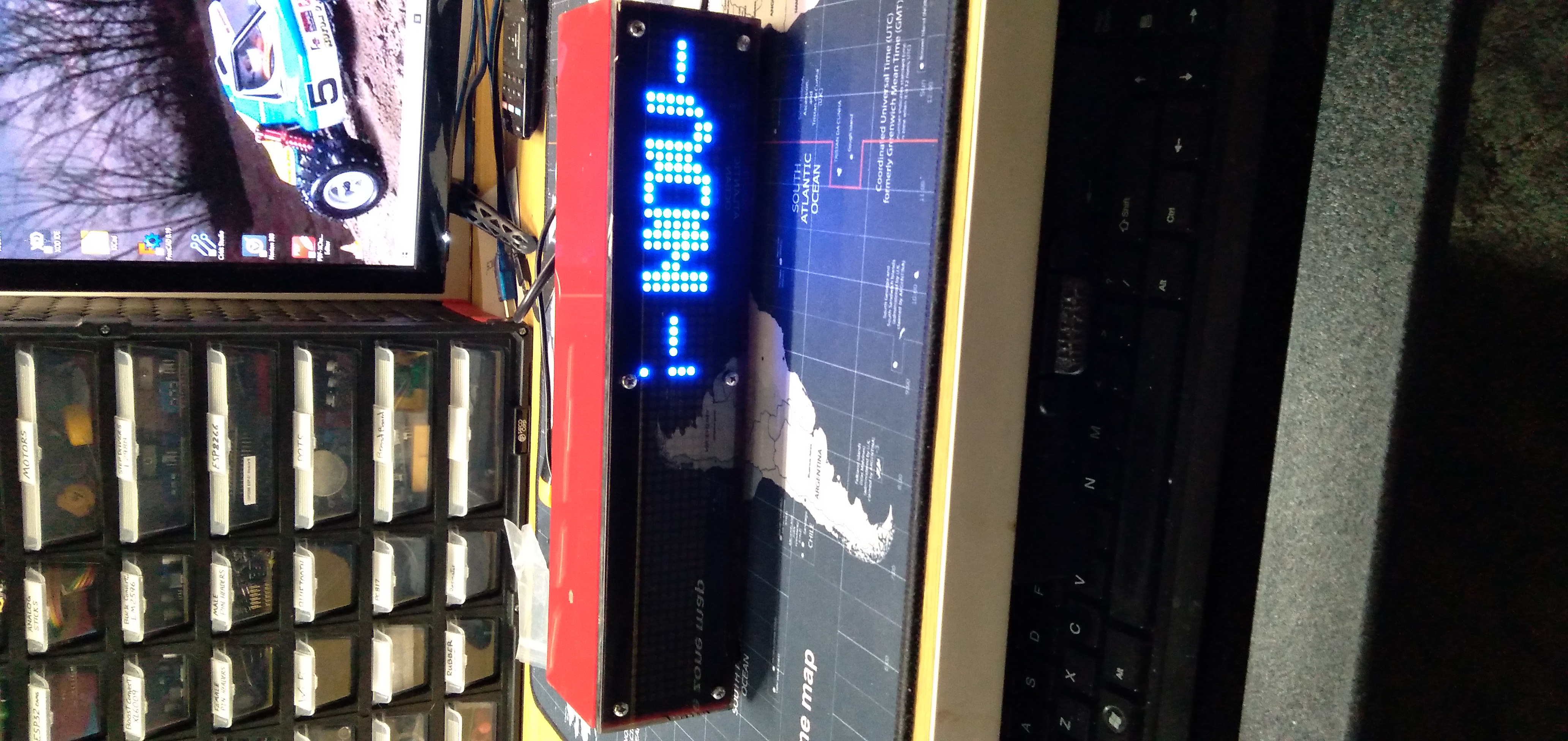
Thank you. Would anyone know how to make this work using 2x Max7219 modules (8 in 1)? I wanted to add an extra for the text scrolling feature. I looked through the code, but I do not see any way to change this :( Am I missing something?
20211105_215103

<!-- gh-comment-id:962369752 --> @KyoshoTom commented on GitHub (Nov 6, 2021): Thank you. Would anyone know how to make this work using 2x Max7219 modules (8 in 1)? I wanted to add an extra for the text scrolling feature. I looked through the code, but I do not see any way to change this :( Am I missing something? ![20211105_215103](https://user-images.githubusercontent.com/85595981/140594109-18a01d82-220a-4f2f-9488-c567d27ebe47.jpg)
Sign in to join this conversation.
No milestone
No project
No assignees
1 participant
Notifications
Due date
The due date is invalid or out of range. Please use the format "yyyy-mm-dd".

No due date set.

Dependencies

No dependencies set.

Reference
starred/WiFiManager#1057
No description provided.