mirror of
https://github.com/007revad/Synology_HDD_db.git
synced 2026-04-25 13:45:59 +03:00
[GH-ISSUE #45] Question about HDD update disabled #21
Labels
No milestone
No project
No assignees
1 participant

Notifications
Due date
No due date set.
Dependencies
No dependencies set.
Reference
starred/Synology_HDD_db#21
Loading…
Add table
Add a link
Reference in a new issue
No description provided.
Delete branch "%!s()"
Deleting a branch is permanent. Although the deleted branch may continue to exist for a short time before it actually gets removed, it CANNOT be undone in most cases. Continue?
Originally created by @aferende on GitHub (Mar 28, 2023).
Original GitHub issue: https://github.com/007revad/Synology_HDD_db/issues/45
I have a question about disabling Synology update.
As far as I know, this update also serves to check for any new firmware on the individual HDs.
Attempting manual update fails (after running the script).
So we have to give up forever to any updates?
What do you think about?
Ty
@007revad commented on GitHub (Mar 28, 2023):
Do you have drives that DSM supports for firmware updates?
I thought DSM only supported firmware updates on Synology drives.
You could restore the db update URL, do the manual firmware version check, then disable the db update URL.
sudo -i /path-to-script/syno_hdd_db.shsudo -i /path-to-script/syno_hdd_db.sh --nodbupdatesudo -i /path-to-script/syno_hdd_db.sh -n@aferende commented on GitHub (Mar 28, 2023):
OK thank you.
Yes, before running the script it happened that DSM found an updated firmware asking me to restart.
Many of the HDDs I have are Exos and Ironwolf therefore supported. Thanks for the reply
@aferende commented on GitHub (Mar 29, 2023):
HI,
I reopen the report because there is perhaps still some problem.
The script to re-enable the HDD update doesn't seem to work.
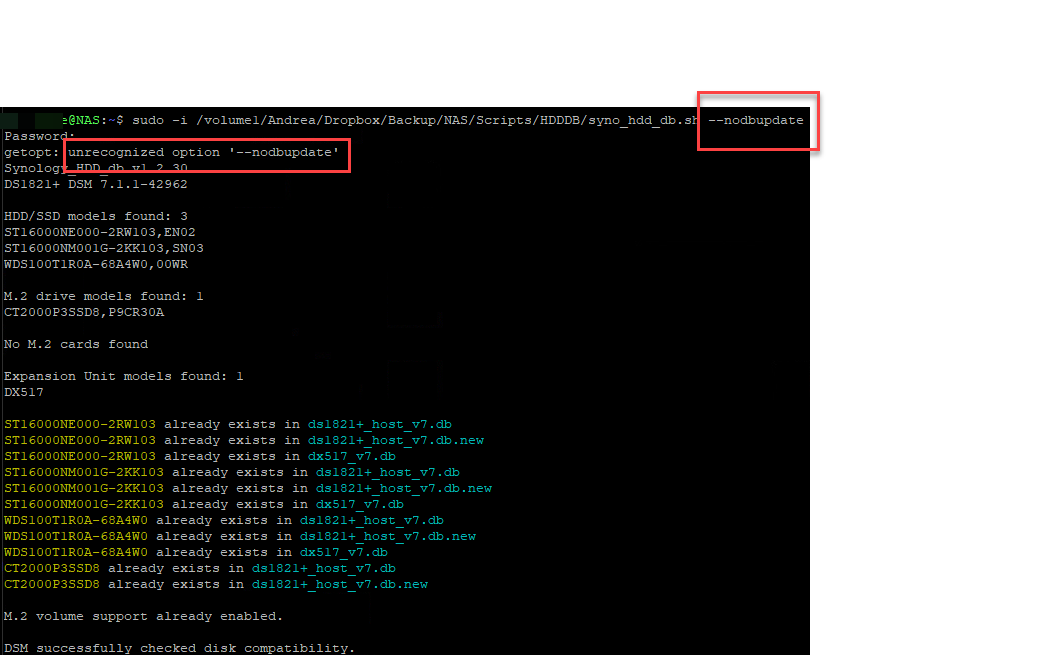
The first one says the parameter is wrong.
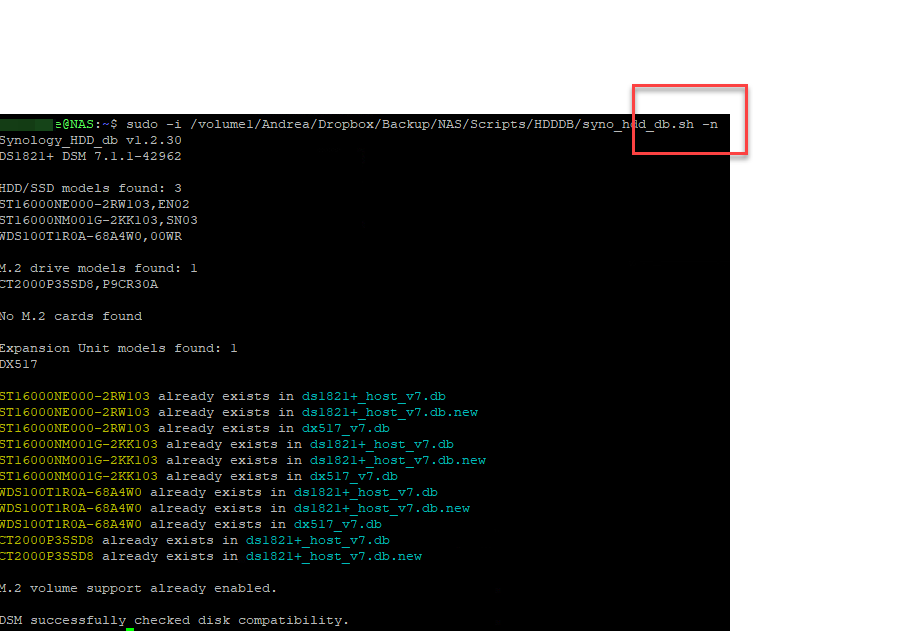
The second runs but does not produce the desired effect.
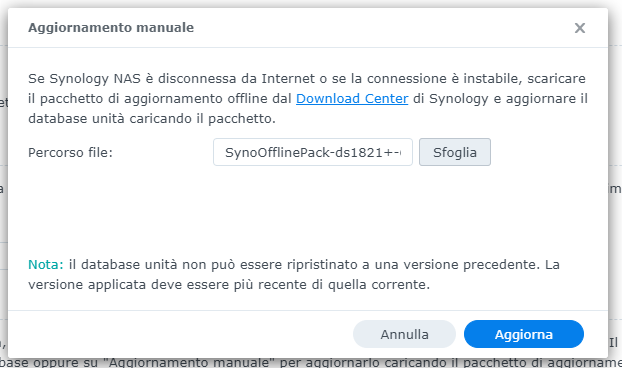
Trying to update from Synology site I get this error.
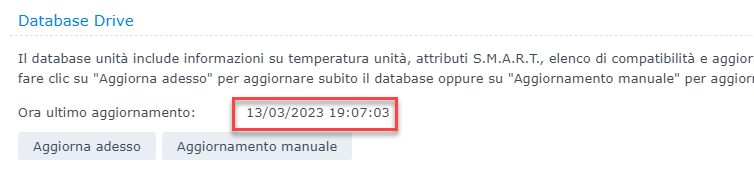
Trying to update by hand instead, it seems that the DB doesn't update.
Some idea?

@007revad commented on GitHub (Mar 29, 2023):
I mistyped --nodbupdate. It should have been --noupdate
Both -n and --noupdate disable db updates.
Running the script without -n or --noupdate will re-enable db updates.
sudo -i /path-to-script/syno_hdd_db.shsudo -i /path-to-script/syno_hdd_db.sh -n@aferende commented on GitHub (Mar 29, 2023):
Thanks Dave.
However, the problem remains that even by executing the script without parameters (therefore db update enabled), the Synology update check fails with the pop-up already attached to the previous message.
However, manually updating does not update the db.
Any idea?
@007revad commented on GitHub (Mar 30, 2023):
Okay. I've found a bug in the code that re-enables db updates. I'm not sure how long it's been there because it used to work.
Until I can fix the script and upload the new version you can use this command to re-enable db updates:
sudo sed -i "s/drive_db_test_url=\"127\.0\.0\.1\"//" "/etc.defaults/synoinfo.conf"@aferende commented on GitHub (Mar 30, 2023):
Also after executing this script, syno update doesn't work. Same popup message
@007revad commented on GitHub (Mar 30, 2023):
There's an updated version, v1.2.31, to fix your issue.
https://github.com/007revad/Synology_HDD_db/releases/tag/v1.2.31
@aferende commented on GitHub (Mar 30, 2023):
Ty. It works now!