mirror of
https://github.com/NickeManarin/ScreenToGif.git
synced 2026-04-25 15:15:51 +03:00
[GH-ISSUE #707] Resolution numbers are off #576
Labels
No labels
copy cats
duplicated
future feature
pull-request
⬜ Accepted
⬜ Completed
⬜ Help Wanted 💪
⬜ In Progress
⬜ Missing Details
⬜ Pending
⬜ Waiting For Answer ⏳
🆕 feature preview
🔷 Bug 🐛
🔷 Out Of Scope
🔷 Out Of Scope
🔷 Question
🔷Enhancement
🔷Enhancement
🔷Invalid / External
🔷Knowledge Base
🔷Won't Fix
🕑 High
🕑 High
🕑 High
🕕 Medium
🕙 Low
🕛 Critical
No milestone
No project
No assignees
1 participant

Notifications
Due date
No due date set.
Dependencies
No dependencies set.
Reference
starred/ScreenToGif#576
Loading…
Add table
Add a link
Reference in a new issue
No description provided.
Delete branch "%!s()"
Deleting a branch is permanent. Although the deleted branch may continue to exist for a short time before it actually gets removed, it CANNOT be undone in most cases. Continue?
Originally created by @GhbSmwc on GitHub (Aug 29, 2020).
Original GitHub issue: https://github.com/NickeManarin/ScreenToGif/issues/707
I'm using a Insignia monitor to have my PC screen huge, the problem? This:
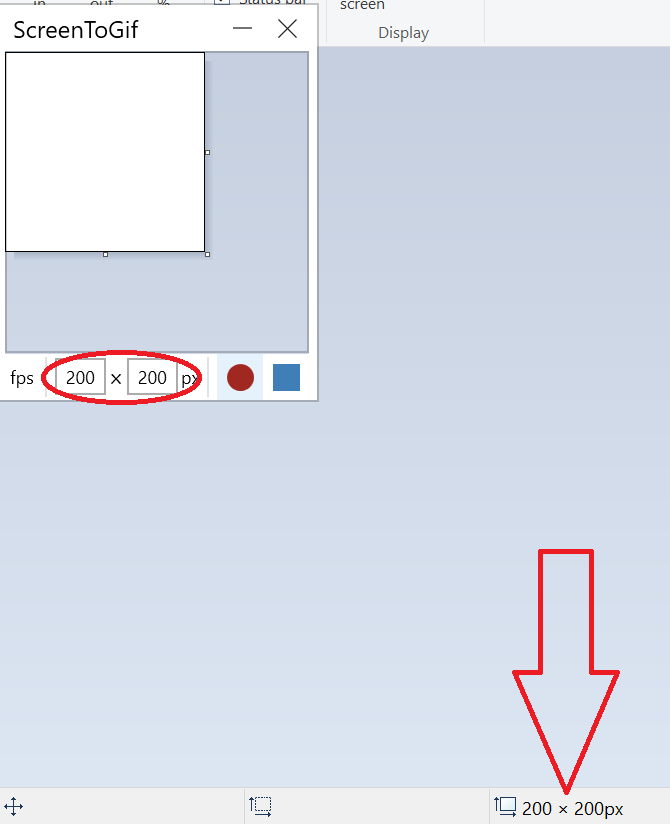
The image resolution is 200x200, and ScreenToGif is also set to 200x200 (but is actually bigger than that), but they do not match.
I have the zoom settings on paint set to exactly 100% Here is the test image (for you to download and then use ScreenToGif on):

@NickeManarin commented on GitHub (Aug 29, 2020):
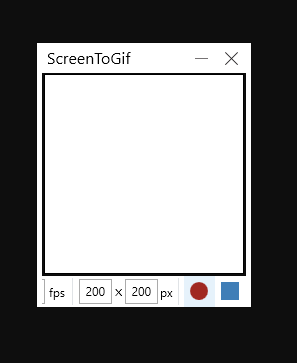
Paint is displaying a 200x200 image with 96dpi.
ScreenToGif is measuring a 200x200 screen area with something greater than 96dpi.
Here's a screenshot of my screen with 96dpi:
@GhbSmwc commented on GitHub (Aug 29, 2020):
Is there a way I can change the Dpi?
@NickeManarin commented on GitHub (Aug 29, 2020):
No, Paint sizing and ScreenToGif sizing detection are not configurable.
@NickeManarin commented on GitHub (Aug 29, 2020):
But, you can change the DPI/Scale of your screen.
@GhbSmwc commented on GitHub (Aug 29, 2020):
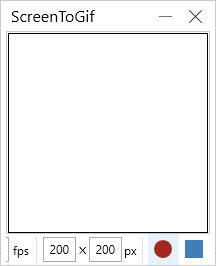
Tried setting it to 100% (I can see even more things with this setting, awesome!), and tried the same image here (thank goodness my browser didn't resize the image on the page) and was close enough:
Also feature suggestion: Enable the user to move the recording window pixel-by-pixel. Normally, all windows lets you do this when you rightclick the titlebar of the window and move, and you can press CTRL+ to move it precisely.
@NickeManarin commented on GitHub (Aug 29, 2020):
This was implemented already and it will be available with the next version (v2.27).
You'll be able to control the movement using the arrow keys, the resize with Shift/Ctrl + arrow keys.
Holding Alt while moving or resizing will set the steps to 5px, else 1px.