mirror of
https://github.com/NickeManarin/ScreenToGif.git
synced 2026-04-26 07:35:54 +03:00
[GH-ISSUE #580] Frequent issues when using a progress bar with the 2.0 Encoder, but fine with 1.0 #480
Labels
No labels
copy cats
duplicated
future feature
pull-request
⬜ Accepted
⬜ Completed
⬜ Help Wanted 💪
⬜ In Progress
⬜ Missing Details
⬜ Pending
⬜ Waiting For Answer ⏳
🆕 feature preview
🔷 Bug 🐛
🔷 Out Of Scope
🔷 Out Of Scope
🔷 Question
🔷Enhancement
🔷Enhancement
🔷Invalid / External
🔷Knowledge Base
🔷Won't Fix
🕑 High
🕑 High
🕑 High
🕕 Medium
🕙 Low
🕛 Critical
No milestone
No project
No assignees
1 participant

Notifications
Due date
No due date set.
Dependencies
No dependencies set.
Reference
starred/ScreenToGif#480
Loading…
Add table
Add a link
Reference in a new issue
No description provided.
Delete branch "%!s()"
Deleting a branch is permanent. Although the deleted branch may continue to exist for a short time before it actually gets removed, it CANNOT be undone in most cases. Continue?
Originally created by @KybernetikGames on GitHub (Jan 16, 2020).
Original GitHub issue: https://github.com/NickeManarin/ScreenToGif/issues/580
When I add a progress bar and save with the 2.0 encoder, it very often (but not always) causes severe artifacts when played (it never seems to happen without a progress bar):
But the 1.0 encoder doesn't have the same issue:
I like the smaller file size of 2.0, but it's really annoying having to always check for this issue. I've uploaded the project file here in case that helps you reproduce it.
@NickeManarin commented on GitHub (Jan 19, 2020):
Try changing the color of the progress bar to other color, not green. Green is used as the color marked as transparent, enabling some file size saving,
@KybernetikGames commented on GitHub (Jan 22, 2020):
It would probably be good to have a warning about that when adding a progress bar. I've already used green ones on dozens of gifs so I can't exactly change to a different colour at this point.
@elexx commented on GitHub (Jan 24, 2020):
I think you can also go the other way round: Change the color that marks transparent pixels. It's in the save-panel, Encode 2.0 under "GIF-Options"
@NickeManarin commented on GitHub (Jun 29, 2020):
This issue was fixed, and it will be available with the next release.
You don't need to care about having the chroma key (known as 'dummy color' in older versions) as a color in the frame!
I developed from scratch the built-in encoders.
Octree (known as '2.0'):
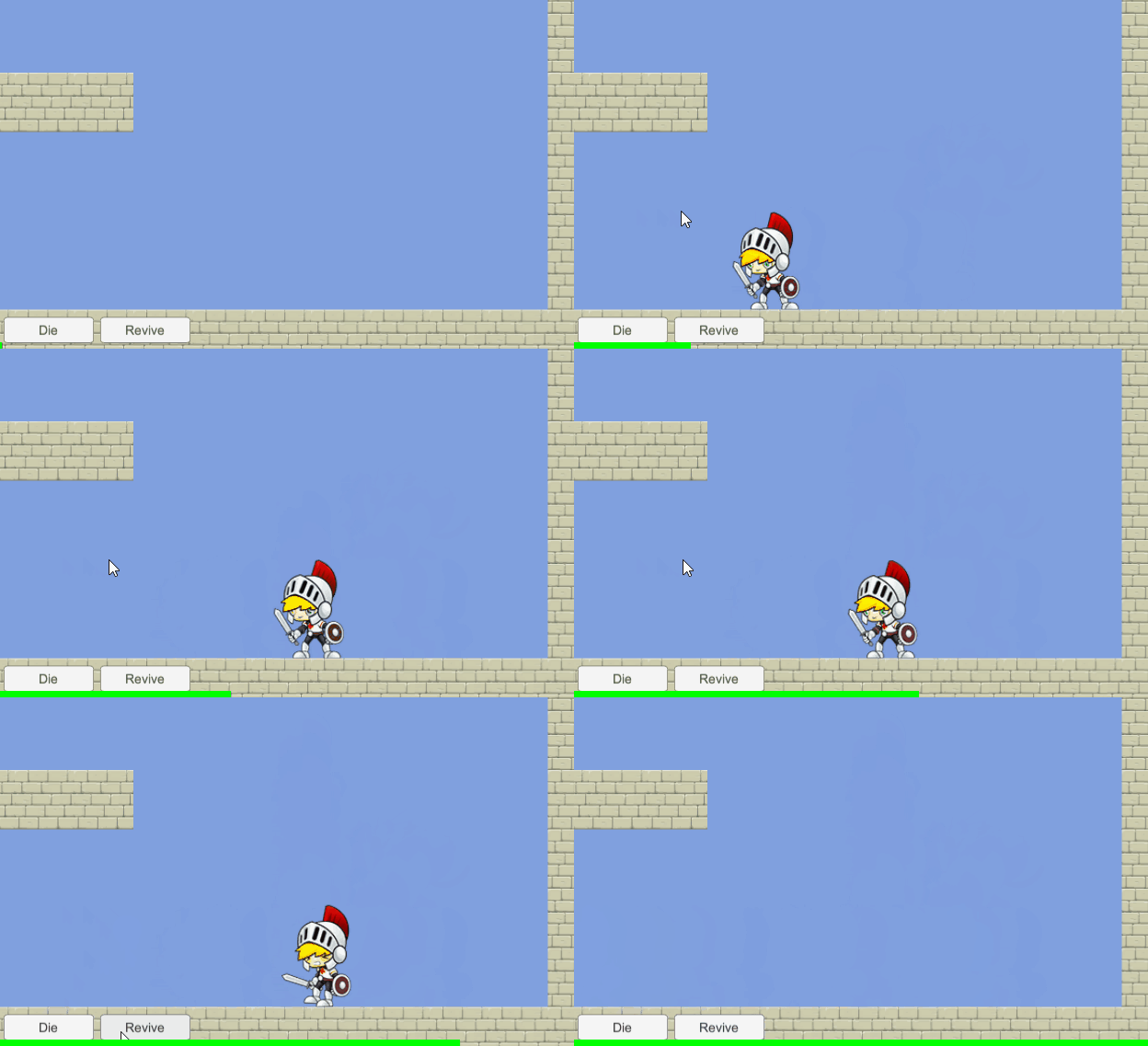
Neural (known as '1.0'):
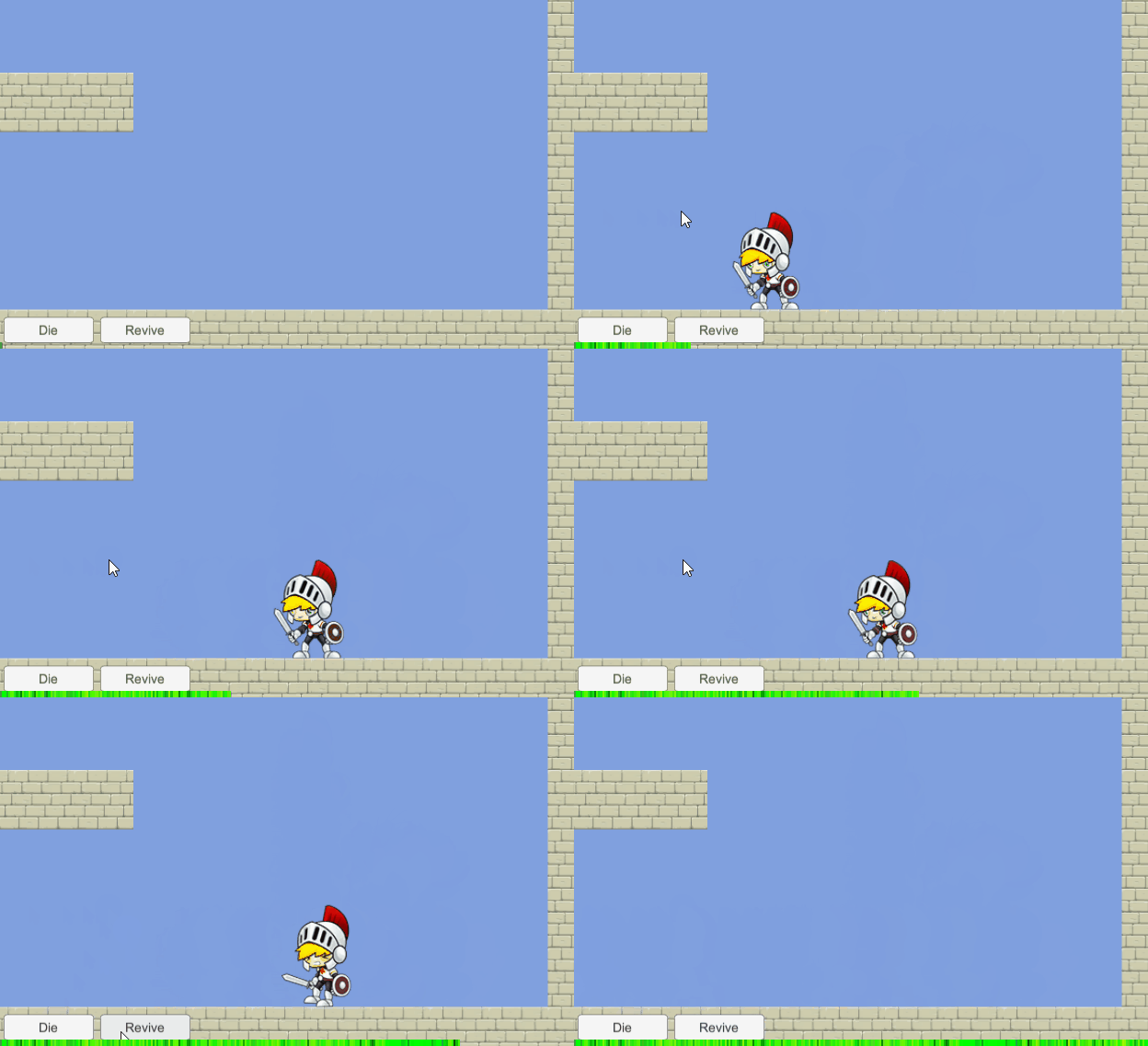
You're still going to get the color shifts in the progress bar using the Neural quantizer, since that's how the encoder works. :/