mirror of
https://github.com/NickeManarin/ScreenToGif.git
synced 2026-04-25 15:15:51 +03:00
[GH-ISSUE #447] About recent projects and thumbnails #369
Labels
No labels
copy cats
duplicated
future feature
pull-request
⬜ Accepted
⬜ Completed
⬜ Help Wanted 💪
⬜ In Progress
⬜ Missing Details
⬜ Pending
⬜ Waiting For Answer ⏳
🆕 feature preview
🔷 Bug 🐛
🔷 Out Of Scope
🔷 Out Of Scope
🔷 Question
🔷Enhancement
🔷Enhancement
🔷Invalid / External
🔷Knowledge Base
🔷Won't Fix
🕑 High
🕑 High
🕑 High
🕕 Medium
🕙 Low
🕛 Critical
No milestone
No project
No assignees
1 participant

Notifications
Due date
No due date set.
Dependencies
No dependencies set.
Reference
starred/ScreenToGif#369
Loading…
Add table
Add a link
Reference in a new issue
No description provided.
Delete branch "%!s()"
Deleting a branch is permanent. Although the deleted branch may continue to exist for a short time before it actually gets removed, it CANNOT be undone in most cases. Continue?
Originally created by @ghost on GitHub (Feb 1, 2019).
Original GitHub issue: https://github.com/NickeManarin/ScreenToGif/issues/447
Originally assigned to: @NickeManarin on GitHub.
Hello, my English is not good, I can only communicate through Google Translate, I hope you can understand what I mean.
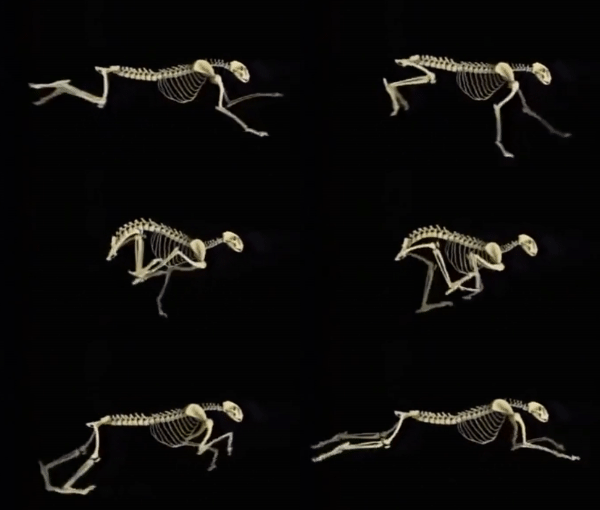
I hope that the author can add thumbnail options for recent projects. If the project is too much, it will be very troublesome to find.
Some GIF diagrams are continuous. If you are clever before and after, you can't see where the beginning is and where it ends. But it is not easy to create such a GIF map. I have done it once and need to filter one frame by one frame. I hope there is a more convenient method.
My approach is to select a frame, then mark the similar frame, then delete the marked frame and the following frame, leaving the loop.
I have not learned programming, so the problem may be naive, I hope you can understand, but I like your software very much, I hope the author and software will get better and better in the future.
@vatterspun commented on GitHub (Feb 2, 2019):
Mocking something up based on what I think the poster is suggesting:
Steps:
Change: now in addition to date, time, and frames, there's also a first frame.
You could get fancy and have the GIF auto-play when you hover the mouse over the project.
@ghost commented on GitHub (Feb 3, 2019):
The idea of a mouse hover is great.
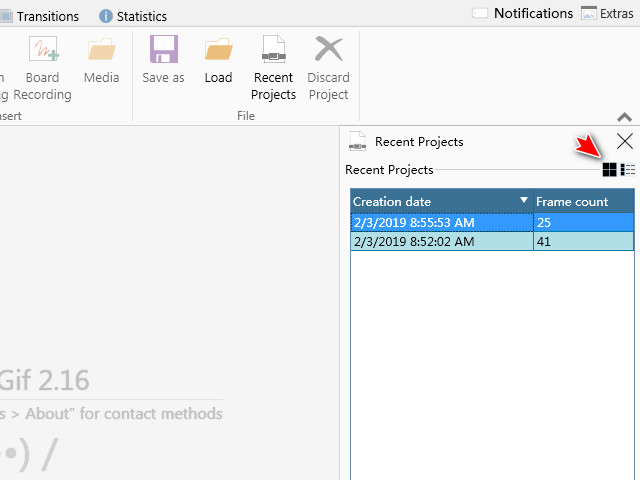
Why not add a button that displays thumbnails and details like other software.
@vatterspun commented on GitHub (Feb 3, 2019):
Yeah makes sense - good suggestion.
@NickeManarin commented on GitHub (Mar 9, 2019):
There's also a third way of doing this:
Only display the thumbnail when the row is selected. This is also easy to implement.