mirror of
https://github.com/NickeManarin/ScreenToGif.git
synced 2026-04-25 15:15:51 +03:00
[GH-ISSUE #332] Recording position and size are not scaled on high-density display #277
Labels
No labels
copy cats
duplicated
future feature
pull-request
⬜ Accepted
⬜ Completed
⬜ Help Wanted 💪
⬜ In Progress
⬜ Missing Details
⬜ Pending
⬜ Waiting For Answer ⏳
🆕 feature preview
🔷 Bug 🐛
🔷 Out Of Scope
🔷 Out Of Scope
🔷 Question
🔷Enhancement
🔷Enhancement
🔷Invalid / External
🔷Knowledge Base
🔷Won't Fix
🕑 High
🕑 High
🕑 High
🕕 Medium
🕙 Low
🕛 Critical
No milestone
No project
No assignees
1 participant

Notifications
Due date
No due date set.
Dependencies
No dependencies set.
Reference
starred/ScreenToGif#277
Loading…
Add table
Add a link
Reference in a new issue
No description provided.
Delete branch "%!s()"
Deleting a branch is permanent. Although the deleted branch may continue to exist for a short time before it actually gets removed, it CANNOT be undone in most cases. Continue?
Originally created by @ironfroggy on GitHub (Jun 2, 2018).
Original GitHub issue: https://github.com/NickeManarin/ScreenToGif/issues/332
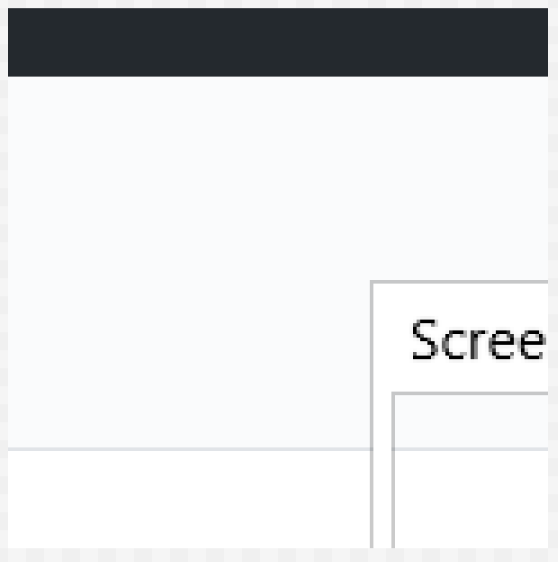
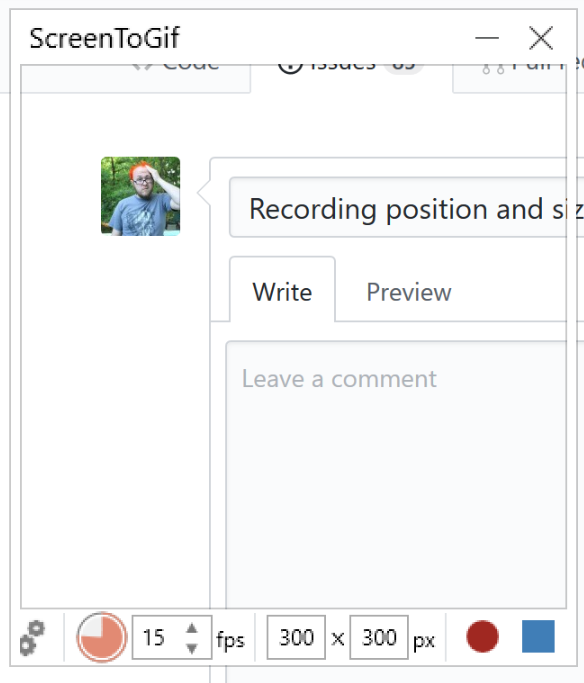
On a high-density display like a Surface device and presumably others the position and size of the recording region are only half what they should be. Attaching the window i had setup and the recording it made.
@NickeManarin commented on GitHub (Jun 2, 2018):
Are you using the latest version, v2.13.3?
@ironfroggy commented on GitHub (Jun 2, 2018):
Yes. The first thing I did when seeing the problem was to update.
@NickeManarin commented on GitHub (Jun 10, 2018):
Not sure what I'm doing differently, but I could not reproduce this behavior.
I tried with 125% and 150%, using the old or the new recorder, moving or not the recording area.
Can you tell me which scale (or DPI) your Surface screen is using?
@ironfroggy commented on GitHub (Jun 15, 2018):
The scale is at 200%, but I just tested on 150% and get the same kind of results. It seems like Screen2GIF is recording based on unscaled coordinates?
@NickeManarin commented on GitHub (Jun 24, 2018):
Yes, it's taking a non-scaled position. Do you have multiple screens?
@ironfroggy commented on GitHub (Jun 24, 2018):
This happens the same when I have either 1 or 2 screens.
If I were to setup a local dev setup for this, maybe I could help to diagnose it or even fix it...
@NickeManarin commented on GitHub (Jun 25, 2018):
I tried more situations while the recorder was loaded and also before it was open:
Adding a secondary monitor.
Removing the secondary monitor.
Changing the position of the screen.
Changing the DPI of the secondary screen (while attached to the left/right of the main screen).
Changing the DPI of the main screen.
It would be really helpful if you would debug this. :)
Inside the Recorder.xaml.cs file, there's a method called UpdateScreenDpi(), which gets the DPI of the screen and writes to an auxiliary variable.
That variable is used to decide if the position and size of the recording.
If that variable was not being updated, it will stay 1 which is 100%.
(Thinking about it, I should rename that method to GetScreenScale, haha)
Also, currently the app is not per-monitor DPI-aware. It uses a single DPI for all windows.
@NickeManarin commented on GitHub (Jun 25, 2018):
Btw, I asked about the version that you were using, because an old version had this problem.
@NickeManarin commented on GitHub (Sep 27, 2019):
I'm closing this issue as I cannot reproduce anymore.
Also, I changed the way that the app starts and detects the screen DPI.
Even so, if this bug still happens, you can try using the new recorder UI.
Head over to
Options > Application > Enable the new recorder UI.