mirror of
https://github.com/NickeManarin/ScreenToGif.git
synced 2026-04-25 15:15:51 +03:00
[GH-ISSUE #316] How to crop individual frame and do Annotation #260
Labels
No labels
copy cats
duplicated
future feature
pull-request
⬜ Accepted
⬜ Completed
⬜ Help Wanted 💪
⬜ In Progress
⬜ Missing Details
⬜ Pending
⬜ Waiting For Answer ⏳
🆕 feature preview
🔷 Bug 🐛
🔷 Out Of Scope
🔷 Out Of Scope
🔷 Question
🔷Enhancement
🔷Enhancement
🔷Invalid / External
🔷Knowledge Base
🔷Won't Fix
🕑 High
🕑 High
🕑 High
🕕 Medium
🕙 Low
🕛 Critical
No milestone
No project
No assignees
1 participant

Notifications
Due date
No due date set.
Dependencies
No dependencies set.
Reference
starred/ScreenToGif#260
Loading…
Add table
Add a link
Reference in a new issue
No description provided.
Delete branch "%!s()"
Deleting a branch is permanent. Although the deleted branch may continue to exist for a short time before it actually gets removed, it CANNOT be undone in most cases. Continue?
Originally created by @kapuranirudh on GitHub (Apr 22, 2018).
Original GitHub issue: https://github.com/NickeManarin/ScreenToGif/issues/316
Hi,
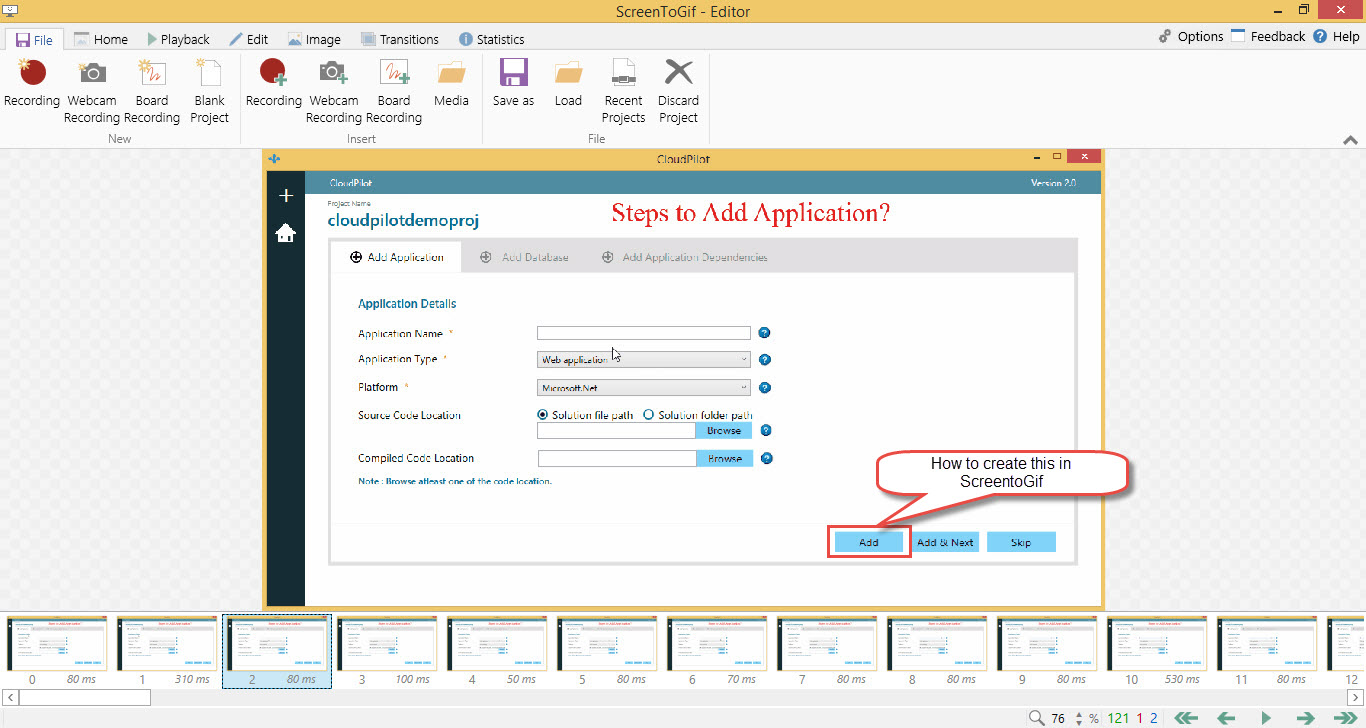
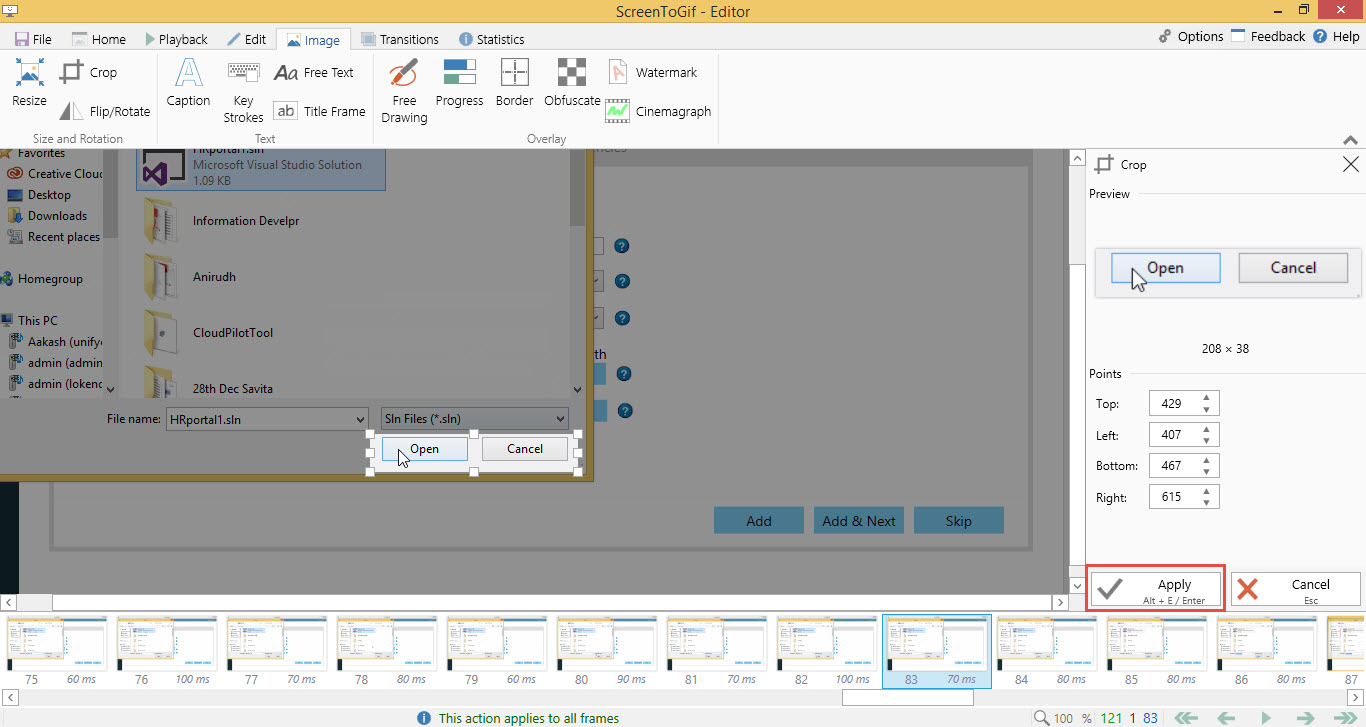
ScreenToGif tool which is an amazing tool to work on, but I have few queries ie
After doing all these above steps on the frames as in we run the gif clip I need to explain the software in a better way.
PFA screenshots for the same.
Request you to please resolve my query, if possible.
Thanks & Regards
Anirudh Kapur
@NickeManarin commented on GitHub (Apr 25, 2018):
To add an annotation, you can use "Free Text" or "Caption", currently there's no way to add balloons.
Cropping/zooming for a single frame is not supported too.
@kapuranirudh commented on GitHub (Apr 25, 2018):
@Nicke, thanks for your reply , yes I have tried the
@kapuranirudh commented on GitHub (Apr 25, 2018):
@Nicke, yes I have already tried the caption and free text , these were the only issues I was facing , hope to see these added in future .
Thought the “Screentogif” is an amazing software.
Thanks