[GH-ISSUE #317] [Feature request] Color limiter #1631

Closed
opened 2026-03-01 18:47:02 +03:00 by kerem · 2 comments
Owner

Originally created by @vatterspun on GitHub (Apr 23, 2018).
Original GitHub issue: https://github.com/NickeManarin/ScreenToGif/issues/317

Disclaimer: There might be a way to do this properly but at least with the tools I used, lowering colors didn't seem to help, probably because it creates additional changes between frames.

I got this idea while responding to #299.


Background: I use ScreenToGif to help demonstrate short processes and for writing up bug reports, frequently I don't need precise detail to explain what I'm trying to do. Currently ScreenToGif saves to the 256 color standard. With fewer colors, I think you might see file sizes decrease.

I tried to put together a process to demonstrate how taking images recorded in ScreenToGif and using other tools with converters that remove colors would result in lower file sizes. Strangely, I tried the following workaround and -- for reasons I can't explain, none if to worked. Fewer colors (black and white, 64 color, 8 color even) strangely resulted in LARGER files sizes. I really can't explain why as I've done this previously with other GIF animation tools with very different results.

Workaround:

  1. Record something and save as project (such as Recording.STG)
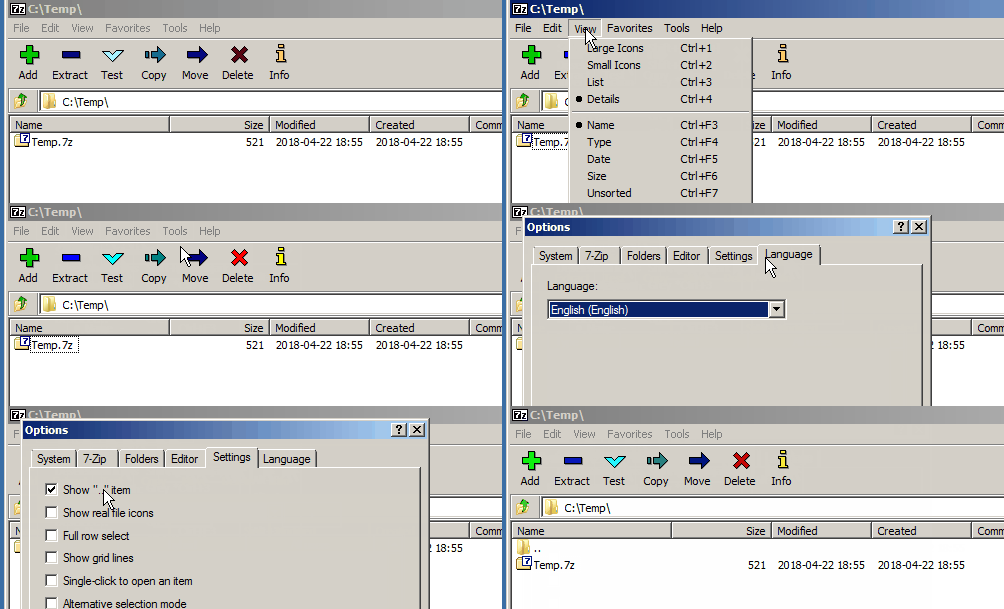
  2. Unzip the .STG file using a program like 7zip to get access to the individual images
  3. Run with a program like XnConvert and add all the files
  4. Click Add Action - Reduce Colors (make sure to disable dithering)

2018-04-22 19_50_24-xnconvert

  1. Select an output folder and convert
  2. Re-import back into the program (go to the output folder and select all)
  3. Save to GIF or other format

Output

256 colors:
test88767-high

Black and White:
test88767-bw

Note that converting to APNG format did nothing. The files with more colors were still somehow smaller. Maybe it's the converter I was using.

Originally created by @vatterspun on GitHub (Apr 23, 2018). Original GitHub issue: https://github.com/NickeManarin/ScreenToGif/issues/317 **Disclaimer**: There might be a way to do this properly but at least with the tools I used, lowering colors didn't seem to help, probably because it creates additional changes between frames. I got this idea while responding to #299. --- **Background**: I use ScreenToGif to help demonstrate short processes and for writing up bug reports, frequently I don't need precise detail to explain what I'm trying to do. Currently ScreenToGif saves to the 256 color standard. With fewer colors, I think you might see file sizes decrease. I tried to put together a process to demonstrate how taking images recorded in ScreenToGif and using other tools with converters that remove colors would result in lower file sizes. Strangely, I tried the following workaround and -- for reasons I can't explain, none if to worked. Fewer colors (black and white, 64 color, 8 color even) strangely resulted in LARGER files sizes. I really can't explain why as I've done this previously with other GIF animation tools with very different results. Workaround: 1. Record something and save as project (such as _Recording.STG_) 2. Unzip the .STG file using a program like 7zip to get access to the individual images 3. Run with a program like XnConvert and add all the files 4. Click Add Action - Reduce Colors (make sure to disable dithering) ![2018-04-22 19_50_24-xnconvert](https://user-images.githubusercontent.com/1289134/39102104-773f7394-4666-11e8-90b2-6f3b4b72267a.png) 5. Select an output folder and convert 6. Re-import back into the program (go to the output folder and select all) 7. Save to GIF or other format **Output** 256 colors: ![test88767-high](https://user-images.githubusercontent.com/1289134/39102110-82b72ab4-4666-11e8-914c-710d43579911.gif) Black and White: ![test88767-bw](https://user-images.githubusercontent.com/1289134/39102254-b0463c44-4667-11e8-8936-7e4f48530f6e.gif) Note that converting to APNG format did nothing. The files with more colors were still somehow smaller. Maybe it's the converter I was using.
kerem closed this issue 2026-03-01 18:47:02 +03:00
Author
Owner

@NickeManarin commented on GitHub (Apr 26, 2018):

With the encoder v2.0 you can reduce the number of colors.

<!-- gh-comment-id:384482414 --> @NickeManarin commented on GitHub (Apr 26, 2018): With the encoder v2.0 you can reduce the number of colors.
Author
Owner

@vatterspun commented on GitHub (Apr 27, 2018):

Wow, it was that easy? Jeeze.

image

<!-- gh-comment-id:384832518 --> @vatterspun commented on GitHub (Apr 27, 2018): Wow, it was that easy? Jeeze. ![image](https://user-images.githubusercontent.com/1289134/39339125-9dac21fc-498c-11e8-8bc0-bc0b966d9a8d.png)
Sign in to join this conversation.
No milestone
No project
No assignees
1 participant
Notifications
Due date
The due date is invalid or out of range. Please use the format "yyyy-mm-dd".

No due date set.

Dependencies

No dependencies set.

Reference
starred/ScreenToGif#1631
No description provided.