mirror of
https://github.com/NickeManarin/ScreenToGif.git
synced 2026-04-25 15:15:51 +03:00
[GH-ISSUE #61] Add a "zoom" functionality to the timeline #1426
Labels
No labels
copy cats
duplicated
future feature
pull-request
⬜ Accepted
⬜ Completed
⬜ Help Wanted 💪
⬜ In Progress
⬜ Missing Details
⬜ Pending
⬜ Waiting For Answer ⏳
🆕 feature preview
🔷 Bug 🐛
🔷 Out Of Scope
🔷 Out Of Scope
🔷 Question
🔷Enhancement
🔷Enhancement
🔷Invalid / External
🔷Knowledge Base
🔷Won't Fix
🕑 High
🕑 High
🕑 High
🕕 Medium
🕙 Low
🕛 Critical
No milestone
No project
No assignees
1 participant

Notifications
Due date
No due date set.
Dependencies
No dependencies set.
Reference
starred/ScreenToGif#1426
Loading…
Add table
Add a link
Reference in a new issue
No description provided.
Delete branch "%!s()"
Deleting a branch is permanent. Although the deleted branch may continue to exist for a short time before it actually gets removed, it CANNOT be undone in most cases. Continue?
Originally created by @sirtet on GitHub (Jan 18, 2017).
Original GitHub issue: https://github.com/NickeManarin/ScreenToGif/issues/61
Originally assigned to: @NickeManarin on GitHub.
The "timeline" currently shows all frames in a fixed size.
So, very quickly, it needs a lot of scrolling to get from the first frames to the middle or last ones.
It would be nice if there was a toggle to switch between "show all frames" and "fit to screen", so only as many frames would be shown that the first and last are always visible. Just like on an editing program with the timeline fully zoomed out (showing the whole project).
Then, i would also set the "show-all" as default. Or add a setting.
@NickeManarin commented on GitHub (Mar 21, 2017):
Like a folder with images?
@sirtet commented on GitHub (Mar 21, 2017):
Not understanding the folder idea...
I think viedo editing software does this normally by only showing the first and last frame, and in between every Nth frame, as much as there is space.
Then there's normally a zoom slider, sth. like the zoom function in MS Word et al. This zooms between "fit to timeline" and "show every frame".
Also, often it's possible to drag the height of the timeline. That way you control how many images are shown (and thus it also affects the zoom level).
@NickeManarin commented on GitHub (Mar 21, 2017):
Sorry, I answered this late in the night. Now I understand what you wrote.
I was thinking about something like what PowerPoint allows you to do, showing all frames like a folder with images inside, all the images would be displayed in a grid, allowing you to see a lot of frames at once, without having to scroll.
@brain8891 commented on GitHub (Aug 3, 2020):
@NickeManarin I just started with ScreenToGif, and I think what @sirtet wants is something like this:

This screenshot is from Photoshop where you can switch between
video timelinetime line andframe animationtimelinemore relevant screenshots:
1-
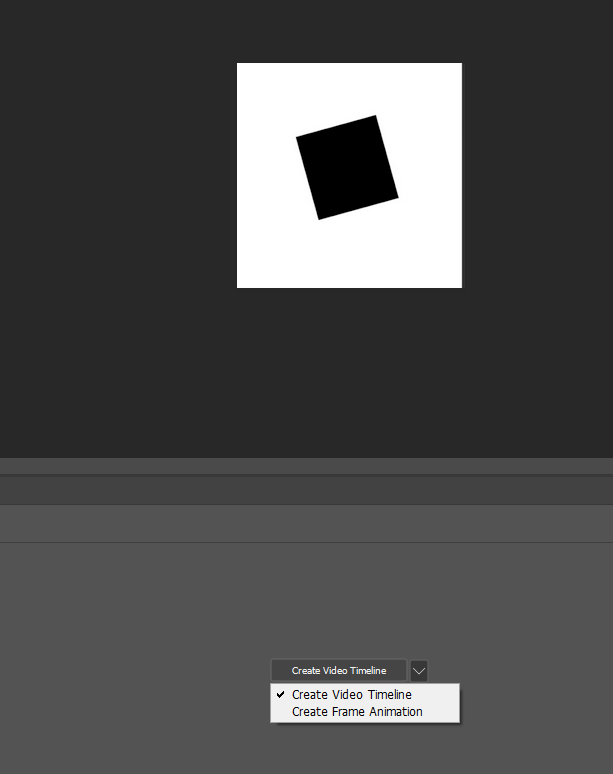
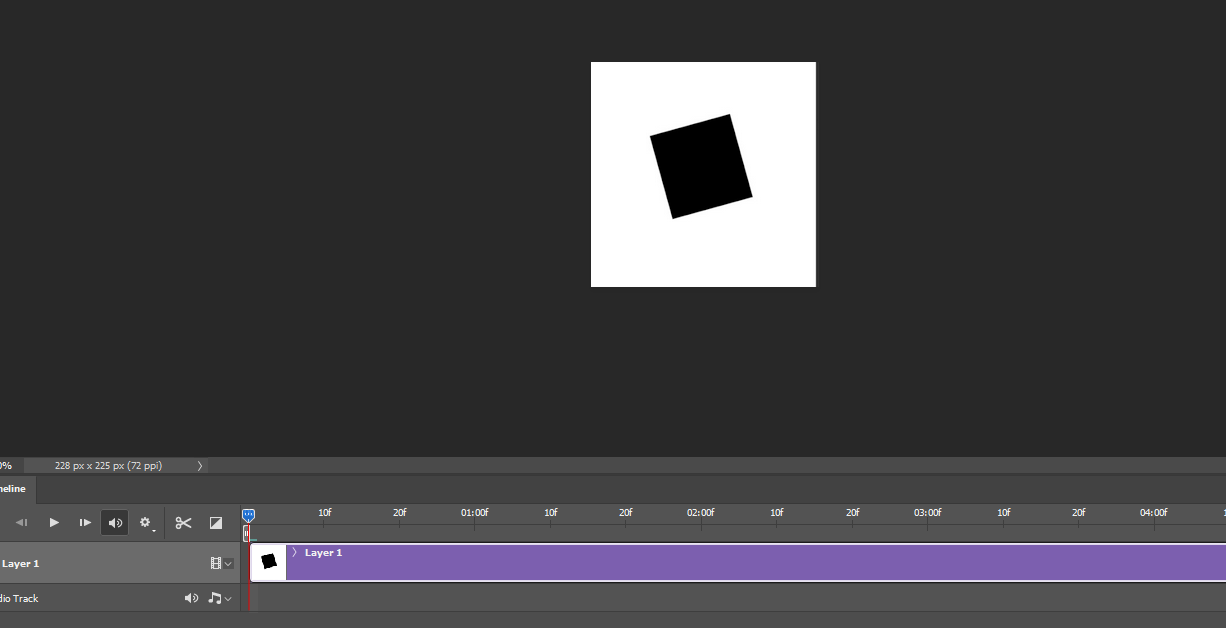
2-
3-
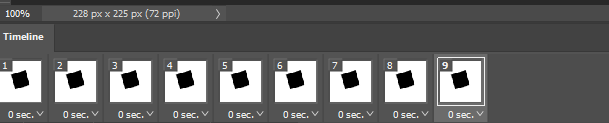
My suggestion: Check how things on Photoshop work, on photoshop you can switch between the two modes.
I will not use ScreenToGif, just because of
Frame animationstyle timeline, it is really time consuming.Thank you very much for your hard work, it is really fast and lightweight and an potentially an amazing tool for teachers, student, and software testers.