mirror of
https://github.com/NickeManarin/ScreenToGif.git
synced 2026-04-25 23:25:52 +03:00
[PR #873] [MERGED] Fix selection of frames after Delete all next/prev command #1238
Labels
No labels
copy cats
duplicated
future feature
pull-request
⬜ Accepted
⬜ Completed
⬜ Help Wanted 💪
⬜ In Progress
⬜ Missing Details
⬜ Pending
⬜ Waiting For Answer ⏳
🆕 feature preview
🔷 Bug 🐛
🔷 Out Of Scope
🔷 Out Of Scope
🔷 Question
🔷Enhancement
🔷Enhancement
🔷Invalid / External
🔷Knowledge Base
🔷Won't Fix
🕑 High
🕑 High
🕑 High
🕕 Medium
🕙 Low
🕛 Critical
No milestone
No project
No assignees
1 participant

Notifications
Due date
No due date set.
Dependencies
No dependencies set.
Reference
starred/ScreenToGif#1238
Loading…
Add table
Add a link
Reference in a new issue
No description provided.
Delete branch "%!s()"
Deleting a branch is permanent. Although the deleted branch may continue to exist for a short time before it actually gets removed, it CANNOT be undone in most cases. Continue?
📋 Pull Request Information
Original PR: https://github.com/NickeManarin/ScreenToGif/pull/873
Author: @pawlos
Created: 5/2/2021
Status: ✅ Merged
Merged: 5/8/2021
Merged by: @NickeManarin
Base:
bugfix/873-frame-selection-after-deleting-previous-next← Head:fix-selection-after-remove📝 Commits (1)
68619beFix selection of frames after Delete all next/prev command📊 Changes
1 file changed (+3 additions, -3 deletions)
View changed files
📝
ScreenToGif/Windows/Editor.xaml.cs(+3 -3)📄 Description
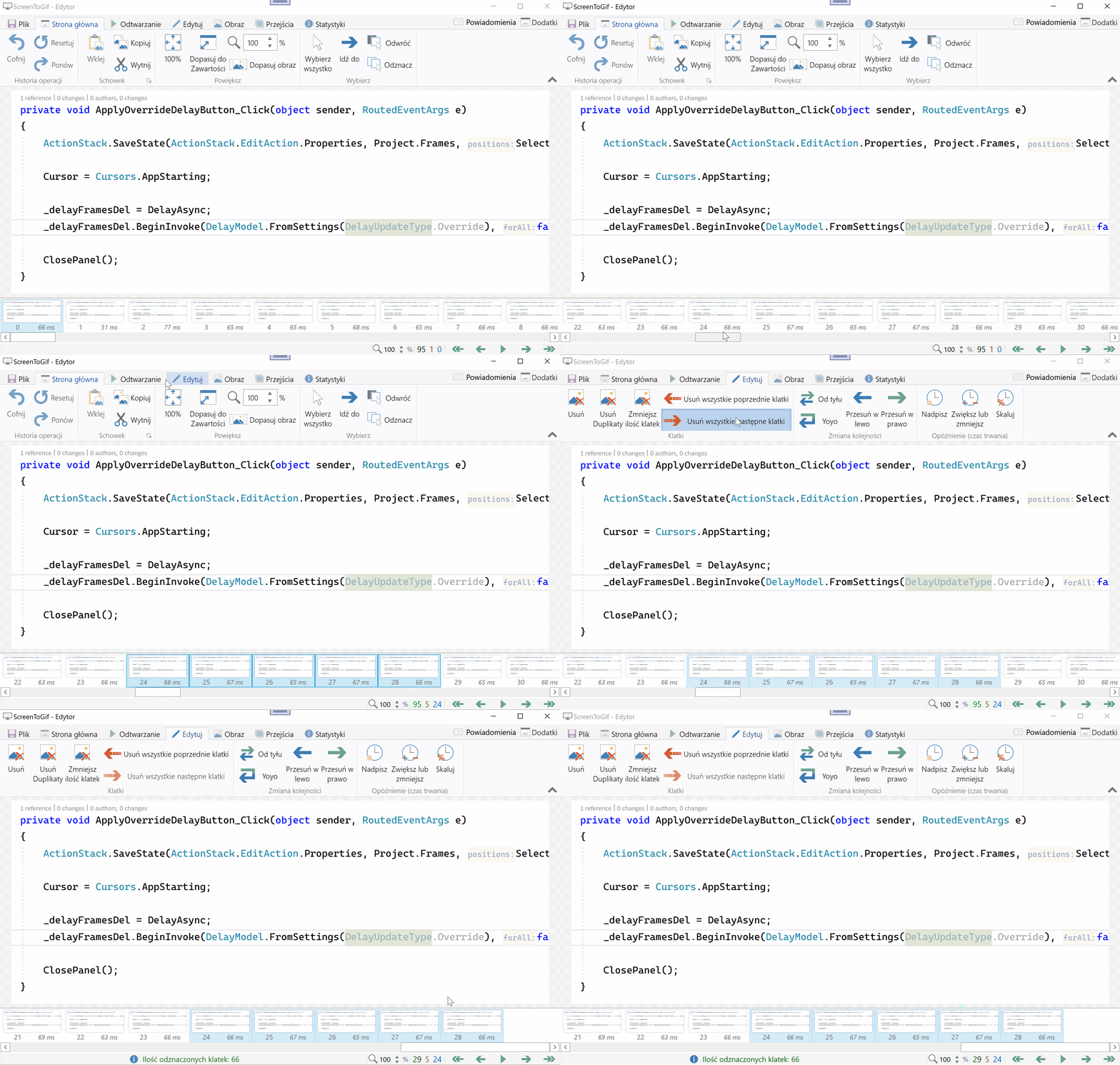
This small PR fixes the selection issue after Delete all next/previous commands. Before, for the "Delete all next" command range selection was cleared and only one frame was selected even if a range selection was before.
Currently, it will keep the original selection as it was before executing the command. Apparently whats only needed was a call to
FrameListView.ScrollIntoViewto move the list to the visible frame. The wholeSelectNearwas not really doing any good for the range selection.Before (only one frame selected after command executes):
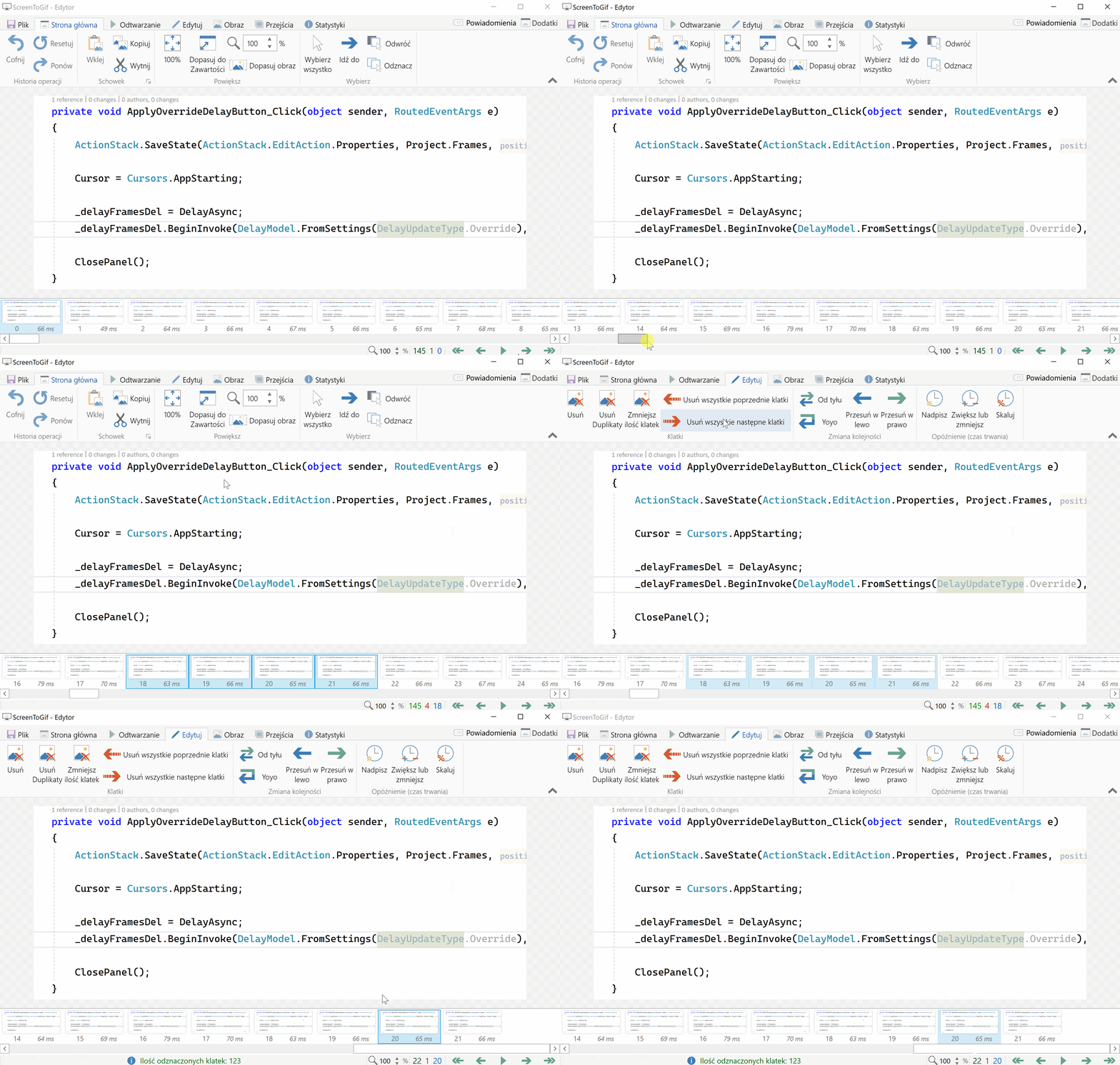
After (range selection kept):
Change in, "Delete All Previous" is done for consistency, it was working as expected even with
SelectNear(0). I guess it was selecting already selected frame and not canceling range selection.🔄 This issue represents a GitHub Pull Request. It cannot be merged through Gitea due to API limitations.