mirror of
https://github.com/EslaMx7/ScreenTask.git
synced 2026-04-25 13:25:50 +03:00
[GH-ISSUE #23] DESKTOP IS CROPPED #20
Labels
No milestone
No project
No assignees
1 participant

Notifications
Due date
No due date set.
Dependencies
No dependencies set.
Reference
starred/ScreenTask#20
Loading…
Add table
Add a link
Reference in a new issue
No description provided.
Delete branch "%!s()"
Deleting a branch is permanent. Although the deleted branch may continue to exist for a short time before it actually gets removed, it CANNOT be undone in most cases. Continue?
Originally created by @SERGIOITA on GitHub (Aug 8, 2017).
Original GitHub issue: https://github.com/EslaMx7/ScreenTask/issues/23
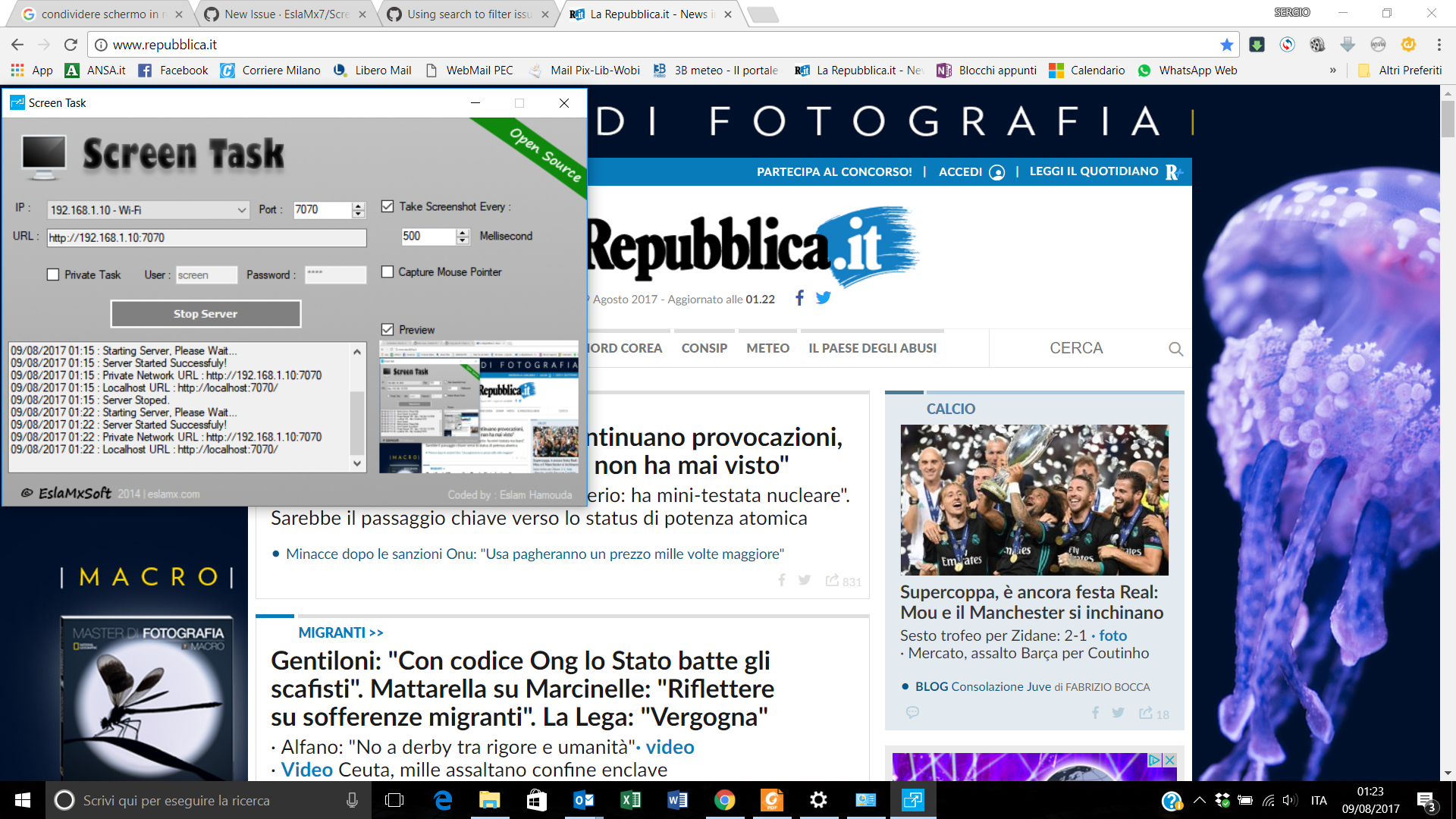
Hi I started to use ScreenTask but mi desktop (1920x1080) is cropped on the tablet browser, both right side and bottom. A big part of screen is not visible, even in the Preview window
@acesTech commented on GitHub (Sep 16, 2017):
The issue is caused by Windows 10 scaling. Go to display settings and set scale and layout to 100% as a workaround.
@EslaMx7 commented on GitHub (Sep 16, 2017):
@acesTech Thank you very much for your help, @SERGIOITA could you confirm if the problem solved?
@SERGIOITA commented on GitHub (Sep 16, 2017):
I confirm, is solved.
Many Thanks
Da: Eslam Hamouda [mailto:notifications@github.com]
Inviato: sabato 16 settembre 2017 16:10
A: EslaMx7/ScreenTask ScreenTask@noreply.github.com
Cc: SERGIOITA sergio.grati@libero.it; Mention mention@noreply.github.com
Oggetto: Re: [EslaMx7/ScreenTask] DESKTOP IS CROPPED (#23)
@acesTech https://github.com/acestech Thank you very much for your help, @SERGIOITA https://github.com/sergioita could you confirm if the problem solved?
—
You are receiving this because you were mentioned.
Reply to this email directly, view it on GitHub https://github.com/EslaMx7/ScreenTask/issues/23#issuecomment-329970635 , or mute the thread https://github.com/notifications/unsubscribe-auth/Ada0W3uVBLSqvZeQm4Eegrghf4EMWeOyks5si9abgaJpZM4Oxads . https://github.com/notifications/beacon/Ada0WyV49DRWYFWN3g_9L8LKUgIxHAISks5si9abgaJpZM4Oxads.gif
@elamperti commented on GitHub (Mar 20, 2019):
This doesn't solve the issue for me, I need to keep the scaling as it is in the source display. Why can't it take the whole display regardless of the scale and layout setting?