mirror of
https://github.com/quasar/Quasar.git
synced 2026-04-25 15:25:59 +03:00
[GH-ISSUE #1058] Port forwarding #760
Labels
No labels
bug
bug
cant-reproduce
discussion
duplicate
easy
enhancement
help wanted
improvement
invalid
need more info
pull-request
question
wont-add
No milestone
No project
No assignees
1 participant

Notifications
Due date
No due date set.
Dependencies
No dependencies set.
Reference
starred/Quasar#760
Loading…
Add table
Add a link
Reference in a new issue
No description provided.
Delete branch "%!s()"
Deleting a branch is permanent. Although the deleted branch may continue to exist for a short time before it actually gets removed, it CANNOT be undone in most cases. Continue?
Originally created by @arin2115 on GitHub (Mar 16, 2022).
Original GitHub issue: https://github.com/quasar/Quasar/issues/1058
It would be good if You will add something like port forwarding, so if ratted pc (for example my laptop) have something on port for example 3001, I can access it from my main pc.
Port forwarding from client's pc to server
@BurntDog commented on GitHub (Mar 17, 2022):
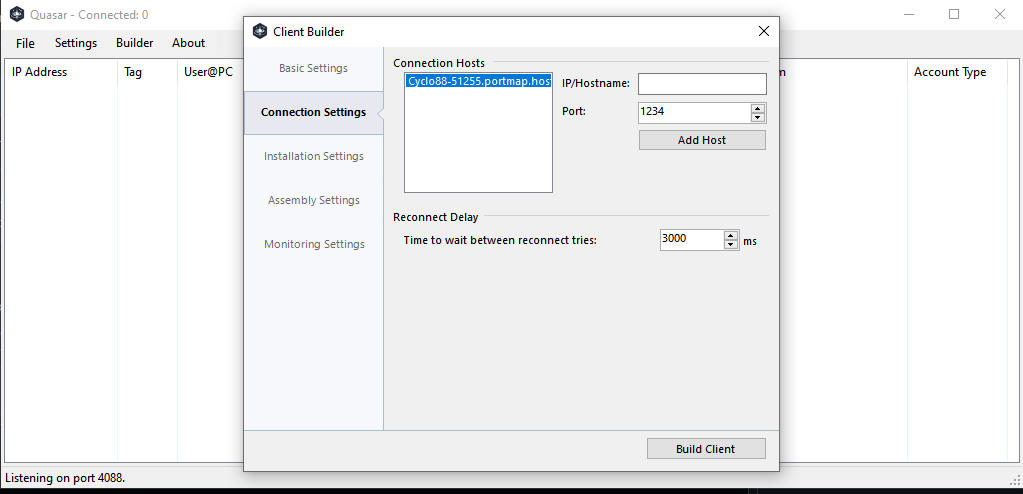
You can already accomplish this by adding other/alternate connect back address and different port.
@arin2115 commented on GitHub (Mar 20, 2022):
Can you explain further more, please? Or add me on Discord / Telegram (arin#1000 | t.me/arin2115)
@BurntDog commented on GitHub (Mar 20, 2022):
Just add another/different address and port when building your client. You can add several (more than one) as you see here in the box it will hold and use (alternate which address it tries to connect until it makes a connection). Understand?
@MaxXor commented on GitHub (Mar 20, 2022):
As @BurntDog suggested, this is the best way to accomplish this. The other way around would be unsuitable in most situations as client PCs are usually behind a firewall/router which do NAT and dont allow incoming ports.