mirror of
https://github.com/quasar/Quasar.git
synced 2026-04-25 15:25:59 +03:00
[GH-ISSUE #733] UAC Causes Remote Desktop to freeze #477
Labels
No labels
bug
bug
cant-reproduce
discussion
duplicate
easy
enhancement
help wanted
improvement
invalid
need more info
pull-request
question
wont-add
No milestone
No project
No assignees
1 participant

Notifications
Due date
No due date set.
Dependencies
No dependencies set.
Reference
starred/Quasar#477
Loading…
Add table
Add a link
Reference in a new issue
No description provided.
Delete branch "%!s()"
Deleting a branch is permanent. Although the deleted branch may continue to exist for a short time before it actually gets removed, it CANNOT be undone in most cases. Continue?
Originally created by @xuxuedong on GitHub (Dec 9, 2018).
Original GitHub issue: https://github.com/quasar/Quasar/issues/733
stuck when i open task manager on remote desktop
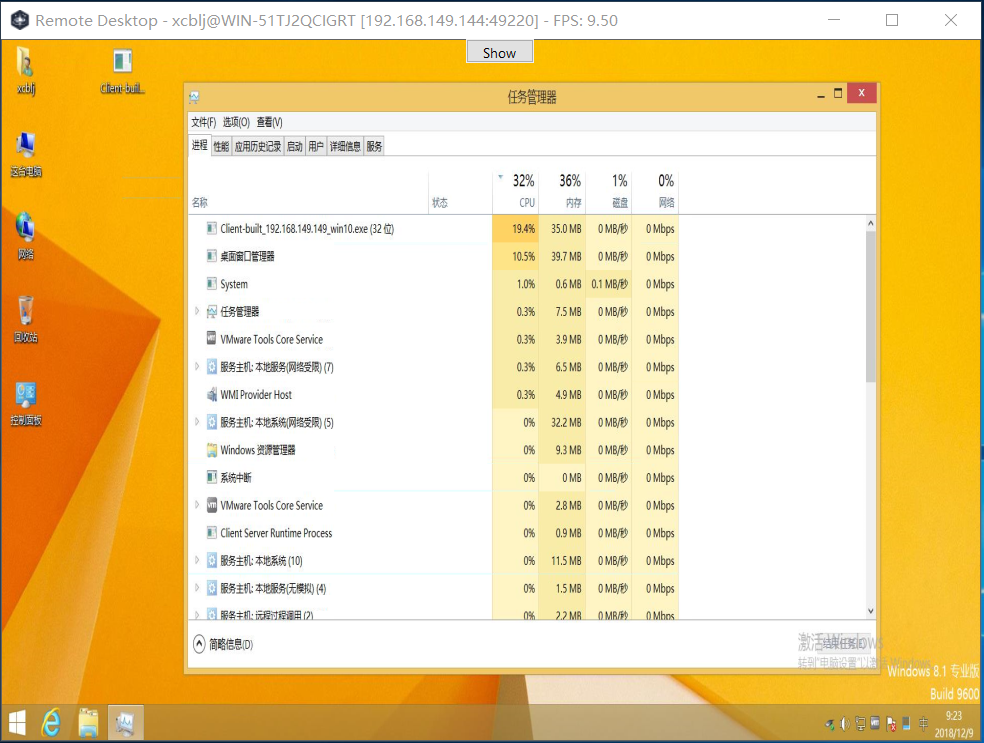
at that moment, the cpu consume is larger than the normal
tested server os: win10_pro_x64_cn
test client os: win8.1_pro_x64_cn
@Aholicknight commented on GitHub (Dec 10, 2018):
Could you post your log so we can further help?
@xuxuedong commented on GitHub (Dec 11, 2018):
log? windows event log? there is none log file within the current directory
@xuxuedong commented on GitHub (Dec 11, 2018):
as i see, it isn't stuck, the picture is changing, just unresponsible when i click after started task manager
@xuxuedong commented on GitHub (Dec 11, 2018):
but when i tested:
server os: win10_pro_x64_cn
client os: xp_pro_x86_cn
i use remote desktop to operate xp, it's responsible when i click after i started task manager
in addition, i found the cpu consume is normal
@Aholicknight commented on GitHub (Dec 11, 2018):
So is this issue fixed?
@MaxXor commented on GitHub (Dec 11, 2018):
@trollmad3 No, it's not on Windows 8.1.
@Aholicknight commented on GitHub (Dec 11, 2018):
When I get home, I will create a windows 8.1 virtual machine and see if I could do anything to fix this.
@mystyq commented on GitHub (Dec 11, 2018):
This behavior also occurs when opening chrome browser (temporarily).
@mystyq commented on GitHub (Dec 11, 2018):
I believe the problem is related to the
mouse_eventWinAPI calls. If you run the task manager as administrator it seems to work.mouse_eventis deprecated and I wonder if switching toSendInputcalls would fix this.@xuxuedong commented on GitHub (Dec 12, 2018):
@mystyq yeah, you are right, i tested the client run as admin on win8.1, it's no problem
@ghost commented on GitHub (Jan 7, 2019):
Adding to mystyq's answer/solution. User32 has plenty of undocumented features for injecting keyboard or mouse input. Even for touch input.
See user32!InjectDeviceInput, user32!InjectGenericHidInput, user32!InjectKeyboardInput, user32!InjectMouseInput, user32!InjectPointerInput, user32!InjectTouchInput
Here's some sample code for Visual Basic .NET
github.com/Nukepayload2/Nukepayload2.Diagnostics.InputInjection@00600d8a22/Nukepayload2.Diagnostics.InputInjection/Preview/UnsafeNativeMethods.vbAnd I took the time to write a demonstration in C# https://github.com/gigajew/KeyboardInjection