mirror of
https://github.com/ProxymanApp/Proxyman.git
synced 2026-04-26 00:25:56 +03:00
[GH-ISSUE #968] Multiple "clone" simulators when installing cert #962
Labels
No labels
Discussion
Feature request
In Progress...
Plugins
Waiting response
Windows
Windows
bug
duplicate
enhancement
feature
good first issue
iOS
macOS 10.11
question
wontfix
✅ Done
No milestone
No project
No assignees
1 participant

Notifications
Due date
No due date set.
Dependencies
No dependencies set.
Reference
starred/Proxyman#962
Loading…
Add table
Add a link
Reference in a new issue
No description provided.
Delete branch "%!s()"
Deleting a branch is permanent. Although the deleted branch may continue to exist for a short time before it actually gets removed, it CANNOT be undone in most cases. Continue?
Originally created by @philosopherdog on GitHub (Aug 25, 2021).
Original GitHub issue: https://github.com/ProxymanApp/Proxyman/issues/968
Originally assigned to: @NghiaTranUIT on GitHub.
Proxyman version? (Ex. Proxyman 1.4.3)
Version 2.31.0 (23100)
macOS Version? (Ex. mac 10.14)
11.5.2
Steps to reproduce
certificate > install certificate > simulator
Expected behavior
install cert & reboot simulator
Screenshots (optional)
produces multiple "clone" versions of the simulator!

@NghiaTranUIT commented on GitHub (Aug 25, 2021):
Thanks for the report. It's odd that Proxyman opens multiple clone simulator app.
Just wondering: Before you reboot the certificate, have many simulators are you opening 🤔 ?
@philosopherdog commented on GitHub (Aug 25, 2021):
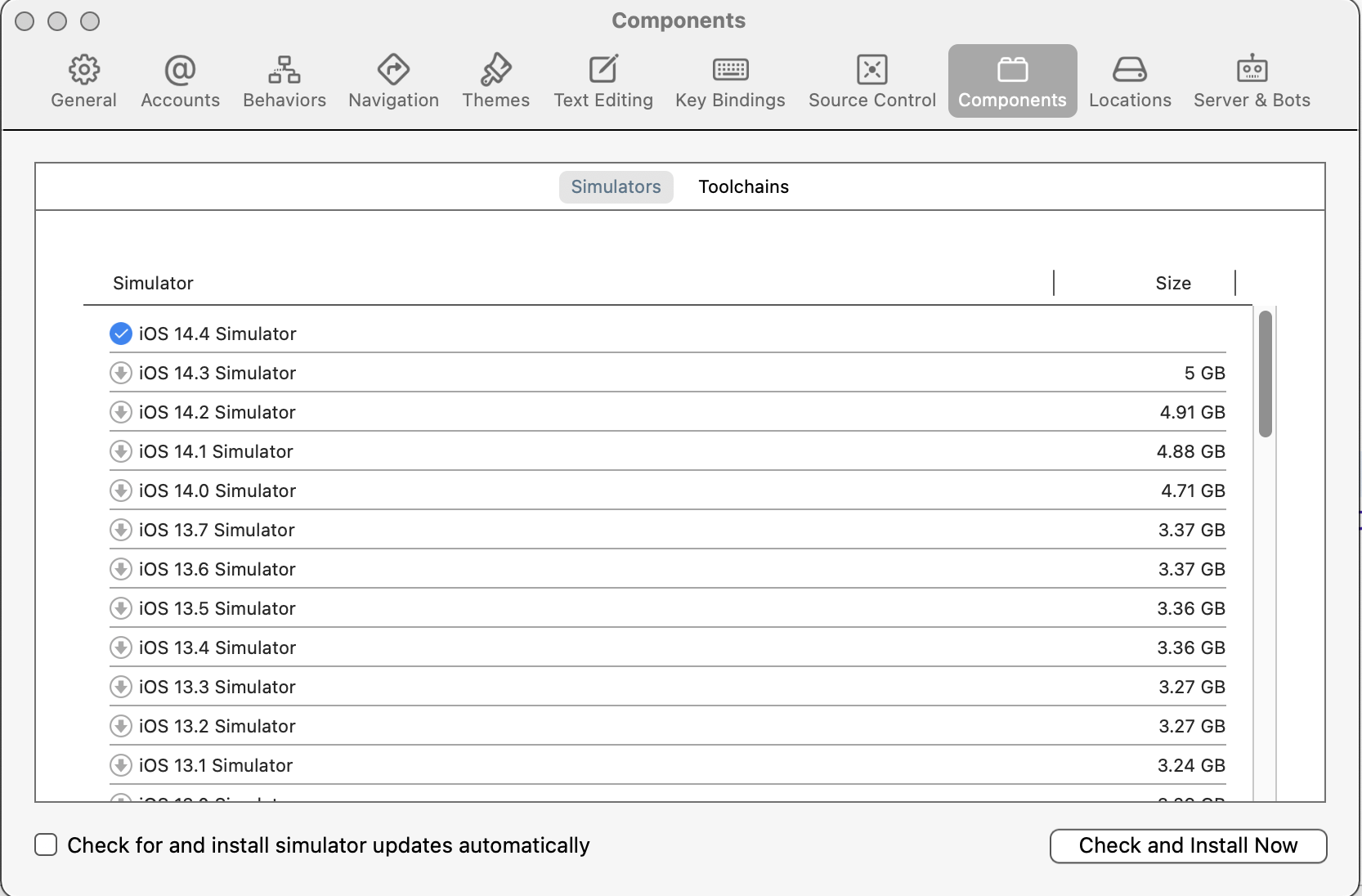
I think I was just running a single simulator. I think I see what the issue is. In Xcode > preferences > components if you have multiple simulators downloaded based on the iOS version this might be related. I cleared these out and just have 1 now and I'm not seeing the issue now.
@NghiaTranUIT commented on GitHub (Aug 26, 2021):
Thanks for the hint. I will find a solution to only open the last iOS Simulator 👍
@philosopherdog commented on GitHub (Aug 26, 2021):
Great thanx. Huge fan of the app BTW!
@philosopherdog commented on GitHub (Aug 31, 2021):
Another quick thing. It doesn't seem like removing unused additional simulators for various versions of iOS has solved this. I am noticing this problem come up consistently when running XCTests though.
@NghiaTranUIT commented on GitHub (Sep 2, 2021):
Thanks for your hint. I tried to reproduce but I'm not sure how to fix it.
The restart button simply kills the iOS Simulator and re-open it by the following CLI.
I suppose that it will open all Simulators, which were opened the last time.
@philosopherdog commented on GitHub (Sep 18, 2021):
I see. So why is it opening all these clone simulators when running unit tests specifically? Is there a work around in the mean time? Are you able to reproduce the issue?