mirror of
https://github.com/ProxymanApp/Proxyman.git
synced 2026-04-26 16:45:57 +03:00
[GH-ISSUE #795] Scripting the request causes the Host header to change #789
Labels
No labels
Discussion
Feature request
In Progress...
Plugins
Waiting response
Windows
Windows
bug
duplicate
enhancement
feature
good first issue
iOS
macOS 10.11
question
wontfix
✅ Done
No milestone
No project
No assignees
1 participant

Notifications
Due date
No due date set.
Dependencies
No dependencies set.
Reference
starred/Proxyman#789
Loading…
Add table
Add a link
Reference in a new issue
No description provided.
Delete branch "%!s()"
Deleting a branch is permanent. Although the deleted branch may continue to exist for a short time before it actually gets removed, it CANNOT be undone in most cases. Continue?
Originally created by @nilayp on GitHub (Feb 19, 2021).
Original GitHub issue: https://github.com/ProxymanApp/Proxyman/issues/795
Originally assigned to: @NghiaTranUIT on GitHub.
Proxyman version? (Ex. Proxyman 1.4.3)
2.18
macOS Version? (Ex. mac 10.14)
10.15.7
Steps to reproduce
Enable scripting for the request.
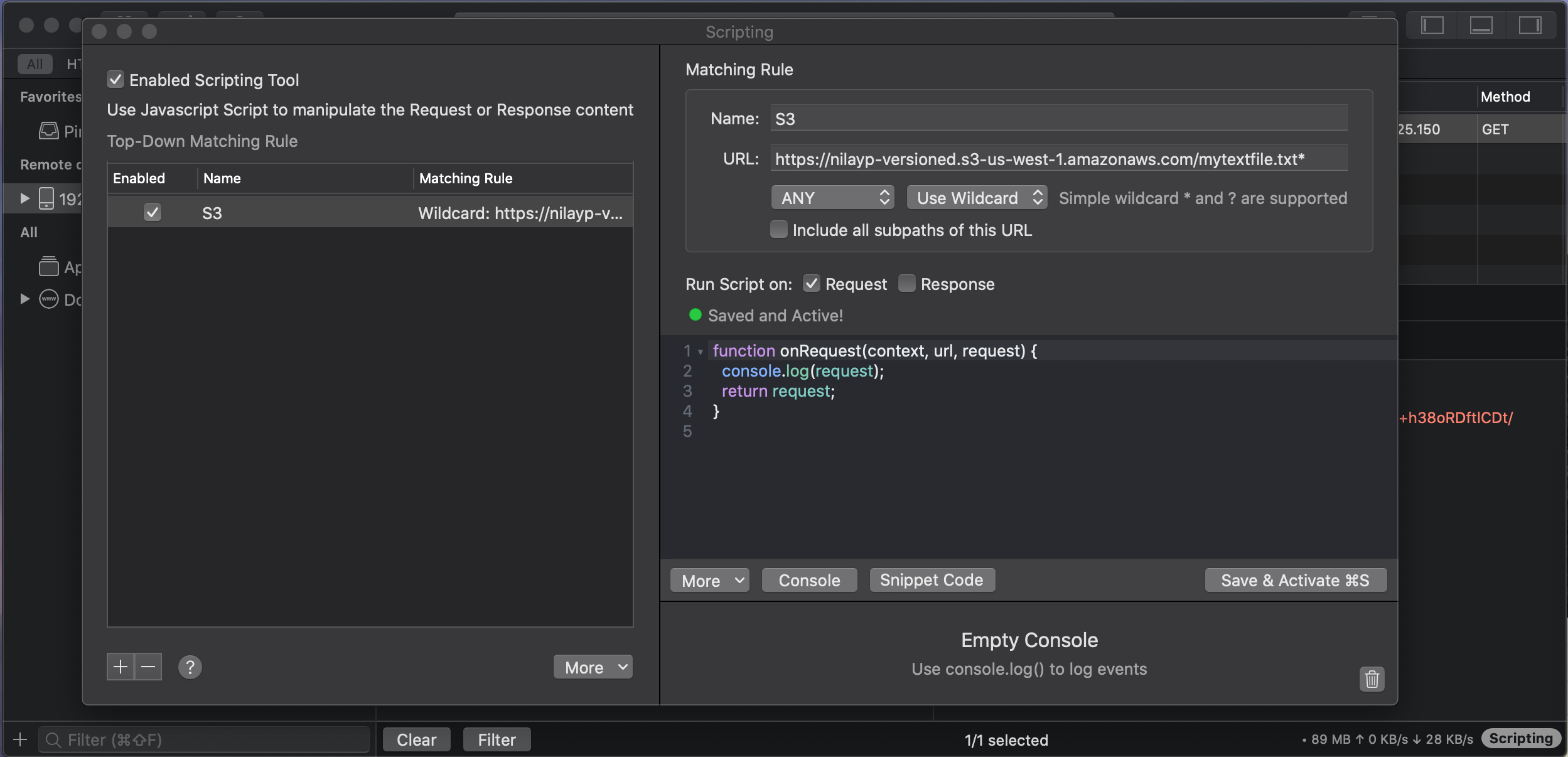
Resend the same request. Proxy will fail because Proxyman appended the Host header to include the port number.
The request I'm making is a very basic GET request with an Authorization token and one Query parameter called VersionId. This is executing against AWS S3.
Nothing I can do allows me to remove the port number from Proxyman. I tried to edit the request manually, or use a script to edit it. I tried to toggle the "preserveHostHeader" flag. If the scripting is enabled, a port number is appended. If the script is not enabled, no port number is appended.
I also copied the request as a cUrl command from Proxyman, removed the port number from the Host header and it was successful. I'm 100% confident my request is correct, if the port number isn't present.
The script I used it very basic and does nothing more than log the request content.
The logged console output does not include the port number appended to the Host header. It seems the port is appended somewhere after the script execution.
@NghiaTranUIT commented on GitHub (Feb 20, 2021):
Hi @nilayp, by default, Proxyman will construct the Host header from the Host and port, so it appears as you see.
It's useful if we'd map to different Host and Port (e.g.
mydomain.comtolocalhost:3000).I suppose that I should omit the port if it's using a default port (80 for HTTP and 443 for HTTPS), so it can resolve your problem 😄
@NghiaTranUIT commented on GitHub (Feb 20, 2021):
@nilayp Please try this Beta build: https://proxyman.s3.us-east-2.amazonaws.com/beta/Proxyman_2.18.0_Omit_Default_Port_In_Host_Header_Script.dmg
This build will omit the default port: 443 for HTTPS and 80 for HTTP 👍
@nilayp commented on GitHub (Feb 20, 2021):
@NghiaTranUIT - Thank you so much. I can confirm this has worked.
Just so you know why this is important - AWS request headers are signed on the client side. When received by AWS (or service that is using AWS compatible requests) - elements of the request are used to compute a signature... if the newly computed signature does not matches the signature provided in the request, the request is rejected by the service.
One of the required headers in the signature calculation is "Host". When it changed, the signatures no longer matched.
Thanks again for the super fast turnaround! It is much appreciated.
@NghiaTranUIT commented on GitHub (Feb 21, 2021):
Glad to know that it works for you 🎉