mirror of
https://github.com/ProxymanApp/Proxyman.git
synced 2026-04-27 17:15:49 +03:00
[GH-ISSUE #706] Cannot set *Message Type* when using protobuf #703
Labels
No labels
Discussion
Feature request
In Progress...
Plugins
Waiting response
Windows
Windows
bug
duplicate
enhancement
feature
good first issue
iOS
macOS 10.11
question
wontfix
✅ Done
No milestone
No project
No assignees
1 participant

Notifications
Due date
No due date set.
Dependencies
No dependencies set.
Reference
starred/Proxyman#703
Loading…
Add table
Add a link
Reference in a new issue
No description provided.
Delete branch "%!s()"
Deleting a branch is permanent. Although the deleted branch may continue to exist for a short time before it actually gets removed, it CANNOT be undone in most cases. Continue?
Originally created by @ihomway on GitHub (Nov 25, 2020).
Original GitHub issue: https://github.com/ProxymanApp/Proxyman/issues/706
Proxyman version?
Version 2.13.0 (21300)
macOS Version?
Version 11.0.1 (20B29)
Steps to reproduce
I have a photo file like this:
And then I'm trying to parse the response which is encoded as protobuf. Here is the settings:
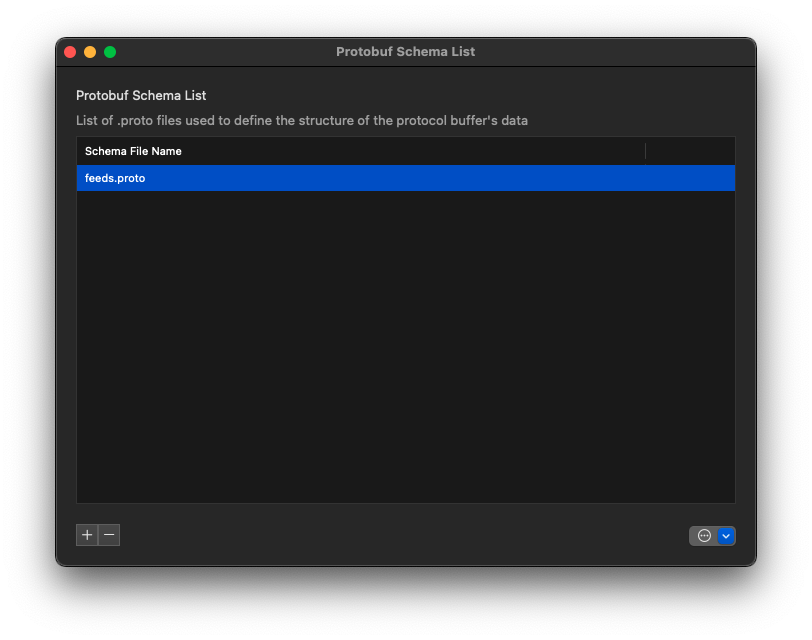
I add the photo file:
I cannot set the message type:
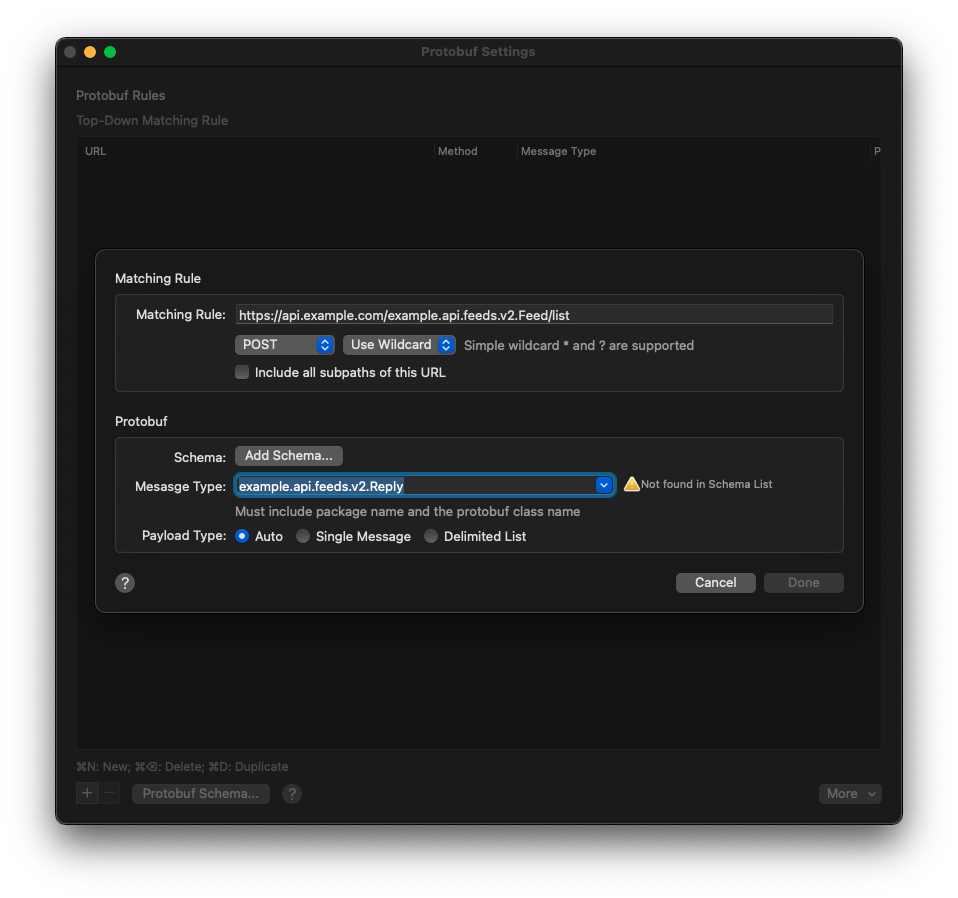
All I can find in the drop-down list of Message Type are like "google.protobuf.*".
Expected behavior
I can find the message type correctly.
@NghiaTranUIT commented on GitHub (Nov 25, 2020):
Hi @ihomway
Look like Proxyman Protobuf couldn't parse your proto file properly since it is generated by gRPC protobuf.
If you import this file (add ; in syntax line, remove import line)
You can select the package, but I'm not sure if you're able to see the gRPC content. Let give it a try.
@NghiaTranUIT commented on GitHub (Nov 25, 2020):
Alternatively, there is a easy way to see gRPC traffic by using Atlantis. You can follow this doc: https://github.com/ProxymanApp/atlantis#2-my-app-use-grpc
By using Atlantis, you don't need to add Protobuf file anymore. but you have to add extra code to initial the request/response and sending to Atlantis. Finally, you can see the traffic on Proxyman as usual 👍
@ihomway commented on GitHub (Nov 25, 2020):
Thank you for your help, I will try Atlantis and will let you if it works or not.
@NghiaTranUIT commented on GitHub (Nov 25, 2020):
Yes, please let me know two scenarios if it works. Basically, Proxyman might only supports "normal" Protobuf message, not gRPC protobuf
@ben-xD commented on GitHub (Jan 12, 2021):
I have the same issue, and i am not using gRPC protobuf. Unfortunately, my project is quite complicated with lots of imports. I tried adding the specific protobuf which contains the message I want to decode. I also tried removing the import lines from this file, but still, same issue, the protobuf message I want is not available in drop down menu.
It is also quite tedious to add all the files manually to Protobuf Schema List. This because A.proto might import B.proto, which might import C.proto. It would be great if I can just select the directory which contains all the protobufs I use. If you look at
protoc, it calls this thePROTO_PATH.@NghiaTranUIT commented on GitHub (Jan 13, 2021):
@ben-xD it might have the issue when parsing Protobuf that imports different Protobuf files.
For simple solution, can you use Atlantis to inspect the traffic 🤔 Tutorial here: https://github.com/ProxymanApp/atlantis#2-my-app-use-grpc
One of drawback is that we could not use any debugging tools.