mirror of
https://github.com/ProxymanApp/Proxyman.git
synced 2026-04-26 08:35:53 +03:00
[GH-ISSUE #586] Not working WebSocket #583
Labels
No labels
Discussion
Feature request
In Progress...
Plugins
Waiting response
Windows
Windows
bug
duplicate
enhancement
feature
good first issue
iOS
macOS 10.11
question
wontfix
✅ Done
No milestone
No project
No assignees
1 participant

Notifications
Due date
No due date set.
Dependencies
No dependencies set.
Reference
starred/Proxyman#583
Loading…
Add table
Add a link
Reference in a new issue
No description provided.
Delete branch "%!s()"
Deleting a branch is permanent. Although the deleted branch may continue to exist for a short time before it actually gets removed, it CANNOT be undone in most cases. Continue?
Originally created by @yaroslavyaroslav on GitHub (Aug 18, 2020).
Original GitHub issue: https://github.com/ProxymanApp/Proxyman/issues/586
Originally assigned to: @NghiaTranUIT on GitHub.
Proxyman version? (Ex. Proxyman 1.4.3)
2.4.3
macOS Version? (Ex. mac 10.14)
10.15.6
Steps to reproduce
Just run Proxyman and start websocket session.
In iOS app that i'm developing are enabled some wss communications. I'm seeing in logs that the communications are going on.
But there's none any websocket session in Proxyman neither in all logs or in such filter. All other connections both http and https are showing well, so the app is configured well. But wss not even trying.
This behavior reproduces on both iOS device with Proxyman MiTM and in fully configured with for Proxyman iOS Simulator.
Expected behavior
To get logs (at least failed) in proxyman logs.
@NghiaTranUIT commented on GitHub (Aug 19, 2020):
Please make sure you enable SSL-Proxying for the Domain that WebSocket occurs. Then you can see WSS traffic and be able to filter out by WSS filter 👍
Technically, if we don't enable SSL-Proxying on this domain, WSS connect would act as an HTTPS CONNECT request. Thus, Proxyman doesn't know if it's a normal HTTPS or WSS under the hood until we enable SSL. Therefore, you couldn't filter the WSS in the first place.
After we enable SSL-Proxying, Proxyman is able to read the header and understand that it's a WSS and handle the WSS traffic.
@NghiaTranUIT commented on GitHub (Aug 19, 2020):
If it still doesn't work, please share with me the AppStore link that I can reproduce in my end. I tried Websocket on Slack iOS app, Github web, and JS WS, and it works well 👍
@yaroslavyaroslav commented on GitHub (Aug 19, 2020):
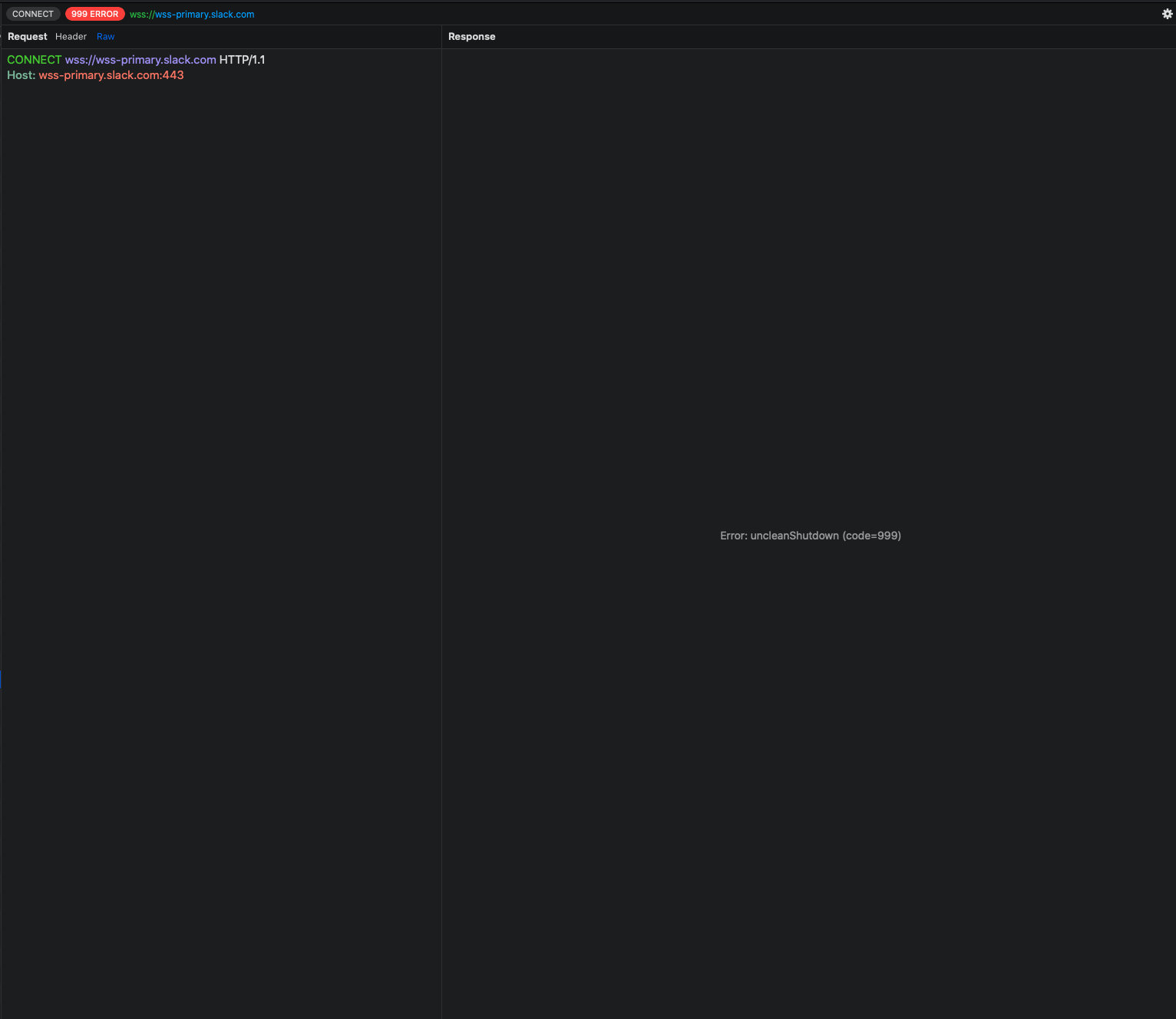
This helps, but i've got another one error. It seems that i've got this error on every websocket conenction.
@yaroslavyaroslav commented on GitHub (Aug 19, 2020):
Oh, another correction. It works (thank you), but mostly it fails with some error.


@NghiaTranUIT commented on GitHub (Aug 19, 2020):
Those errors are fixed on #589 👍
@NghiaTranUIT commented on GitHub (Aug 19, 2020):
I gonna release tonight 😻
@yaroslavyaroslav commented on GitHub (Aug 20, 2020):
I'm still having errors on 2.4.2.
I 'mean websocket proxy working well, but these errors are still there.

@NghiaTranUIT commented on GitHub (Aug 20, 2020):
Thanks. I'm aware too. There are few unnecessary WebSocket flows that #589 doesn't completely fix. I'm fixing now 👍
@adampetrovic commented on GitHub (Nov 1, 2020):
None of the above instructions make the Websocket connection show in Proxyman. I have the
*wildcard added as SSL. The websocket connect works for the Slack app but not another app i'm working with. Any ideas if apps can set up websockets in a way that makes them not compatible with Proxyman?@NghiaTranUIT commented on GitHub (Nov 2, 2020):
Hey @adampetrovic, it's a known issue that we're facing regarding the WebSocket.
The reason why you don't see WebSocket domains from your app is that they are using SOCKS5 Proxy, not HTTP Proxy. Unfortunately, Proxyman hasn't supported SOCKS5 yet. You can verify by using other tools like Charles Proxy (not enable SOCK5), and try to capture Websocket traffic. It doesn't show too.
To fix it, Proxyman has to implement the "SOCKS5 Proxy" and "Enable HTTP Proxy over SOCKS Proxy" feature in order to capture the WebSocket Traffic.
For instance, URLSessionWebSocketTask uses SOCKS5 Proxy. Therefore, WS traffic doesn't go through HTTP Proxy (Proxyman at 9090), we could not see it 😿
@NghiaTranUIT commented on GitHub (Apr 16, 2021):
Hey @yaroslavyaroslav @adampetrovic @JohnCoates, @adampetrovic,@nuno-vieira, and @tema-orange
If you would like to capture WS/WSS from URLSessionWebsocketTask, let try Atlantis Framework 👍
Basically, it does "Method Swizzling" for all WS/WSS methods, capture all WS traffics, then sending it to Proxyman for preview (See the Screenshot)
Install
mainbranch (It's not released yet)Ref
Update from Nov 2021
The latest version of Atlantis now can capture WS/WSS from NSURLSession 👍
You can install it via SPM or CocoaPod
@adampetrovic commented on GitHub (Apr 16, 2021):
I don't have any control over the app i'm wanting to sniff. Looking at the instructions it seems Atlantis is a dependency you install inside your iOS project. How do I capture WS traffic of existing apps?
@NghiaTranUIT commented on GitHub (Apr 16, 2021):
You're right. You have to install Atlantis to your app in order to capture the WS traffic. @adampetrovic
At the moment, there is no solution to capture WS/WSS from iOS 14. All Proxy apps I tried that didn't work too
@yeradis commented on GitHub (Apr 17, 2021):
@NghiaTranUIT I'm facing this issue too,
something that would be nice is to have the option to exclude HTTPS Response inspection on specific protocols/methods or connections for the same domain you want to check response, mainly exclude for example CONNECT method
@vjpr commented on GitHub (Apr 17, 2021):
Charles supports SOCKS5. https://stackoverflow.com/questions/6248674/debugging-iphone-traffic-using-charles-proxy-socks-feature
@NghiaTranUIT commented on GitHub (Apr 17, 2021):
Yes @vjpr, Charles supports SOCKS5 but I'm unable to capture WS/WSS traffic from the iOS app (iOS 14). I tried a few solutions, but none of them work. Not sure how make it works 🤔
@yaroslavyaroslav commented on GitHub (Apr 17, 2021):
@NghiaTranUIT Is there spm support?
@NghiaTranUIT commented on GitHub (Apr 18, 2021):
@yaroslavyaroslav It supports SPM too, please make sure you get the master branch because this feature is not officially released yet 👍
@JohnCoates commented on GitHub (Apr 19, 2021):
Are there any plans to implement SOCKS5? I'm targeting apps that don't use
URLSessionWebsocketTask@NghiaTranUIT commented on GitHub (Apr 19, 2021):
Yes, @JohnCoates it's in a plan, but from what I tried, I enable Socks5 proxy on Charles Proxy, but I'm still unable to get the WS/WSS traffic from the app.
Therefore, If I support it, I still don't know whether or not it works 🤔
@tkrajacic commented on GitHub (Dec 21, 2021):
Is there any progress on this being made? I love Proxyman but as I am currently working with many websockets I dearly miss being able to use it 😭
@nuno-vieira commented on GitHub (Dec 21, 2021):
@tkrajacic I would strongly recommend you to install this as a dev dependency of your project: https://github.com/ProxymanApp/atlantis. You just need to make sure it is a dev dependency, and don't ship this to the product.
With Atlantis, you can easily observe web socket traffic and you also don't need to set up certificates etc, is much easier to use Proxyman with Atlantis 🙂
@NghiaTranUIT commented on GitHub (Dec 22, 2021):
@tkrajacic Proxyman can capture WS/WSS from your Macbook (by GoogleChrome, Safari, Firefox, ...) out of the box. However, if you're talking about WS/WSS from iOS devices, it's a different story.
As @nuno-vieira commented, I highly recommend this solution too because it works seamlessly with WS/WSS from your iOS apps 👍
Basically, WS/WSS on iOS apps doesn't respect the System HTTP Proxy, so Proxyman could not capture it
@tkrajacic commented on GitHub (Dec 22, 2021):
@nuno-vieira and @NghiaTranUIT I can somewhat understand (and don't take offence in) that you immediately assume that I didn't read the dozens of comments regarding this issue and regurgitate what's been suggested before, but that doesn't answer my question really…
I am running tests of a macOS SPM package that connect to WebSockets and that doesn't even work with Atlantis afaict.
@NghiaTranUIT commented on GitHub (Dec 22, 2021):
Sorry @tkrajacic, I don't mean that. Just wondering: What Websocket library are you using? (Starscream, URLSessionWebsocketTask, ...)
@tkrajacic commented on GitHub (Dec 22, 2021):
URLSessionWebsocketTask, and I know all about why it doesn't work. Hence my question. 🙃@NghiaTranUIT commented on GitHub (Dec 22, 2021):
@tkrajacic I've updated Atlantis to make it possible to integrate to Swift Playground 👍
@tkrajacic commented on GitHub (Dec 22, 2021):
@NghiaTranUIT While this is nice, please stop suggesting things that I don't ask for, nor need.
I don't have a Playground, and don't intend to add one to the project, and I also don't intend to add a dependency solely for the purpose of letting an external tool capture my web traffic. That's exactly why one uses a mitm proxy like Proxyman.
Now I fully understand that implementing actually capturing WebSocket traffic now that it somehow goes through the SOCKS5 proxy might be hard, annoying, unknown even, but all of that are good reasons to say: "No I am not working on it", or "yes, I am still looking into it". Even saying "I want to wait and see if anyone else like Charles can pull it off first so I don't waste my time" is a totally valid reason, which I wholeheartedly support.
Proposing solutions to questions that weren't asked is not the right thing to do though.
@tkrajacic commented on GitHub (Dec 22, 2021):
And just to give this conversation the appropriate tone:
Proxyman is amazing. It's beautiful, super well crafted, incredibly full-featured! You are doing a fantastic job!
@garvan-slack commented on GitHub (Mar 24, 2022):
Just checking if this is still the case with iOS 15.4 that
URLSessionWebSocketTasktraffic doesn't show up?@NghiaTranUIT commented on GitHub (Mar 25, 2022):
Yes @garvan-slack , it's a technical problem with Proxyman and other web debugging proxy apps (Charles Proxy, Fiddler). Basically, it's impossible to capture traffic from
URLSessionWebSocketTask.If you know feasible solutions, please share them with me. I appreciate and try to bring it to Proxyman.
To workaround, I highly suggest using the Atlantis framework + Proxyman, since it's built for it 👍
@StanislavMayorov commented on GitHub (Aug 11, 2023):
@NghiaTranUIT I found out that websocket ignores wifi proxy settings at all on ios 16. It connects directly to wifi without proxy on mac.
For testing I disabled internet connection for the iphone on my router so only local network was available. Https requests worked okay, but websocket stopped working at all.
@NghiaTranUIT commented on GitHub (Aug 12, 2023):
@StanislavMayorov yes, it's true, if you're using URLSessionWebSocketTask. I suggest using Atlantis + Proxyman to inspect websocket 👍
@StanislavMayorov commented on GitHub (Aug 12, 2023):
@NghiaTranUIT I have already set up Atlantis, but it doesn't show react native websocket. RN implementation use SocketRocket. Is it possible to integrate atlantis to SocketRocket?
@FranklinSamboni commented on GitHub (May 22, 2024):
I know this ticket has been closed. Just want to let know developers that are still facing this issue and don't want to use Atlantis, I know that many developers don't really want to add another dependency to their project just for debugging purposes.
There is this new
ProxyConfigurationhttps://developer.apple.com/documentation/network/proxyconfiguration, we can use to set a socksv5Proxy for our NWConnection, URLSession or WKWebView, it is only available for iOS 17 and above.We will just need to enable SOCKSV5 in Proxyman and set the proxy server details in our app.
Proxyman Setup:
Tools > Proxy Settings > SOCKS Proxy settings -> Enable it (Take note of the port)
App Setup:
Configure a Socksv5Proxy in your App, make sure this is only available for debug builds by implementing a switch or something, you might not want your release build with this configuration.
For NWConnection
For URLSession
You should be able to do it for WKWebView too, See: https://developer.apple.com/videos/play/wwdc2023/10002/ min 5:30
Now all your WebSocket Connection traffic is going throughout Proxyman for debugging purposes.
@NghiaTranUIT commented on GitHub (May 23, 2024):
Awesome @FranklinSamboni I will add this Websocket Docs: https://docs.proxyman.io/advanced-features/websocket 👍
Really appreciate your help 🙇
@Mup0c commented on GitHub (May 25, 2024):
Guys, @NghiaTranUIT, I accidentally came across this thread and would like to share a method for proxying websockets on iOS (15.8.2 tested) without changing any configurations and without even having the source code of the app. Using the Potatso app on iOS (I believe there are other similar apps that allow you to connect to proxies, while iOS will show it as a VPN), connect to your proxy, HTTP or Socks5, it doesn't seem to matter. And that's it. (I use Charles, I understand that Proxyman is discussed, but still, I hope that helps).