[GH-ISSUE #419] Docker support #418

Open
opened 2026-03-03 19:18:34 +03:00 by kerem · 21 comments
Owner

Originally created by @aprofromindia on GitHub (Feb 27, 2020).
Original GitHub issue: https://github.com/ProxymanApp/Proxyman/issues/419

Originally assigned to: @NghiaTranUIT on GitHub.

Proxyman 1.17.1

macOS 10.15.3

Docker for Mac Desktop 2.2.0.3

Is it possible to intercept network calls being initiated by an application running (e.g. a node app) inside a docker container please?

If yes, is there a guide or info for it please?

Tried to enable HTTPS response for com.docker.vpnkit with no luck.

Originally created by @aprofromindia on GitHub (Feb 27, 2020). Original GitHub issue: https://github.com/ProxymanApp/Proxyman/issues/419 Originally assigned to: @NghiaTranUIT on GitHub. ### Proxyman 1.17.1 ### macOS 10.15.3 ### Docker for Mac Desktop 2.2.0.3 Is it possible to intercept network calls being initiated by an application running (e.g. a node app) inside a docker container please? If yes, is there a guide or info for it please? Tried to enable HTTPS response for ```com.docker.vpnkit``` with no luck.
Author
Owner

@NghiaTranUIT commented on GitHub (Feb 27, 2020):

Hey @aprofromindia , Thank for suggesting the idea. We will look forward to write a blog "Docker and Proxyman" in next weeks.

For now, I suggest to Google "Docker Charles Proxy" or "Docker and Fiddler" since they are the same approach. Ex:

<!-- gh-comment-id:592001539 --> @NghiaTranUIT commented on GitHub (Feb 27, 2020): Hey @aprofromindia , Thank for suggesting the idea. We will look forward to write a blog "Docker and Proxyman" in next weeks. For now, I suggest to Google "Docker Charles Proxy" or "Docker and Fiddler" since they are the same approach. Ex: - https://www.bonusbits.com/wiki/HowTo:Setup_Docker_Container_to_Use_Charles_Proxy_on_macOS - https://www.reddit.com/r/docker/comments/cvfd1y/how_to_do_routing_to_see_dockers_localhost/
Author
Owner

@aprofromindia commented on GitHub (Feb 27, 2020):

i have tried 2 things, setup proxies in ~/.docker/config.json (https://docs.docker.com/network/proxy/) and Docker for Mac Desktop Proxy Resources Preference panel, using the following IP : -

with no success :)

<!-- gh-comment-id:592004604 --> @aprofromindia commented on GitHub (Feb 27, 2020): i have tried 2 things, setup proxies in ~/.docker/config.json (https://docs.docker.com/network/proxy/) and Docker for Mac Desktop Proxy Resources Preference panel, using the following IP : - - http://127.0.0.1:9090 and 127.0.0.1:9090 - http://host.docker.internal:9090 and host.docker.internal:9090 (https://docs.docker.com/network/proxy/) with no success :)
Author
Owner

@NghiaTranUIT commented on GitHub (Feb 28, 2020):

It's tricky indeed. I follow some tutorials on Google to setup Charles, Fiddler with Docker, but no luck at all 😢

<!-- gh-comment-id:592304305 --> @NghiaTranUIT commented on GitHub (Feb 28, 2020): It's tricky indeed. I follow some tutorials on Google to setup Charles, Fiddler with Docker, but no luck at all 😢
Author
Owner

@TofPlay commented on GitHub (Mar 26, 2020):

Any update about Docker and Proxyman?

<!-- gh-comment-id:604450582 --> @TofPlay commented on GitHub (Mar 26, 2020): Any update about Docker and Proxyman?
Author
Owner

@NghiaTranUIT commented on GitHub (Mar 26, 2020):

Unfortunately, I attempted a lot of tutorials and StackOverflow, but there is no luck. Basically, Docker doesn't work well with Proxyman and other proxy apps since it's difficult to navigate all docket traffic to different 9090 port 😢

If you could find any tutorials, which work with Charles Proxy, mitmproxy or Fidder, it should work with Proxyman. Or find the way to override the Proxy Config from Docker

<!-- gh-comment-id:604454506 --> @NghiaTranUIT commented on GitHub (Mar 26, 2020): Unfortunately, I attempted a lot of tutorials and StackOverflow, but there is no luck. Basically, Docker doesn't work well with Proxyman and other proxy apps since it's difficult to navigate all docket traffic to different 9090 port 😢 If you could find any tutorials, which work with Charles Proxy, mitmproxy or Fidder, it should work with Proxyman. Or find the way to override the Proxy Config from Docker
Author
Owner

@TofPlay commented on GitHub (Apr 3, 2020):

@NghiaTranUIT Have you tried changing the configuration of the Docker?
see Configure Docker to use a proxy server

<!-- gh-comment-id:608217600 --> @TofPlay commented on GitHub (Apr 3, 2020): @NghiaTranUIT Have you tried changing the configuration of the Docker? see [Configure Docker to use a proxy server](https://docs.docker.com/network/proxy/)
Author
Owner

@NghiaTranUIT commented on GitHub (Apr 3, 2020):

yup, I did, but for some reason, the traffic doesn't go to the proxy as a config.

I guess it's from my end. Would be great if you try it? Please let me know the result if it works for you 👍

<!-- gh-comment-id:608217985 --> @NghiaTranUIT commented on GitHub (Apr 3, 2020): yup, I did, but for some reason, the traffic doesn't go to the proxy as a config. I guess it's from my end. Would be great if you try it? Please let me know the result if it works for you 👍
Author
Owner

@aprofromindia commented on GitHub (Apr 3, 2020):

Actually docker for Mac automatically gets the proxy IP from mac system settings. So we don't need to alter anything in docker settings or configs.

Moreover I see the HTTPS calls being detected but not properly displayed, maybe its got to do with private certificates?

Screenshot 2020-04-03 at 4 49 02 PM
<!-- gh-comment-id:608481338 --> @aprofromindia commented on GitHub (Apr 3, 2020): Actually docker for Mac automatically gets the proxy IP from mac system settings. So we don't need to alter anything in docker settings or configs. Moreover I see the HTTPS calls being detected but not properly displayed, maybe its got to do with private certificates? <img width="1294" alt="Screenshot 2020-04-03 at 4 49 02 PM" src="https://user-images.githubusercontent.com/1256673/78373782-526e6980-75cb-11ea-8ac5-3eeeafe0c85f.png">
Author
Owner

@TofPlay commented on GitHub (Apr 3, 2020):

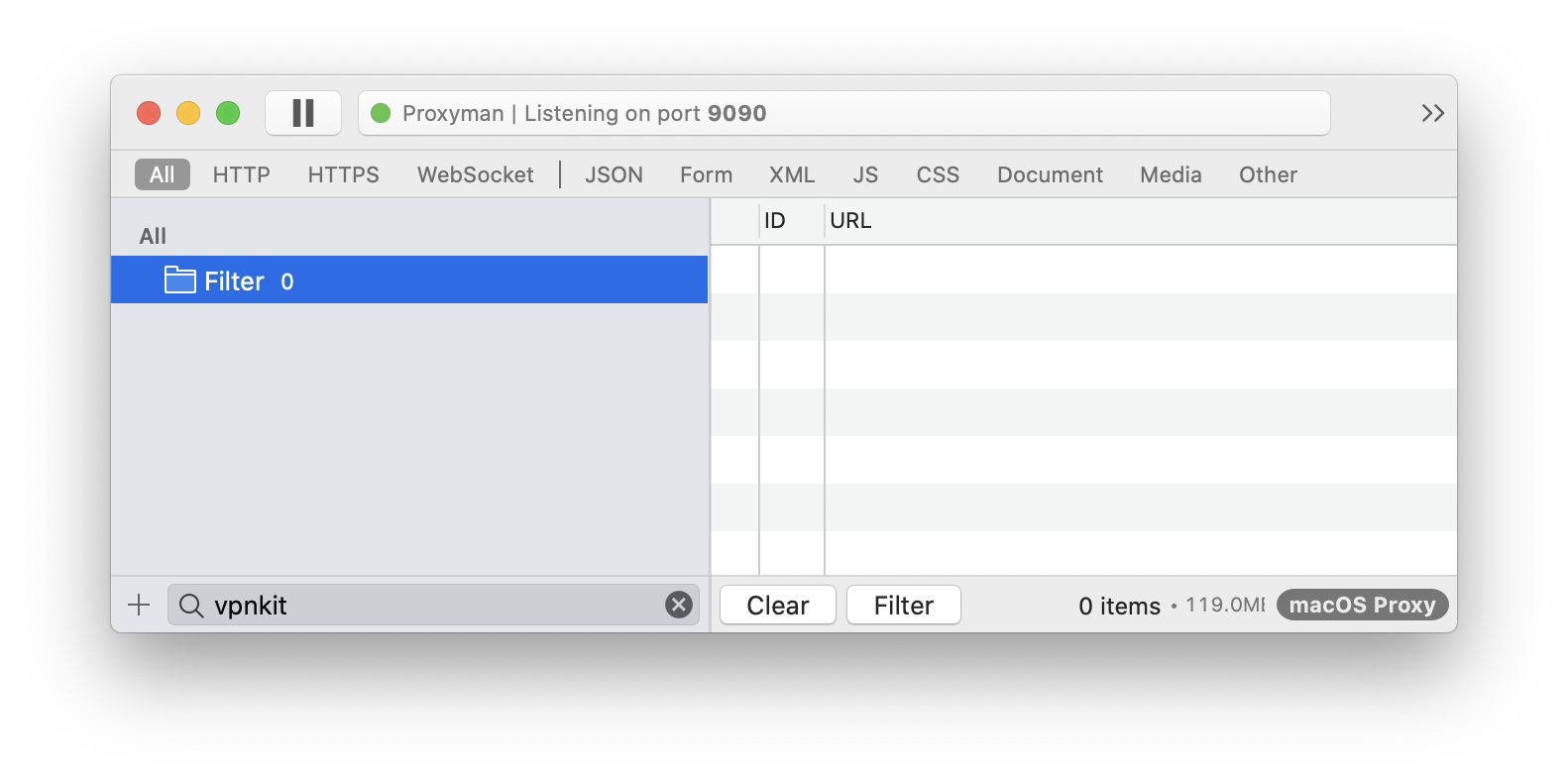
On my Mac proxyman does not see a com.docker.vpnkit process
image

<!-- gh-comment-id:608630969 --> @TofPlay commented on GitHub (Apr 3, 2020): On my Mac proxyman does not see a com.docker.vpnkit process ![image](https://user-images.githubusercontent.com/1082222/78399874-071d8080-75f6-11ea-9381-627fd8a5219d.png)
Author
Owner

@ritchxu commented on GitHub (Feb 19, 2021):

Today I spent sometime trying to tackle a similar problem and found something that hopefully can help.

My setup is running a minikube cluster on macOS. In some way you could compare that to docker container running in Docker Desktop, since both sets up a VM as the docker host and runs containers on the VM. There are a few key points to be connected for this to work. I'm using the minikube cluster as an example:

  • Process in the docker host, in this case a VM (via VMWare), needs to be able to access the VM host (in this case my Mac) because Proxyman is running on the Mac. In my case, minikube makes the Mac host available via an IP address to the VM and all the processes running on it, including docker containers hosted in the VM.
  • Proxyman's SSL CA certificate ./~proxyman/proxyman-ca.pem needs to be added to the container and trusted as CA
# pseudo code:
export https_proxy=<macOS host IP>:9090
# rename the extension for update-ca-certificates (see man)
mv proxyman-ca.pem /usr/local/share/ca-certificates/proxyman-ca.crt
# this will add the proxyman ca cert to trusted CA
sudo chmod 777 /usr/local/share/ca-certificates/proxyman-ca.crt
sudo update-ca-certificates

With settings above I was able to do a simple test and see the traffic captured by Proxyman. You may need to enable the domain in Proxy to see the response.

curl https://www.google.com
<!-- gh-comment-id:781882134 --> @ritchxu commented on GitHub (Feb 19, 2021): Today I spent sometime trying to tackle a similar problem and found something that hopefully can help. My setup is running a minikube cluster on macOS. In some way you could compare that to docker container running in Docker Desktop, since both sets up a VM as the docker host and runs containers on the VM. There are a few key points to be connected for this to work. I'm using the minikube cluster as an example: - Process in the docker host, in this case a VM (via VMWare), needs to be able to access the VM host (in this case my Mac) because Proxyman is running on the Mac. In my case, minikube makes the Mac host available via an IP address to the VM and all the processes running on it, including docker containers hosted in the VM. - Proxyman's SSL CA certificate `./~proxyman/proxyman-ca.pem` needs to be added to the container and trusted as CA ``` # pseudo code: export https_proxy=<macOS host IP>:9090 # rename the extension for update-ca-certificates (see man) mv proxyman-ca.pem /usr/local/share/ca-certificates/proxyman-ca.crt # this will add the proxyman ca cert to trusted CA sudo chmod 777 /usr/local/share/ca-certificates/proxyman-ca.crt sudo update-ca-certificates ``` With settings above I was able to do a simple test and see the traffic captured by Proxyman. You may need to enable the domain in Proxy to see the response. ``` curl https://www.google.com ```
Author
Owner

@NghiaTranUIT commented on GitHub (Feb 19, 2021):

Thanks for your contribution @ritchxu It's useful for anyone who is using Docker + Proxyman ❤️

<!-- gh-comment-id:781883172 --> @NghiaTranUIT commented on GitHub (Feb 19, 2021): Thanks for your contribution @ritchxu It's useful for anyone who is using Docker + Proxyman ❤️
Author
Owner

@nathanbrock commented on GitHub (Mar 4, 2022):

Thanks, @ritchxu, your comment was a great starting point for getting Docker working with Proxyman.

Just wanted to add a couple extra pointers that I've found useful when using Docker with Proxyman for those, like me, who found this issue whilst Googling.

  • Setting the running containers HTTP_PROXY and HTTPS_PROXY environment variables to point to Proxyman on the host results in the URL being correctly resolved, with or without SSL proxying enabled. Using Dockers transparent proxy option (Docker > Preferences > Resources > Proxies) works ok, but due to the way vpnkit seems to be routing requests the resulting entries in Proxyman are lacking DNS information. Like in the screenshot in @aprofromindia's comment.
HTTP_PROXY: http://host.docker.internal:9090
HTTPS_PROXY: http://host.docker.internal:9090
  • Not related to Proxyman directly, but worth keeping in mind. Adding certificates using update-ca-certificate doesn't always seem to play ball. I was debugging a Serverless framework offline setup and the proxyman certificate wasn't being picked up by the lambci/lambda:go1.x container being spun up. In the end I had to add the proxyman CA certificate directly to /etc/pki/tls/certs/ca-bundle.crt. Probably not the best approach but worked for debugging purposes. In this very specific example I also had to rebuild the lambci container after starting the serverless process, but that's something unrelated. I've documented the above in more detail at https://www.nthbrock.com/posts/proxyman-with-docker/.

Big thanks for building Proxyman, it's incredibly useful and a big help day-to-day!

<!-- gh-comment-id:1059096490 --> @nathanbrock commented on GitHub (Mar 4, 2022): Thanks, @ritchxu, your comment was a great starting point for getting Docker working with Proxyman. Just wanted to add a couple extra pointers that I've found useful when using Docker with Proxyman for those, like me, who found this issue whilst Googling. - Setting the running containers `HTTP_PROXY` and `HTTPS_PROXY` environment variables to point to Proxyman on the host results in the URL being correctly resolved, with or without SSL proxying enabled. Using Dockers transparent proxy option (Docker > Preferences > Resources > Proxies) works ok, but due to the way vpnkit seems to be routing requests the resulting entries in Proxyman are lacking DNS information. Like in the screenshot in @aprofromindia's comment. ``` HTTP_PROXY: http://host.docker.internal:9090 HTTPS_PROXY: http://host.docker.internal:9090 ``` - Not related to Proxyman directly, but worth keeping in mind. Adding certificates using `update-ca-certificate` doesn't always seem to play ball. I was debugging a [Serverless framework](https://www.serverless.com/) offline setup and the proxyman certificate wasn't being picked up by the [lambci/lambda:go1.x](https://github.com/lambci/docker-lambda/tree/master/go1.x/run) container being spun up. In the end I had to add the proxyman CA certificate directly to ` /etc/pki/tls/certs/ca-bundle.crt`. Probably not the best approach but worked for debugging purposes. In this very specific example I also had to rebuild the lambci container after starting the serverless process, but that's something unrelated. I've documented the above in more detail at https://www.nthbrock.com/posts/proxyman-with-docker/. Big thanks for building Proxyman, it's incredibly useful and a big help day-to-day!
Author
Owner

@NghiaTranUIT commented on GitHub (Mar 4, 2022):

Thanks @nathanbrock for your solution. I appreciate it 👍

I will add your note to our Documentation 🙌

<!-- gh-comment-id:1059223488 --> @NghiaTranUIT commented on GitHub (Mar 4, 2022): Thanks @nathanbrock for your solution. I appreciate it 👍 I will add your note to our [Documentation](https://docs.proxyman.io/) 🙌
Author
Owner

@sandrodz commented on GitHub (Oct 8, 2022):

I couldn't make this work, even after following some tips in comments here.

My image is php:7.4-fpm-alpine
Added following to it:

COPY proxyman-ca.pem /usr/local/share/ca-certificates/proxyman-ca.crt
RUN update-ca-certificates

but from within docker container when proxyman is running I get:

curl -iv https://google.com

*   Trying 142.250.180.174:443...
* Connected to google.com (142.250.180.174) port 443 (#0)
* ALPN: offers h2
* ALPN: offers http/1.1
*  CAfile: /etc/ssl/certs/ca-certificates.crt
*  CApath: none
* TLSv1.3 (OUT), TLS handshake, Client hello (1):
* TLSv1.3 (IN), TLS handshake, Server hello (2):
* TLSv1.3 (IN), TLS handshake, Encrypted Extensions (8):
* TLSv1.3 (IN), TLS handshake, Certificate (11):
* TLSv1.3 (IN), TLS handshake, CERT verify (15):
* TLSv1.3 (IN), TLS handshake, Finished (20):
* TLSv1.3 (OUT), TLS change cipher, Change cipher spec (1):
* TLSv1.3 (OUT), TLS handshake, Finished (20):
* SSL connection using TLSv1.3 / TLS_AES_256_GCM_SHA384
* ALPN: server did not agree on a protocol. Uses default.
* Server certificate:
*  subject: C=US; L=Wilmington; O=Proxyman LLC; CN=invalid2.invalid; ST=Delaware
*  start date: Oct  8 23:01:37 2022 GMT
*  expire date: Nov  9 23:01:37 2023 GMT
*  subjectAltName does not match google.com
* SSL: no alternative certificate subject name matches target host name 'google.com'
* Closing connection 0
* TLSv1.3 (OUT), TLS alert, close notify (256):
curl: (60) SSL: no alternative certificate subject name matches target host name 'google.com'
More details here: https://curl.se/docs/sslcerts.html

curl failed to verify the legitimacy of the server and therefore could not
establish a secure connection to it. To learn more about this situation and
how to fix it, please visit the web page mentioned above.

I can confirm that /etc/ssl/certs/ca-certificates.crt contains proxyman-ca.pem as a last item.

any ideas where I could look?

<!-- gh-comment-id:1272410530 --> @sandrodz commented on GitHub (Oct 8, 2022): I couldn't make this work, even after following some tips in comments here. My image is `php:7.4-fpm-alpine` Added following to it: ``` COPY proxyman-ca.pem /usr/local/share/ca-certificates/proxyman-ca.crt RUN update-ca-certificates ``` but from within docker container when proxyman is running I get: curl -iv https://google.com ``` * Trying 142.250.180.174:443... * Connected to google.com (142.250.180.174) port 443 (#0) * ALPN: offers h2 * ALPN: offers http/1.1 * CAfile: /etc/ssl/certs/ca-certificates.crt * CApath: none * TLSv1.3 (OUT), TLS handshake, Client hello (1): * TLSv1.3 (IN), TLS handshake, Server hello (2): * TLSv1.3 (IN), TLS handshake, Encrypted Extensions (8): * TLSv1.3 (IN), TLS handshake, Certificate (11): * TLSv1.3 (IN), TLS handshake, CERT verify (15): * TLSv1.3 (IN), TLS handshake, Finished (20): * TLSv1.3 (OUT), TLS change cipher, Change cipher spec (1): * TLSv1.3 (OUT), TLS handshake, Finished (20): * SSL connection using TLSv1.3 / TLS_AES_256_GCM_SHA384 * ALPN: server did not agree on a protocol. Uses default. * Server certificate: * subject: C=US; L=Wilmington; O=Proxyman LLC; CN=invalid2.invalid; ST=Delaware * start date: Oct 8 23:01:37 2022 GMT * expire date: Nov 9 23:01:37 2023 GMT * subjectAltName does not match google.com * SSL: no alternative certificate subject name matches target host name 'google.com' * Closing connection 0 * TLSv1.3 (OUT), TLS alert, close notify (256): curl: (60) SSL: no alternative certificate subject name matches target host name 'google.com' More details here: https://curl.se/docs/sslcerts.html curl failed to verify the legitimacy of the server and therefore could not establish a secure connection to it. To learn more about this situation and how to fix it, please visit the web page mentioned above. ``` I can confirm that `/etc/ssl/certs/ca-certificates.crt` contains `proxyman-ca.pem` as a last item. any ideas where I could look?
Author
Owner

@NghiaTranUIT commented on GitHub (Oct 10, 2022):

@sandrodz You might temporarily fix it by using the -k flag on the cURL.

Look like the cURL doesn't proxy to Proxyman, it uses Proxyman-CA as a certificate. It doesn't have google.com in the subjectAltName => Rejected by cURL.

<!-- gh-comment-id:1272731659 --> @NghiaTranUIT commented on GitHub (Oct 10, 2022): @sandrodz You might temporarily fix it by using the `-k` flag on the cURL. Look like the cURL doesn't proxy to Proxyman, it uses Proxyman-CA as a certificate. It doesn't have google.com in the `subjectAltName ` => Rejected by cURL.
Author
Owner

@sandrodz commented on GitHub (Oct 10, 2022):

@sandrodz You might temporarily fix it by using the -k flag on the cURL.

Look like the cURL doesn't proxy to Proxyman, it uses Proxyman-CA as a certificate. It doesn't have google.com in the subjectAltName => Rejected by cURL.

Docker is proxied to Proxyman, and curl I am running inside docker container. Sure -k works, but I a have php application running in this container and I've to set it everywhere for php curl too. Kind of makes everything complicated.

<!-- gh-comment-id:1272991043 --> @sandrodz commented on GitHub (Oct 10, 2022): > @sandrodz You might temporarily fix it by using the `-k` flag on the cURL. > > Look like the cURL doesn't proxy to Proxyman, it uses Proxyman-CA as a certificate. It doesn't have google.com in the `subjectAltName ` => Rejected by cURL. Docker is proxied to Proxyman, and curl I am running inside docker container. Sure `-k` works, but I a have php application running in this container and I've to set it everywhere for php curl too. Kind of makes everything complicated.
Author
Owner

@sandrodz commented on GitHub (Oct 10, 2022):

You said temporary will there be a permanent solution? I would like to buy license for the proxyman, but without docker compatibility this its kind of useless to me.

<!-- gh-comment-id:1272992114 --> @sandrodz commented on GitHub (Oct 10, 2022): You said `temporary` will there be a permanent solution? I would like to buy license for the proxyman, but without docker compatibility this its kind of useless to me.
Author
Owner

@NghiaTranUIT commented on GitHub (Oct 10, 2022):

Unfortunately, it's not a bug from Proxyman. It's how you set up a MITM proxy with Docker + PHP server.

<!-- gh-comment-id:1272994135 --> @NghiaTranUIT commented on GitHub (Oct 10, 2022): Unfortunately, it's not a bug from Proxyman. It's how you set up a MITM proxy with Docker + PHP server.
Author
Owner

@sandrodz commented on GitHub (Oct 10, 2022):

Unfortunately, it's not a bug from Proxyman. It's how you set up a MITM proxy with Docker + PHP server.

So what would be the correct way to set it up?

<!-- gh-comment-id:1272995417 --> @sandrodz commented on GitHub (Oct 10, 2022): > Unfortunately, it's not a bug from Proxyman. It's how you set up a MITM proxy with Docker + PHP server. So what would be the correct way to set it up?
Author
Owner

@haexyh commented on GitHub (Apr 3, 2024):

I'm just wondering if there are some intentions to work on it?

<!-- gh-comment-id:2033700176 --> @haexyh commented on GitHub (Apr 3, 2024): I'm just wondering if there are some intentions to work on it?
Author
Owner

@NghiaTranUIT commented on GitHub (Apr 3, 2024):

@haexyh it's really a a bug from Proxyman. It's how setup Docker + your local server to work with Proxyman.

Can you try this Automatic Setup tool? It opens the pre-configured Terminal -> Open the docker and start your docker image here.

This terminal also automatically override the proxy and trust Proxyman self-signed certificate on your local server (Ruby, Python, or NodeJS), so it might work 👍

<!-- gh-comment-id:2033986167 --> @NghiaTranUIT commented on GitHub (Apr 3, 2024): @haexyh it's really a a bug from Proxyman. It's how setup Docker + your local server to work with Proxyman. Can you try this [Automatic Setup](https://docs.proxyman.io/automatic-setup/automatic-setup) tool? It opens the pre-configured Terminal -> Open the docker and start your docker image here. This terminal also automatically override the proxy and trust Proxyman self-signed certificate on your local server (Ruby, Python, or NodeJS), so it might work 👍
Sign in to join this conversation.
No milestone
No project
No assignees
1 participant
Notifications
Due date
The due date is invalid or out of range. Please use the format "yyyy-mm-dd".

No due date set.

Dependencies

No dependencies set.

Reference
starred/Proxyman#418
No description provided.