mirror of
https://github.com/ProxymanApp/Proxyman.git
synced 2026-04-26 16:45:57 +03:00
[GH-ISSUE #386] Client SSL Handshake Failed (code=-9806) #383
Labels
No labels
Discussion
Feature request
In Progress...
Plugins
Waiting response
Windows
Windows
bug
duplicate
enhancement
feature
good first issue
iOS
macOS 10.11
question
wontfix
✅ Done
No milestone
No project
No assignees
1 participant

Notifications
Due date
No due date set.
Dependencies
No dependencies set.
Reference
starred/Proxyman#383
Loading…
Add table
Add a link
Reference in a new issue
No description provided.
Delete branch "%!s()"
Deleting a branch is permanent. Although the deleted branch may continue to exist for a short time before it actually gets removed, it CANNOT be undone in most cases. Continue?
Originally created by @yauheniprakapenka on GitHub (Jan 27, 2020).
Original GitHub issue: https://github.com/ProxymanApp/Proxyman/issues/386
Originally assigned to: @NghiaTranUIT on GitHub.
Proxyman 1.15.0
macOS 10.15.2
Xcode 11.3.1
Steps to reproduce
Result
Video:
https://drive.google.com/open?id=1goIvL7XHo4FTo7QNzN_fWxgaOdemWLlF
Screenshots
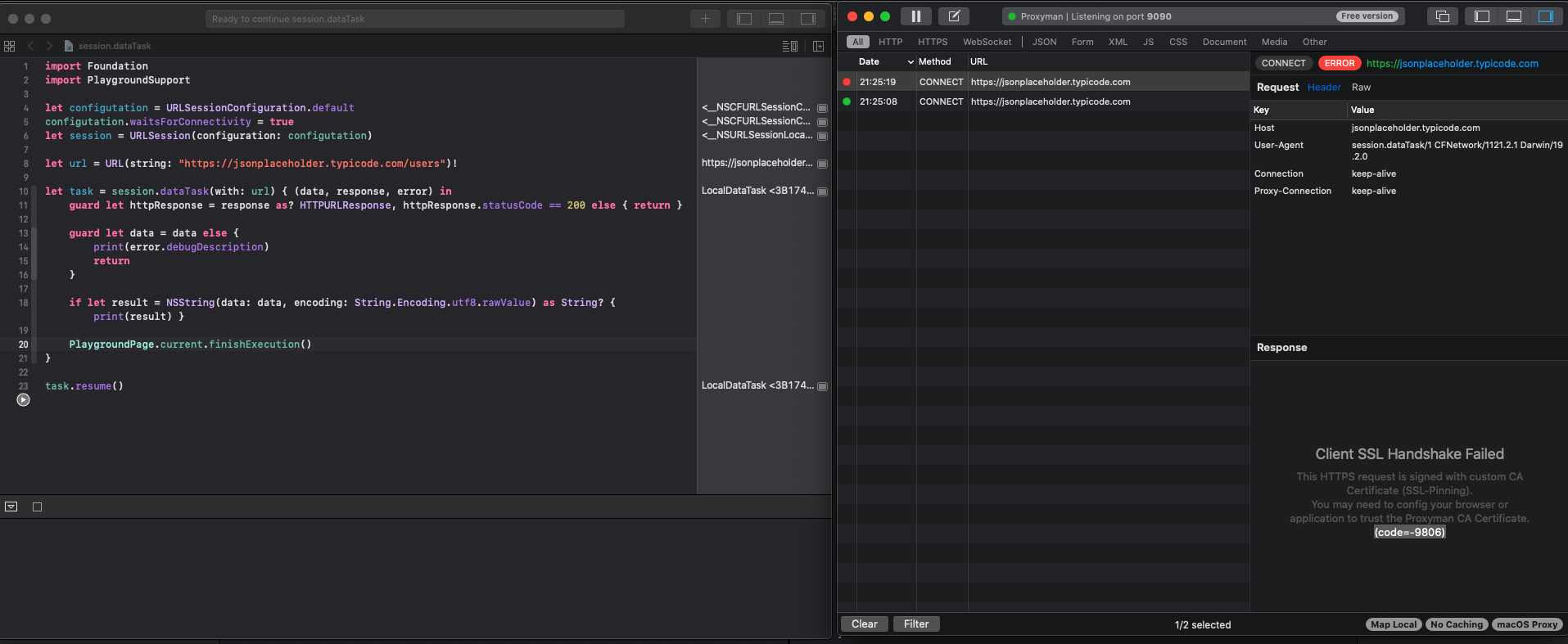
Expected
Display response with json
If this is the correct behavior, then how to fix this error manually?
@NghiaTranUIT commented on GitHub (Jan 28, 2020):
From your codebase, it's straightforward and it should work. Let me investigate it 👍
@NghiaTranUIT commented on GitHub (Jan 28, 2020):
@yauheniprakapenka I tested on my machine and it works (Same code)
Look like your Proxyman CA was generated from very build, which is not fulfill the new Certificate Requirement from Catalina and result in the SSH Handshake fail.
Please try to reset via Help Menu -> Advanced -> Reset all Data & Certificate. Then try again. It should work 👍
@NghiaTranUIT commented on GitHub (Jan 28, 2020):
Meanwhile, I will create a ticket to migrate old Certificate (if existed) to the new one 👍
@NghiaTranUIT commented on GitHub (Jan 28, 2020):
Quick question @yauheniprakapenka. Have you able to successfully see any HTTPS Response from other domain, such as Google.com from Google Chrome? 🤔
@yauheniprakapenka commented on GitHub (Jan 28, 2020):
I have not found "Reset all Data & Certificate"
I tried:
Result: Anyway error 9806
But Safari requests work: https://drive.google.com/open?id=11qR9eVqePqBYtOtA0pamiNp-aMhwab1_
Off-topic:
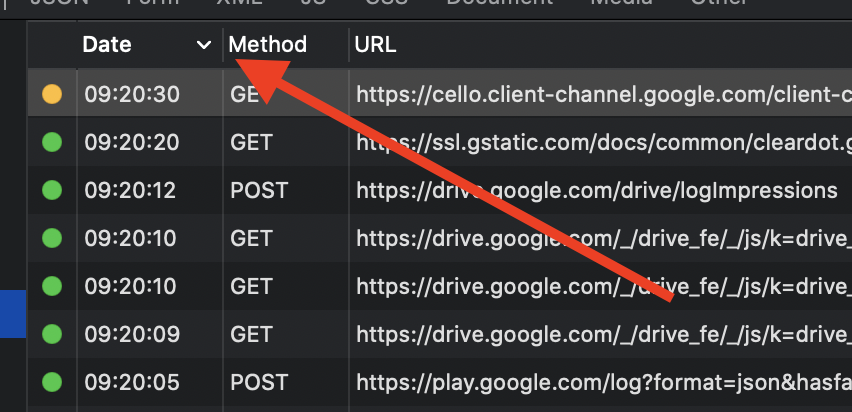
My colleagues and I are asking you to make it possible to save the sorting settings after each Proxyman run. It is very convenient to see new time queries at the top of the list.
At this moment need to reconfigure sorting after each start.
@NghiaTranUIT commented on GitHub (Jan 28, 2020):
It's possible to persist the previous state of sorting. I will work on it 👍
"Reset all Data & Certificate" is in Help
Can you double check the Google Drive link? I couldn't access it @yauheniprakapenka
@yauheniprakapenka commented on GitHub (Jan 28, 2020):
Reopened the link
https://drive.google.com/file/d/11qR9eVqePqBYtOtA0pamiNp-aMhwab1_/view?usp=sharing
Poorly visible place of this setting :)
I did: Help -> Advances -> Reset all data. Unfortunately, this did not help. Still a mistake 9806 :(
@NghiaTranUIT commented on GitHub (Jan 28, 2020):
Thank for the video @yauheniprakapenka . So far, from what I see, you're able to see another HTTPS response (google.com). It means that the Certificate is configed properly.
Regarding your bug, I'm able to reproduce it 🎉
Basically, if we run Swift Playaround on iOS mode -> There is a bug that I'm not aware, which cause the SSL Handshake fail. I assume that iOS Playground is running via a hidden iOS Simulator (I see a lot of requests from iOS Simulator in Proxyman), which doesn't installed Proxyman Certificate yet.
To workaround, I suggest
Result

@NghiaTranUIT commented on GitHub (Jan 28, 2020):
Meanwhile, I will investigate the fail on iOS Playground 👍
@yauheniprakapenka commented on GitHub (Jan 28, 2020):
Switching helped! Now it works great :) I completely forgot that at one of the courses on iOS the speaker said to optimize this parameter, I changed it.
@NghiaTranUIT commented on GitHub (Jan 29, 2020):
Glad to hear that work for you 🌮 I'm fixing the bug on iOS Playground 👍
@NghiaTranUIT commented on GitHub (Jan 31, 2020):
@yauheniprakapenka From what I investigated, there is no official way to do SSL Proxying on Swift Playground. It happens in other tools too.
There is a workaround at: https://gist.github.com/NghiaTranUIT/275c8da5068d506869a21bd16da27094
@yauheniprakapenka commented on GitHub (Feb 2, 2020):
Many thanks! It works)
@yauheniprakapenka commented on GitHub (Aug 1, 2020):
Good evening.
Today I exchanged the old Xiaomi redmi 5 (Android 8) for the new Xiaomi Redme 9a (Android 10). An error is displayed when trying to view the content of requests
Version 2.3.0 (20300)
SSL Handshake Failed
handshakeFailed (NIOSSL.BoringSSLError.sslError ([Error: 268436502 error: 10000416: SSL routines: OPENSSL_internal: SSLV3_ALERT_CERTIFICATE_UNKNOWN]))
My application on old Xiaomi redmi 5 worked perfectly.
Settings in the app:
Is it possible that the proxy cannot work with android 10?
@yauheniprakapenka commented on GitHub (Aug 1, 2020):
Its work for me
Xiaomi Redmi 9a (Android 10, MIUI 12.0.1)
Proxy: manually
Hostname: take from android guideline
Port: take from android guideline
Exceptions: empty
IP Settings: DHCP
Privacy: use the device's MAC address
Click save
Certificate name: proxyman
Usage: VPN and Apps
Press ok
@NghiaTranUIT commented on GitHub (Aug 2, 2020):
Don't forget to install the Certificate on a new Android device 😄 Glad to know it works for you 🌮
@vvnsrzn commented on GitHub (Aug 26, 2022):
Hello,
How did you get rid of this?
I have the same issue as you, but I can't move towards.
I installed and trusted my certificate
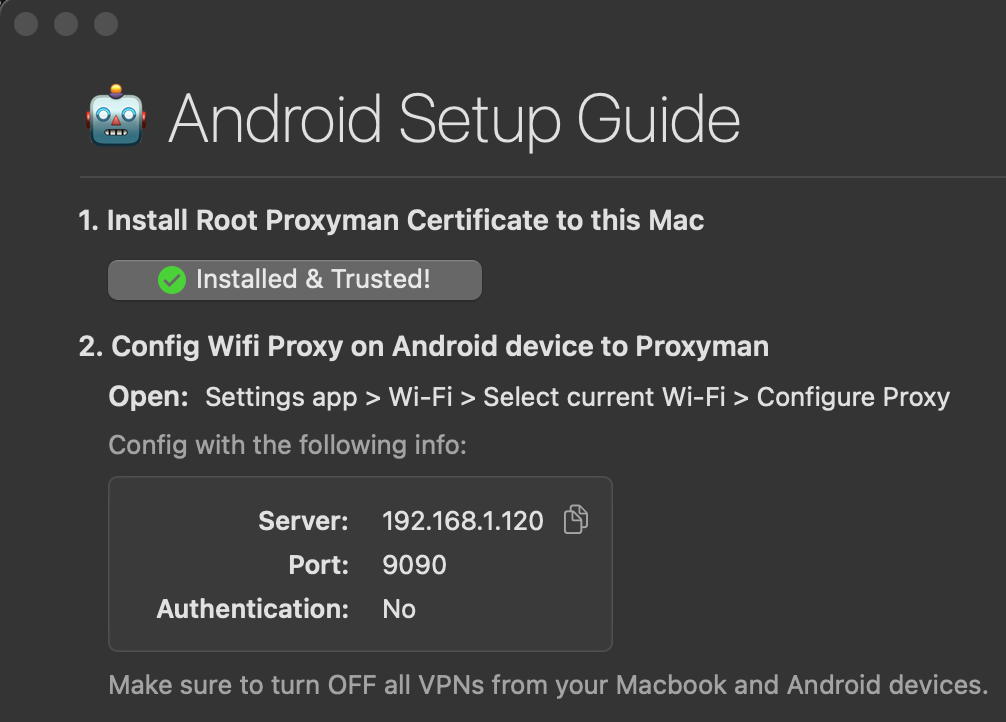
I did the right proxy
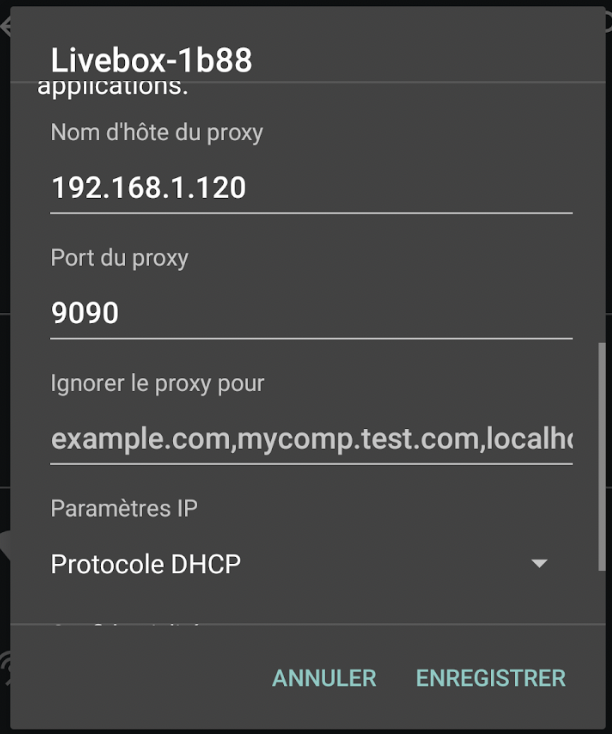
My cert is properly installed and issued by proxy.man/ssl
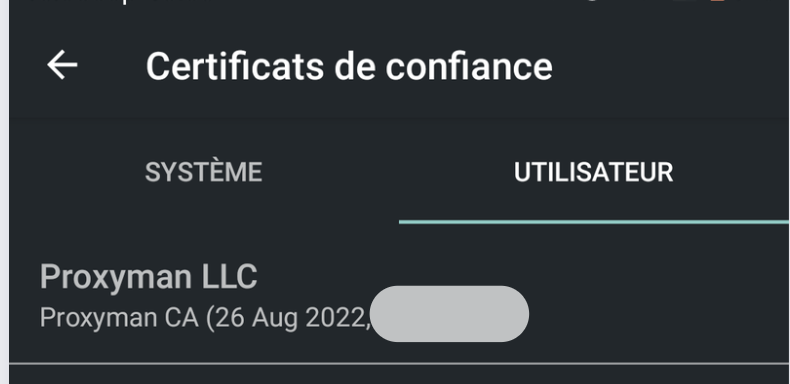
However, I'm still stuck 😞
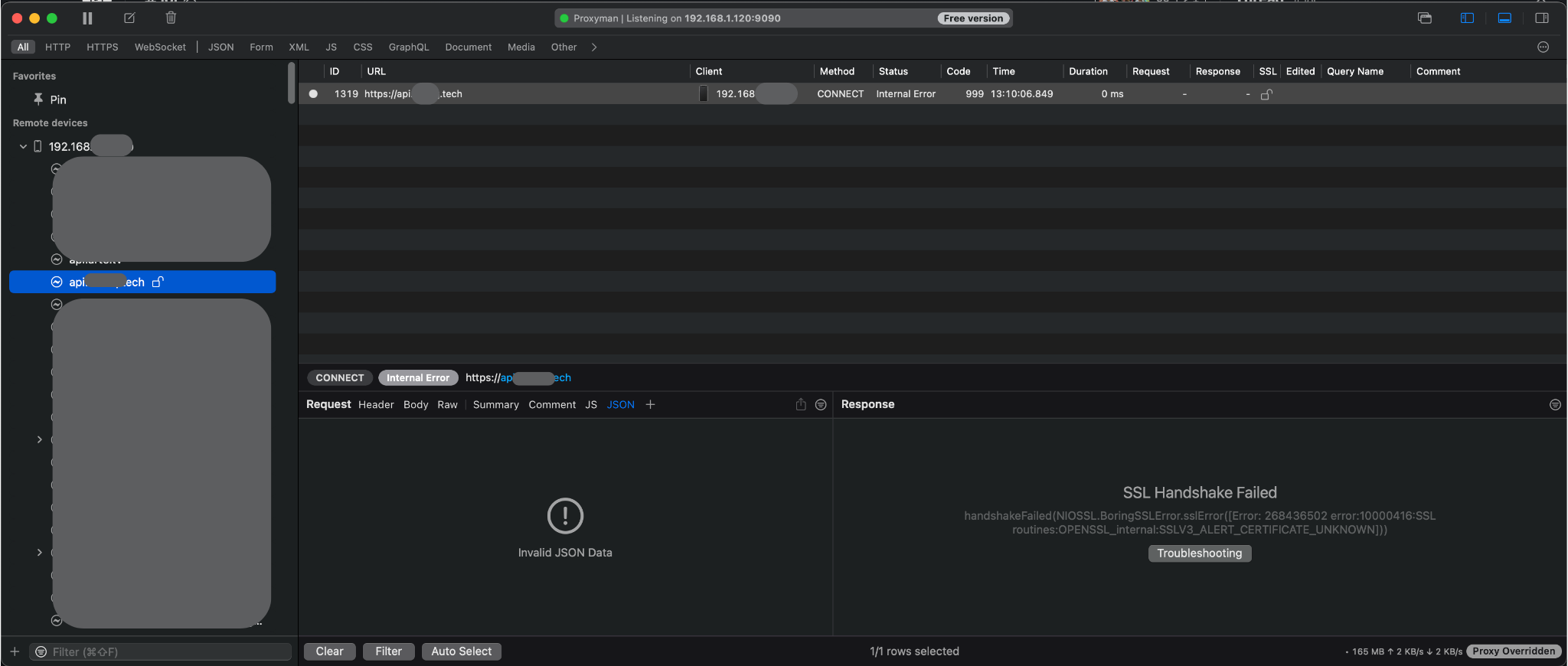
I restarted my devices, it doesn't help.
Do you have any idea/suggestion to share?
Any help is more than welcome!
@NghiaTranUIT commented on GitHub (Aug 26, 2022):
Hey @VivianSolide How about the 5th step in https://docs.proxyman.io/debug-devices/android-device ?
@vvnsrzn commented on GitHub (Aug 26, 2022):
I'm running on Android 11.
I thought I could do without the 5th step 😕
Sorry for this misunderstanding!
@NghiaTranUIT commented on GitHub (Aug 26, 2022):
Please note that the 5th step is required in order to intercept HTTPS traffic from Android devices.