[GH-ISSUE #1372] Save Request #1364

Open
opened 2026-03-03 19:50:51 +03:00 by kerem · 10 comments
Owner

Originally created by @NghiaTranUIT on GitHub (Sep 27, 2022).
Original GitHub issue: https://github.com/ProxymanApp/Proxyman/issues/1372

Originally assigned to: @NghiaTranUIT on GitHub.

Description

Many users would like to save a request for later use. It means it should be persisted for the next launch.

Currently, to workaround, we have to export and open the file. It's time-consuming.

Why this feature/change is important?

  • Quickly save the interesting/buggy request during the debugging session.
  • Save hours.

Acceptance Criteria

  • Able to "Save" the selected request
  • Saved requests should be locally stored and they're loaded on the next launch
  • Add the "Saved Folder" into the Favorites Section.
Originally created by @NghiaTranUIT on GitHub (Sep 27, 2022). Original GitHub issue: https://github.com/ProxymanApp/Proxyman/issues/1372 Originally assigned to: @NghiaTranUIT on GitHub. ## Description Many users would like to save a request for later use. It means it should be persisted for the next launch. Currently, to workaround, we have to export and open the file. It's time-consuming. ## Why this feature/change is important? - Quickly save the interesting/buggy request during the debugging session. - Save hours. ## Acceptance Criteria - Able to "Save" the selected request - Saved requests should be locally stored and they're loaded on the next launch - Add the "Saved Folder" into the Favorites Section.
Author
Owner

@NghiaTranUIT commented on GitHub (Sep 28, 2022):

Screenshots

Proxyman with Saved requests folder

<!-- gh-comment-id:1260358044 --> @NghiaTranUIT commented on GitHub (Sep 28, 2022): - Beta build: https://proxyman.s3.us-east-2.amazonaws.com/beta/Proxyman_3.10.0_Add_Saved_Folder.dmg ### Screenshots ![Proxyman with Saved requests folder](https://user-images.githubusercontent.com/5878421/192685109-1faeeeeb-0f73-4a16-9e3b-14ba9a147fb5.jpg)
Author
Owner

@woden234 commented on GitHub (Sep 28, 2022):

l tried this beta build ,and found one problem:
image
l edit and repeat twice about the id 253 of request in the save folder ,and found saved folder have 3 same request, then l closed the app and reopen it , there are still 3 same request。l suggest not born new request ,and still request the origin in the save folder。

l have another suggestion:
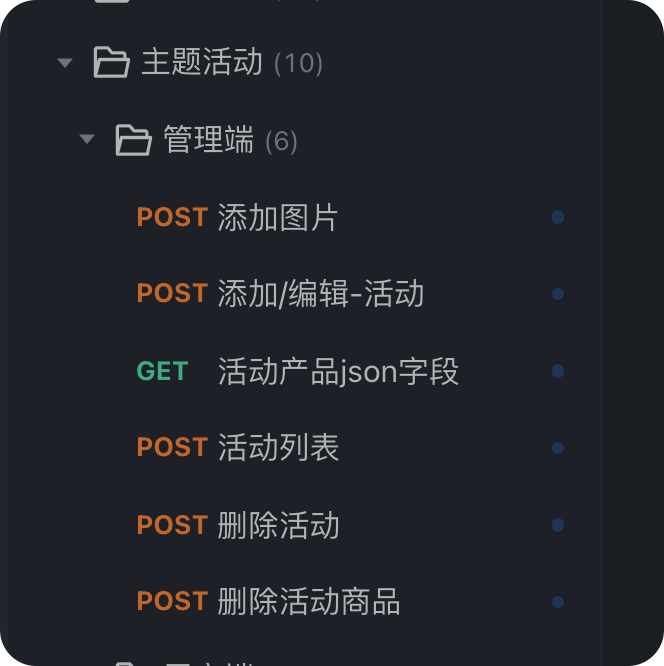
save the request that l can choose folder what l want to save ,and can rename the request,so l can manage different project ,not just one default saved folder,like the blow:
image
the above suggestion is more like a api client ,like postman? it is depend on you whether is valueable to do .

<!-- gh-comment-id:1260952269 --> @woden234 commented on GitHub (Sep 28, 2022): l tried this beta build ,and found one problem: <img width="1456" alt="image" src="https://user-images.githubusercontent.com/16451600/192796713-4bc6327b-7877-4490-90df-e8b60ce9ca12.png"> l edit and repeat twice about the id 253 of request in the save folder ,and found saved folder have 3 same request, then l closed the app and reopen it , there are still 3 same request。l suggest not born new request ,and still request the origin in the save folder。 l have another suggestion: save the request that l can choose folder what l want to save ,and can rename the request,so l can manage different project ,not just one default saved folder,like the blow: <img width="332" alt="image" src="https://user-images.githubusercontent.com/16451600/192797099-61f3ca3b-7c52-4039-8302-f3450a84b837.png"> the above suggestion is more like a api client ,like postman? it is depend on you whether is valueable to do .
Author
Owner

@NghiaTranUIT commented on GitHub (Sep 28, 2022):

l edit and repeat twice about the id 253 of request in the save folder ,and found saved folder have 3 same request,

It's our intention, the user can see the repeated right the way.

If we don't add it to the Save Folder, the repeated folder should be silently added to the App/Domain Folder -> You might question where the repeated request goes.

I admit that it's not a good solution but it's easier to understand.

save the request that l can choose folder what l want to save ,and can rename the request,so l can manage different project ,not just one default saved folder,like the blow:

Noted. I will add this feature soon 👍

<!-- gh-comment-id:1261041678 --> @NghiaTranUIT commented on GitHub (Sep 28, 2022): > l edit and repeat twice about the id 253 of request in the save folder ,and found saved folder have 3 same request, It's our intention, the user can see the repeated right the way. If we don't add it to the Save Folder, the repeated folder should be silently added to the App/Domain Folder -> You might question where the repeated request goes. I admit that it's not a good solution but it's easier to understand. > save the request that l can choose folder what l want to save ,and can rename the request,so l can manage different project ,not just one default saved folder,like the blow: Noted. I will add this feature soon 👍
Author
Owner

@woden234 commented on GitHub (Sep 30, 2022):

It's our intention, the user can see the repeated right the way.

l have to deleted the duplicate request after l edit and repeat the request in the saved folder ,may be we can update the request after repeat the request in the saved folder. the pin folder is different from saved folder ,the pin folder repeated and then duplicate is ok ,but the duplicate in saved folder is not good idea,because the repeat action that in saved folder will autosave the request to the saved folder.

<!-- gh-comment-id:1263057012 --> @woden234 commented on GitHub (Sep 30, 2022): > It's our intention, the user can see the repeated right the way. l have to deleted the duplicate request after l edit and repeat the request in the saved folder ,may be we can update the request after repeat the request in the saved folder. the pin folder is different from saved folder ,the pin folder repeated and then duplicate is ok ,but the duplicate in saved folder is not good idea,because the repeat action that in saved folder will autosave the request to the saved folder.
Author
Owner

@david-hamilton-glean commented on GitHub (Jan 23, 2026):

save the request that l can choose folder what l want to save ,and can rename the request,so l can manage different project ,not just one default saved folder,like the blow:

Noted. I will add this feature soon 👍

@NghiaTranUIT Was this ever added? I'm on Proxyman Version 6.4.0 (60400) | macOS: Version 15.5 (Build 24F74) and it seems I can only save requests to a single "Saved" folder and can't organize saved requests into their own folders.

<!-- gh-comment-id:3792658055 --> @david-hamilton-glean commented on GitHub (Jan 23, 2026): >> save the request that l can choose folder what l want to save ,and can rename the request,so l can manage different project ,not just one default saved folder,like the blow: > > Noted. I will add this feature soon 👍 @NghiaTranUIT Was this ever added? I'm on `Proxyman Version 6.4.0 (60400) | macOS: Version 15.5 (Build 24F74)` and it seems I can only save requests to a single "Saved" folder and can't organize saved requests into their own folders.
Author
Owner

@NghiaTranUIT commented on GitHub (Jan 23, 2026):

Sorry, the Saved Folder does not support sub-folders yet

<!-- gh-comment-id:3792665033 --> @NghiaTranUIT commented on GitHub (Jan 23, 2026): Sorry, the Saved Folder does not support sub-folders yet
Author
Owner

@david-hamilton-glean commented on GitHub (Jan 26, 2026):

Sorry, the Saved Folder does not support sub-folders yet

Gotcha. Thanks for confirming. Also thanks for Proxyman ❤️ it's beautiful software.

If sub-folders is on the roadmap count me as +1 for eagerly awaiting the feature. ^_^

<!-- gh-comment-id:3800664381 --> @david-hamilton-glean commented on GitHub (Jan 26, 2026): > Sorry, the Saved Folder does not support sub-folders yet Gotcha. Thanks for confirming. Also thanks for Proxyman ❤️ it's beautiful software. If sub-folders is on the roadmap count me as +1 for eagerly awaiting the feature. ^_^
Author
Owner

@NghiaTranUIT commented on GitHub (Jan 26, 2026):

@david-hamilton-glean let's try this Beta build: https://assets.proxyman.com/beta/Proxyman_6.4.0_Support_nested_folder_in_the_Saved_folder.dmg

  • You can create a nested folder in the Saved folder, making it easier to organize your saved requests.
  • Simply right-click on the Save Folder -> New -> Folders

Save folder with sub folders
Image

<!-- gh-comment-id:3801895439 --> @NghiaTranUIT commented on GitHub (Jan 26, 2026): @david-hamilton-glean let's try this Beta build: https://assets.proxyman.com/beta/Proxyman_6.4.0_Support_nested_folder_in_the_Saved_folder.dmg - You can create a nested folder in the Saved folder, making it easier to organize your saved requests. - Simply right-click on the Save Folder -> New -> Folders ![Save folder with sub folders](https://github.com/user-attachments/assets/92626f8d-30f6-4e5f-ad30-c1023c983633) ![Image](https://github.com/user-attachments/assets/8b593d53-1750-48cb-8aa2-06e0bf291781)
Author
Owner

@david-hamilton-glean commented on GitHub (Jan 27, 2026):

@david-hamilton-glean let's try this Beta build: https://assets.proxyman.com/beta/Proxyman_6.4.0_Support_nested_folder_in_the_Saved_folder.dmg

  • You can create a nested folder in the Saved folder, making it easier to organize your saved requests.
  • Simply right-click on the Save Folder -> New -> Folders

Works great, thank you!

<!-- gh-comment-id:3806544131 --> @david-hamilton-glean commented on GitHub (Jan 27, 2026): > [@david-hamilton-glean](https://github.com/david-hamilton-glean) let's try this Beta build: https://assets.proxyman.com/beta/Proxyman_6.4.0_Support_nested_folder_in_the_Saved_folder.dmg > > * You can create a nested folder in the Saved folder, making it easier to organize your saved requests. > * Simply right-click on the Save Folder -> New -> Folders > Works great, thank you!
Author
Owner

@NghiaTranUIT commented on GitHub (Jan 27, 2026):

Glad it works 👍

<!-- gh-comment-id:3807358779 --> @NghiaTranUIT commented on GitHub (Jan 27, 2026): Glad it works 👍
Sign in to join this conversation.
No milestone
No project
No assignees
1 participant
Notifications
Due date
The due date is invalid or out of range. Please use the format "yyyy-mm-dd".

No due date set.

Dependencies

No dependencies set.

Reference
starred/Proxyman#1364
No description provided.