mirror of
https://github.com/ProxymanApp/Proxyman.git
synced 2026-04-26 00:25:56 +03:00
[GH-ISSUE #133] Couldn't capture any traffic #132
Labels
No labels
Discussion
Feature request
In Progress...
Plugins
Waiting response
Windows
Windows
bug
duplicate
enhancement
feature
good first issue
iOS
macOS 10.11
question
wontfix
✅ Done
No milestone
No project
No assignees
1 participant

Notifications
Due date
No due date set.
Dependencies
No dependencies set.
Reference
starred/Proxyman#132
Loading…
Add table
Add a link
Reference in a new issue
No description provided.
Delete branch "%!s()"
Deleting a branch is permanent. Although the deleted branch may continue to exist for a short time before it actually gets removed, it CANNOT be undone in most cases. Continue?
Originally created by @ugurgural on GitHub (Apr 29, 2019).
Original GitHub issue: https://github.com/ProxymanApp/Proxyman/issues/133
Originally assigned to: @NghiaTranUIT on GitHub.
Which Proxyman version are you using? (Ex. Proxyman 0.5 (200))
Latest : 1.3.6
What OS Version are you using? (Ex. mac 10.13)
Mojave 10.14.4
Steps to reproduce this issue
Screenshots (optional)
@joanbono commented on GitHub (Apr 30, 2019):
Hi @mehmetugur-gural
Try the following in your terminal with Proxyman listening on port 9090:
@NghiaTranUIT commented on GitHub (Apr 30, 2019):
Hey @mehmetugur-gural , thank for reaching out to me.
Ideally, Proxyman automatically override the Proxy Configuration in Network Preference. However if there is no requests, it means that something wrongs, and my script couldn't override it appropriately 🤔 .
9090(See the screenshot)I will investigate it
Screenshot
@ugurgural commented on GitHub (Apr 30, 2019):
Hi @NghiaTranUIT, thanks for the quick response. I tried to answer your questions below :
1 - When i first ran the application, it successfully updated the proxy configs, you can see in the screenshot, so i guess there is nothing to add manually again.
2 - Currently i'm using internet connection via iphone, not wifi.
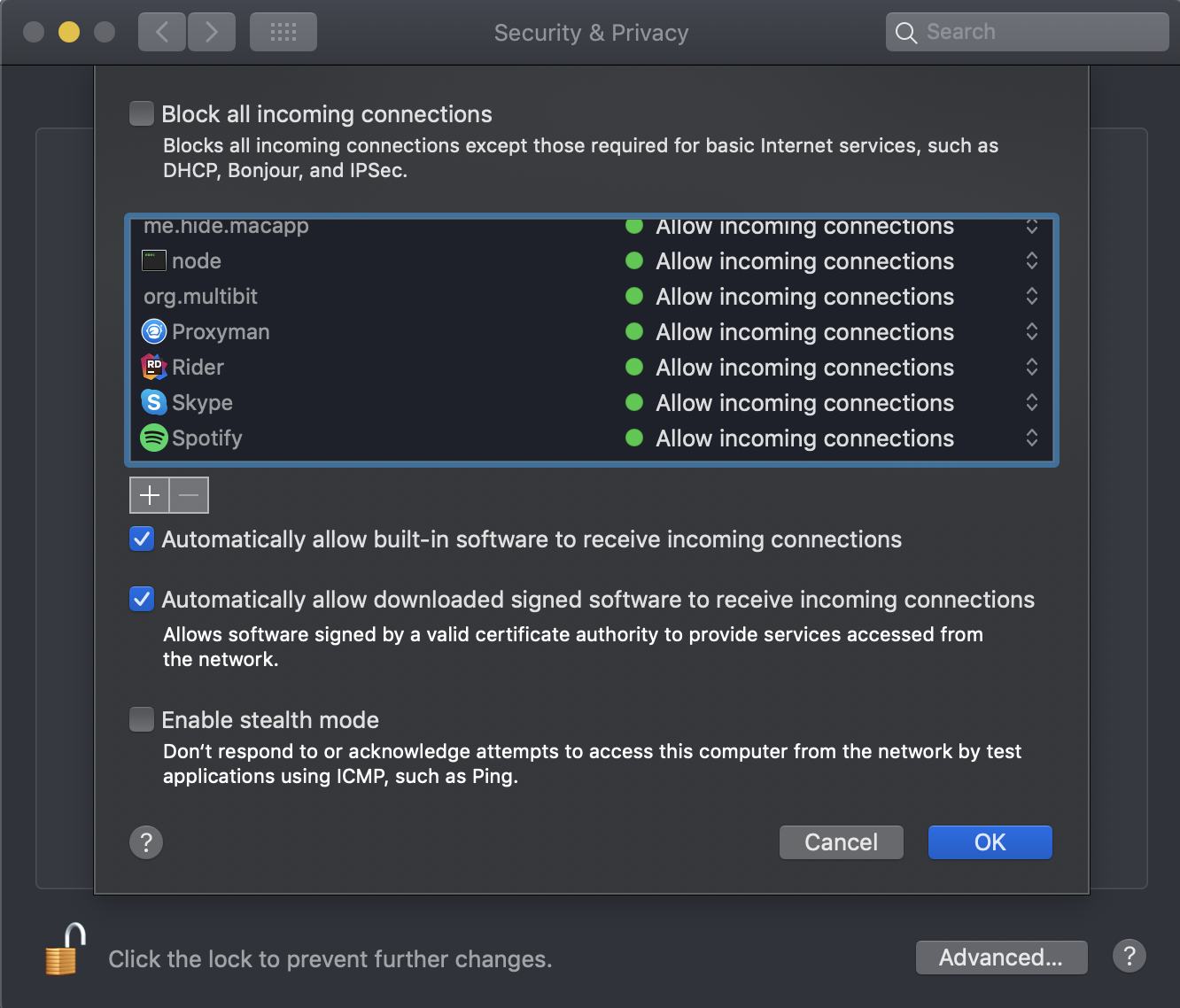
I have checked the firewall also just in case, and i can see the permission in there so this is not the case i believe, also there is no anti virus app installed.
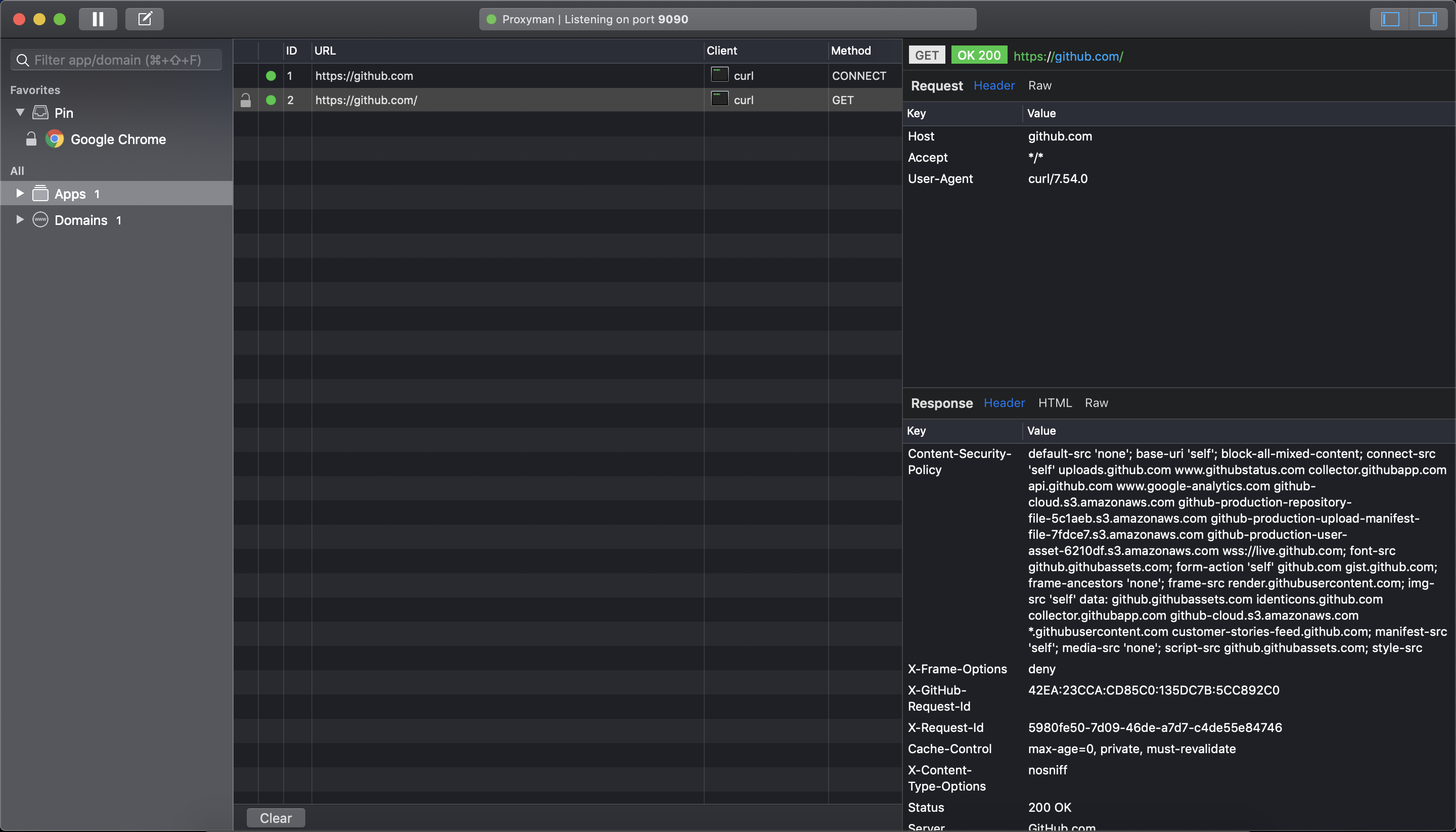
@joanbono thanks for the message, i tried your suggestion and i could see the request details in the proxyman, screenshot below.
Screenshots
Question 1 :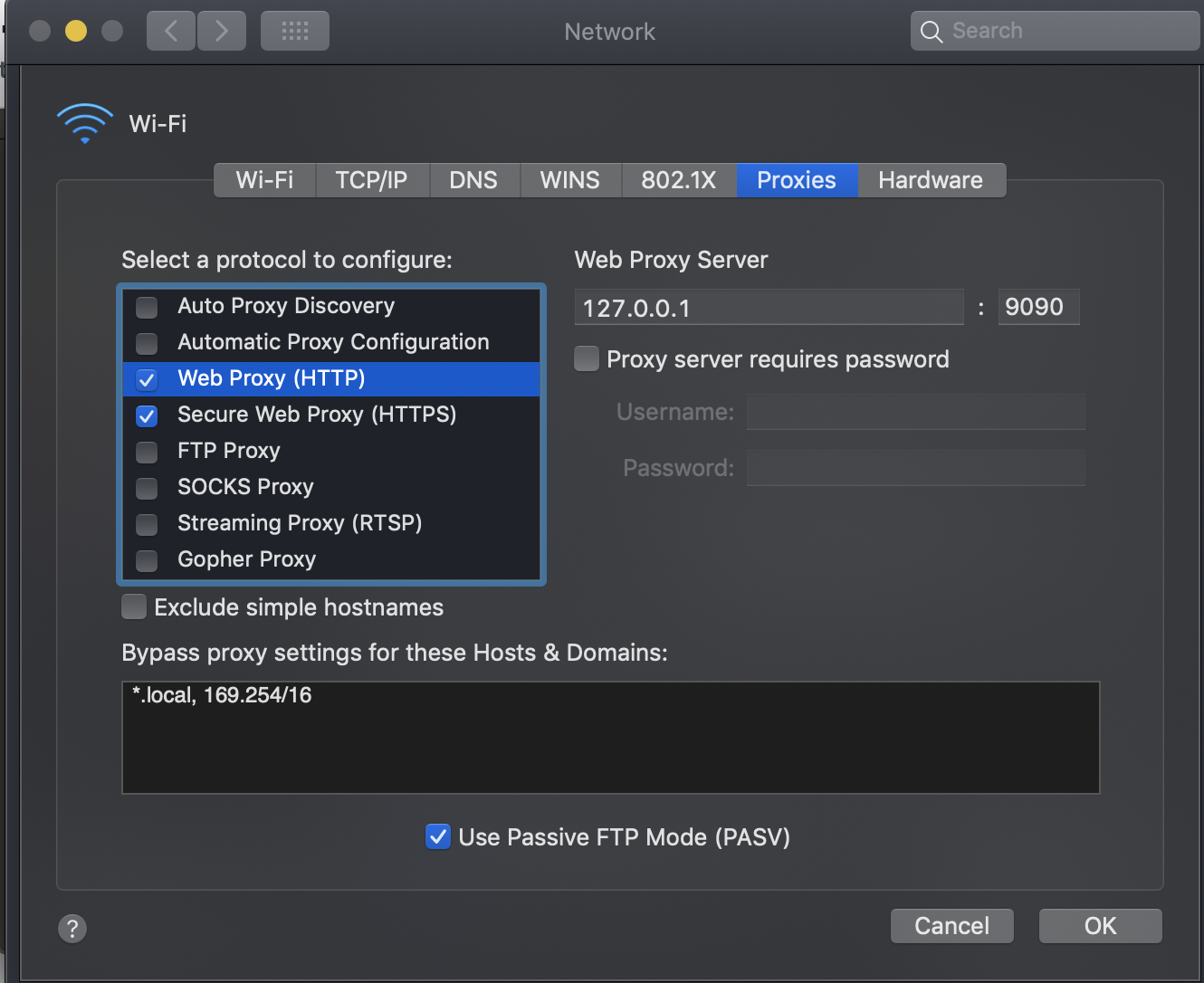
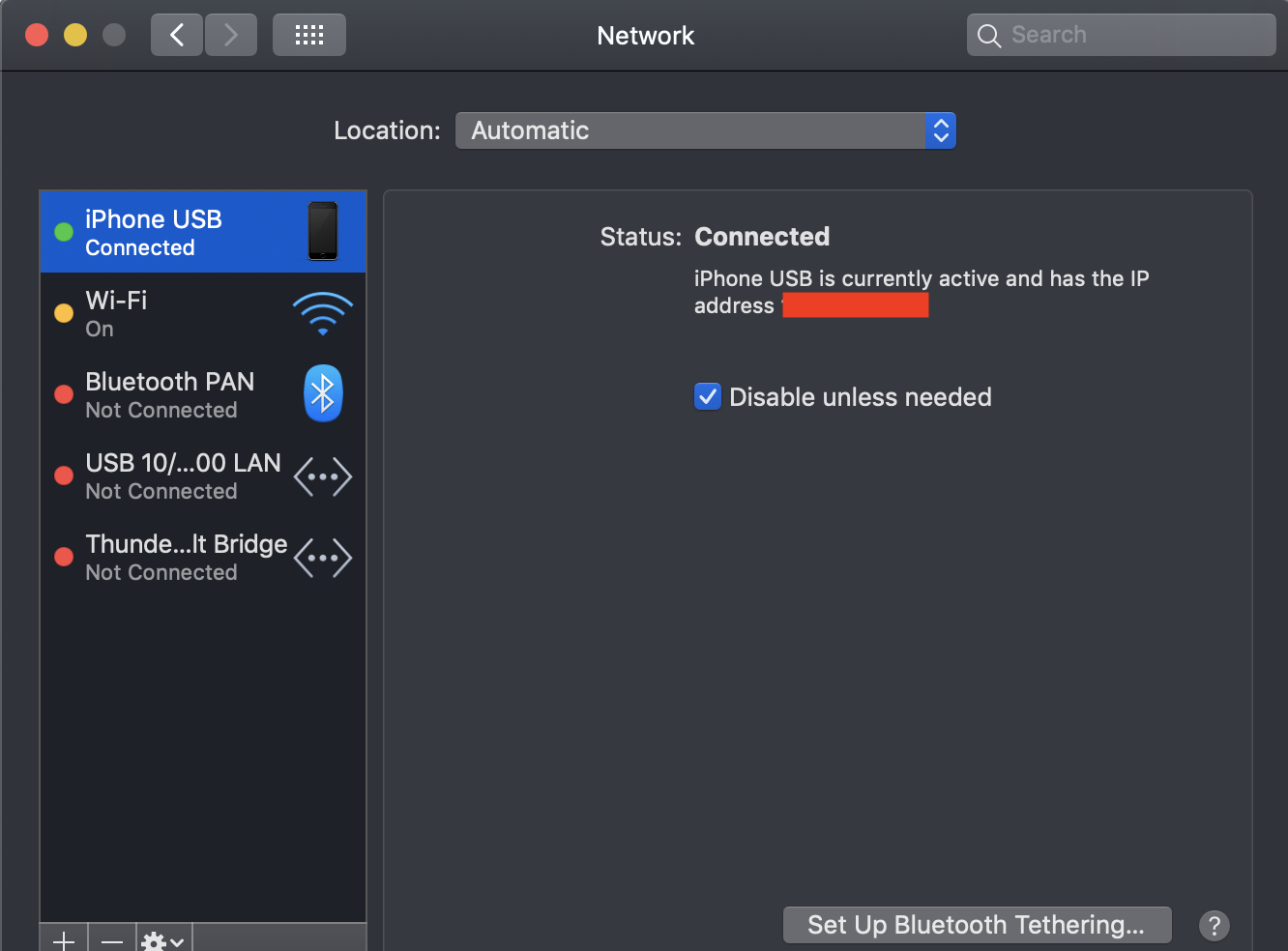
Question 2:
Firewall:
Proxyman after executing curl command :
@NghiaTranUIT commented on GitHub (May 1, 2019):
Thank your detail screenshots 👍
From what I see, Proxyman is unable to override the Proxy when you're sharing the Internet through iPhone. It's a bug, I will fix it today 👍
For now, you can use Proxyman by switching to WiFi, it will works since Proxyman is completely supported WiFi connections.
@NghiaTranUIT commented on GitHub (May 11, 2019):
Hey @mehmetugur-gural, you can check the Proxyman 1.3.8 or update directly from your Proxyman. It includes the fix on your bug (Can't override the Proxy when sharing Internet via iPhone USB)
Sorry for late a bit, since I have to dive into the SystemConfiguration framework to fix the bug 😅
@ugurgural commented on GitHub (May 11, 2019):
Hi @NghiaTranUIT , thanks for the update. I got the latest version now and i can confirm it is working properly right now.
@NghiaTranUIT commented on GitHub (May 12, 2019):
This awesome to hear that 👏