[GH-ISSUE #1162] Bug Capturing traffic iOS Minecraft & Monster Legends #1158

Closed
opened 2026-03-03 19:48:50 +03:00 by kerem · 3 comments
Owner

Originally created by @jesus-mg-ios on GitHub (Mar 4, 2022).
Original GitHub issue: https://github.com/ProxymanApp/Proxyman/issues/1162

Proxyman version -> 2.3.0

macOS Version -> Whatever

Steps to reproduce

Install in iOS device the Proxyman certificate and trust into it.
Then start to capturing traffic.

  • Run Monster Legends (Error: Seems like the connexion was ended by the client) Not reproduced with Proxyman iOS App.
  • Run Minecraft (Log in to it, Error: Cannot Logging) Not reproduced with Proxyman iOS App.

In both cases response is not enabled (Not intercept the traffic only forward it.)

Expected behavior

Monster Legends should work as expected
You can log in into an account with minecraft.

Screenshots (optional)

Originally created by @jesus-mg-ios on GitHub (Mar 4, 2022). Original GitHub issue: https://github.com/ProxymanApp/Proxyman/issues/1162 ### Proxyman version -> 2.3.0 ### macOS Version -> Whatever ### Steps to reproduce Install in iOS device the Proxyman certificate and trust into it. Then start to capturing traffic. * Run Monster Legends (Error: Seems like the connexion was ended by the client) Not reproduced with Proxyman iOS App. * Run Minecraft (Log in to it, Error: Cannot Logging) Not reproduced with Proxyman iOS App. In both cases response is not enabled (Not intercept the traffic only forward it.) ### Expected behavior Monster Legends should work as expected You can log in into an account with minecraft. ### Screenshots (optional)
kerem closed this issue 2026-03-03 19:48:50 +03:00
Author
Owner

@NghiaTranUIT commented on GitHub (Mar 4, 2022):

Hey @jesus-qt, thanks for your report.

Unfortunately, It's not a bug from Proxyman. I suspect that these apps are protected by using SSL Pinning. It's designed to prevent Proxyman or other debugging proxy apps to intercept their HTTPS traffic.

There is no solution to bypass the SSL Pinning unless you have a certificate key.

You can read more at https://proxyman.io/posts/2019-11-15-Can-we-bypass-ssl-pinning

<!-- gh-comment-id:1059222212 --> @NghiaTranUIT commented on GitHub (Mar 4, 2022): Hey @jesus-qt, thanks for your report. Unfortunately, It's not a bug from Proxyman. I suspect that these apps are protected by using SSL Pinning. It's designed to prevent Proxyman or other debugging proxy apps to intercept their HTTPS traffic. There is no solution to bypass the SSL Pinning unless you have a certificate key. You can read more at https://proxyman.io/posts/2019-11-15-Can-we-bypass-ssl-pinning
Author
Owner

@NghiaTranUIT commented on GitHub (Mar 5, 2022):

Ah, I missed reading it. I'm downloading the Monster Legend app on my phone and try to reproduce it now 👍

<!-- gh-comment-id:1059661299 --> @NghiaTranUIT commented on GitHub (Mar 5, 2022): Ah, I missed reading it. I'm downloading the Monster Legend app on my phone and try to reproduce it now 👍
Author
Owner

@NghiaTranUIT commented on GitHub (Mar 8, 2022):

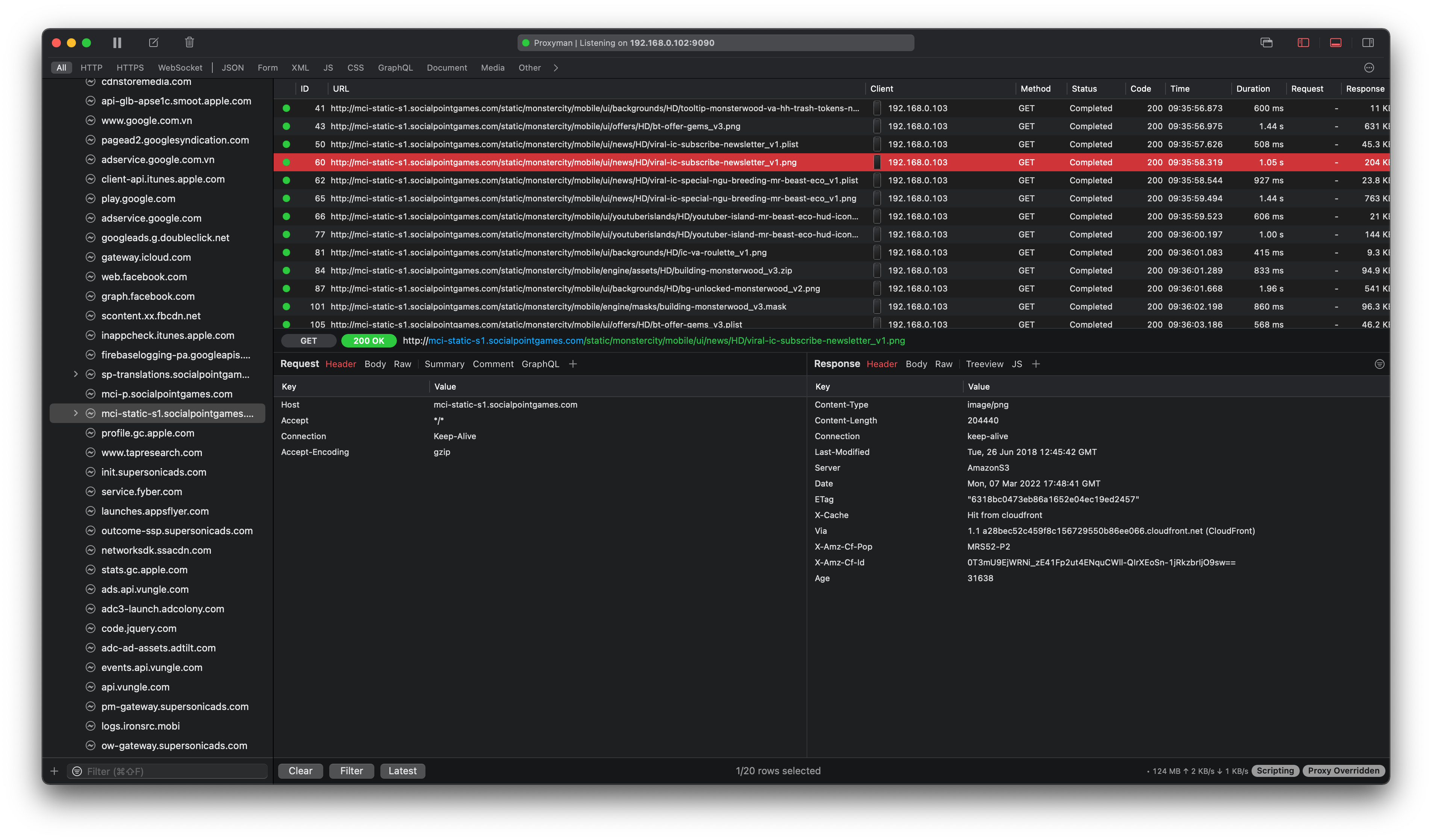
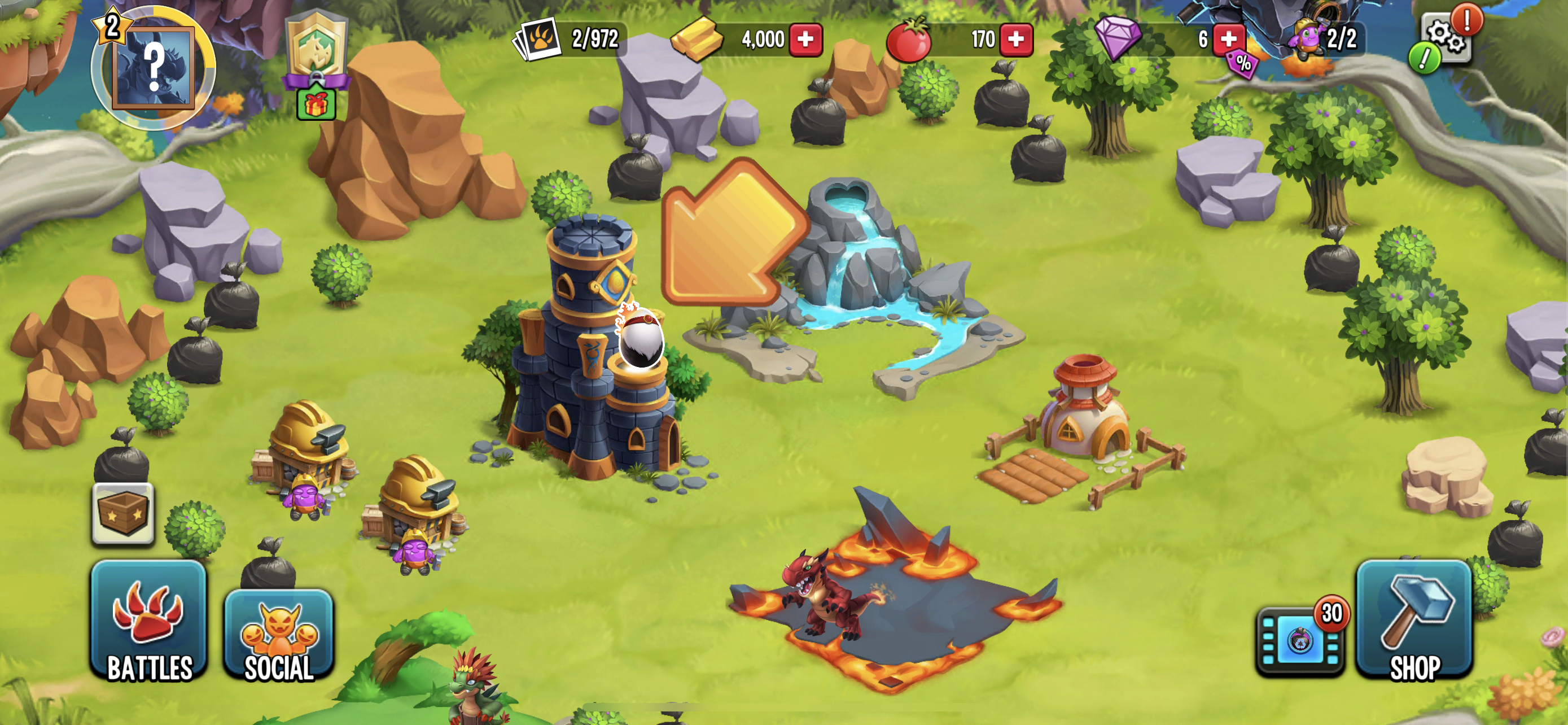
I tried Monster Legend and it works totally fine after I set the HTTP Proxy to Proxyman Mac, but not Enable SSL Proxying.

  • Bunch of Monster Legend HTTP Request that I can see it in the plain text
    Screen Shot 2022-03-08 at 09 37 02

  • The game work fine. I'm able to play the game as usual.
    IMG_0614


I could not test with Minecraft since it's required to pay upfront.


It seems that you have to see the DNS to 1.1.1.1 or 8.8.8.8 in both Mac and iOS devices:

  • on macOS: System Preference -> Network -> Wifi -> DNS -> Set 1.1.1.1
  • on iOS: Setting -> Wifi -> Your wifi hotspot -> DNS -> Manual -> Set 1.1.1.1

Then try again 👍


Second question: After you change the HTTPS Proxy from your iOS devices, are you able to visit the Internet? By opening https://google.com on the Safari app?

<!-- gh-comment-id:1061348424 --> @NghiaTranUIT commented on GitHub (Mar 8, 2022): I tried Monster Legend and it works totally fine after I set the HTTP Proxy to Proxyman Mac, but not Enable SSL Proxying. - Bunch of Monster Legend HTTP Request that I can see it in the plain text <img width="1905" alt="Screen Shot 2022-03-08 at 09 37 02" src="https://user-images.githubusercontent.com/5878421/157155443-74d18726-e1b8-4546-867b-447bce27a6cd.png"> - The game work fine. I'm able to play the game as usual. ![IMG_0614](https://user-images.githubusercontent.com/5878421/157155514-fee1959e-260a-4b39-906e-73f1e9604ab9.PNG) --------------------------- I could not test with Minecraft since it's required to pay upfront. --------------------- It seems that you have to see the DNS to 1.1.1.1 or 8.8.8.8 in both Mac and iOS devices: - on macOS: System Preference -> Network -> Wifi -> DNS -> Set 1.1.1.1 - on iOS: Setting -> Wifi -> Your wifi hotspot -> DNS -> Manual -> Set 1.1.1.1 Then try again 👍 ------------------------ Second question: After you change the HTTPS Proxy from your iOS devices, are you able to visit the Internet? By opening https://google.com on the Safari app?
Sign in to join this conversation.
No milestone
No project
No assignees
1 participant
Notifications
Due date
The due date is invalid or out of range. Please use the format "yyyy-mm-dd".

No due date set.

Dependencies

No dependencies set.

Reference
starred/Proxyman#1158
No description provided.