[GH-ISSUE #845] [Bug]: UI elements disappear when search is used #404

Closed
opened 2026-03-03 18:57:36 +03:00 by kerem · 1 comment
Owner

Originally created by @FlyMeToTheMoonAndLetMePlayAmongTheStars on GitHub (Mar 7, 2023).
Original GitHub issue: https://github.com/PlayCover/PlayCover/issues/845

Describe the bug

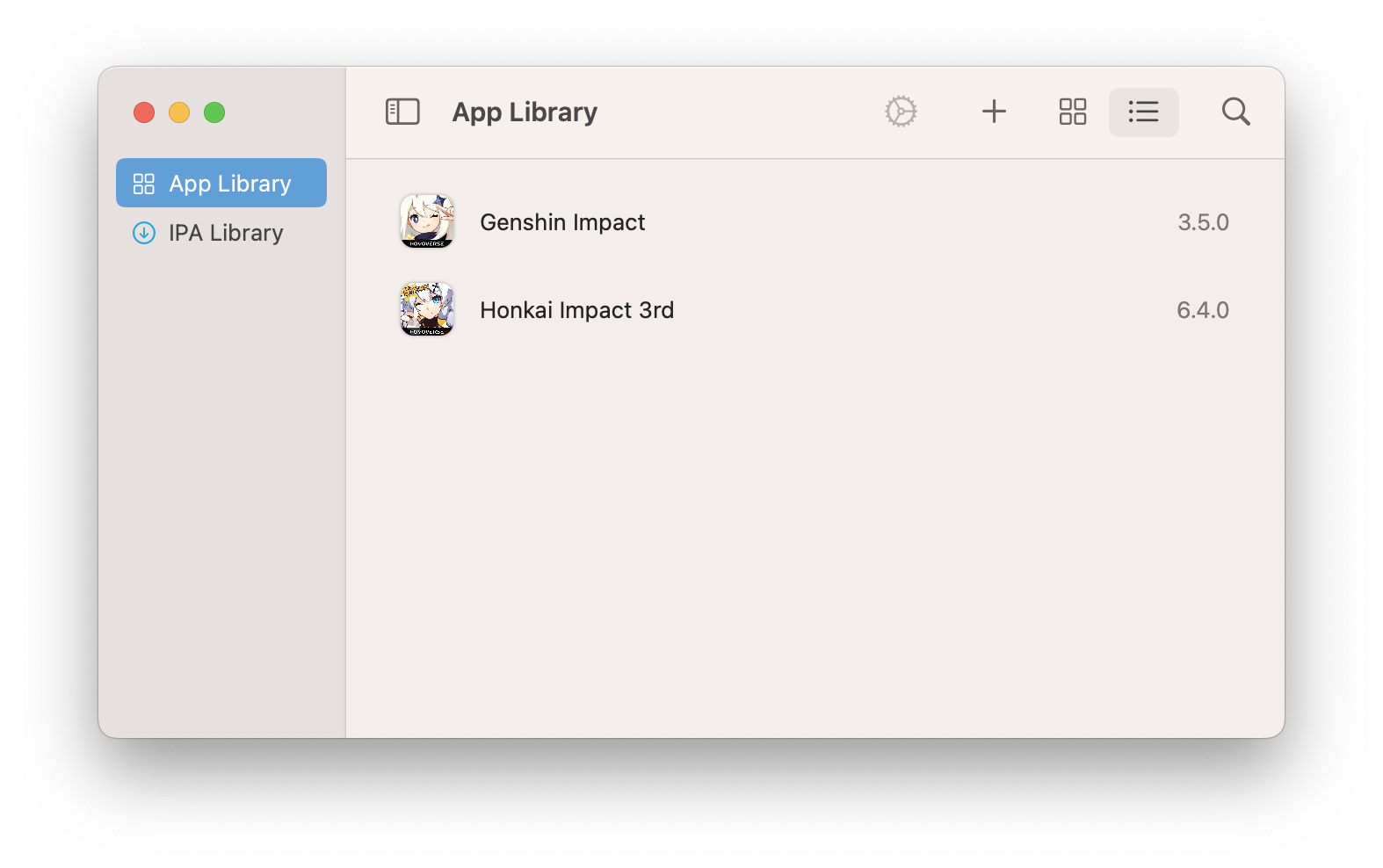
This is what PlayCover normally looks like
image

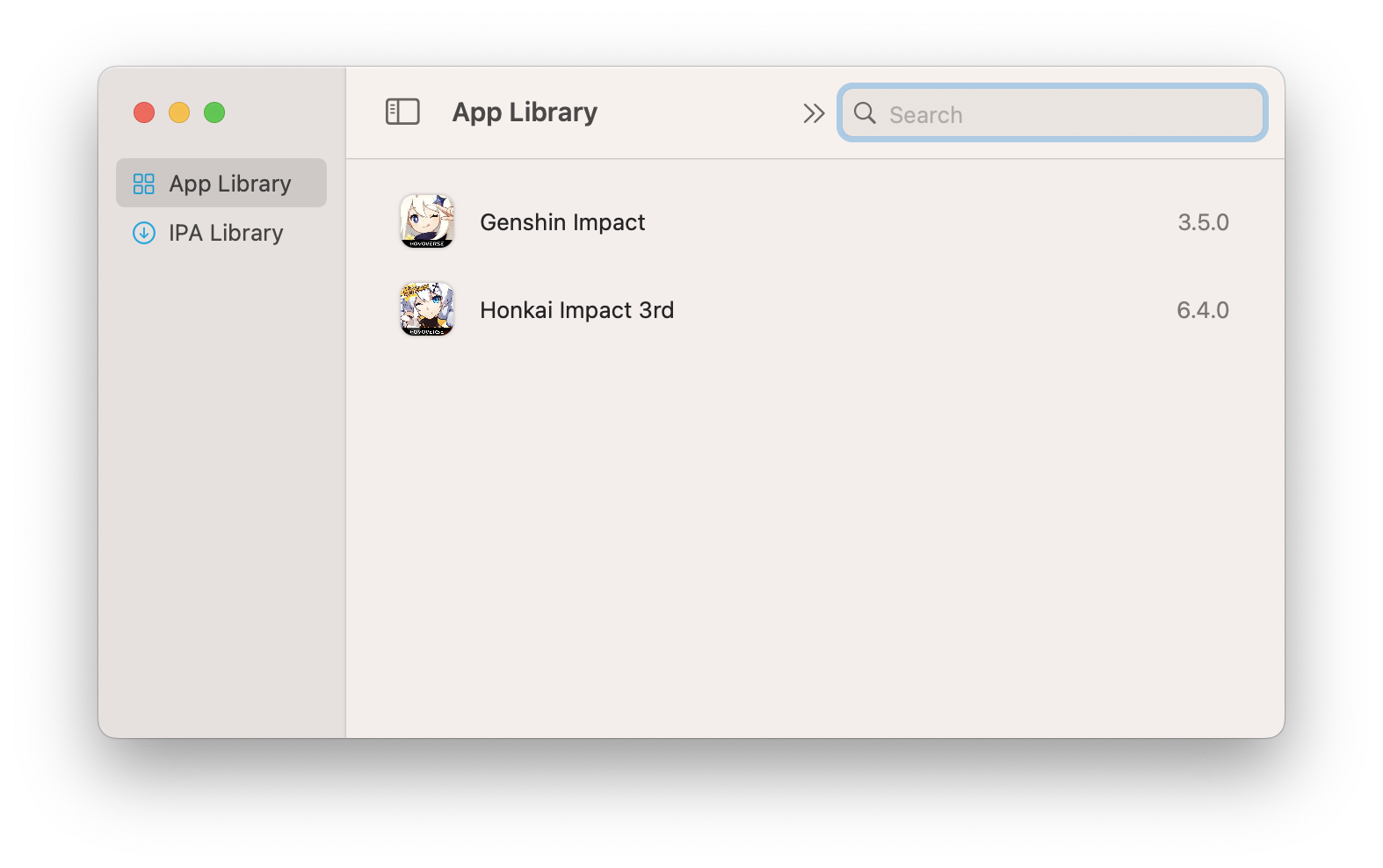
This is what happens after you click the search icon
image

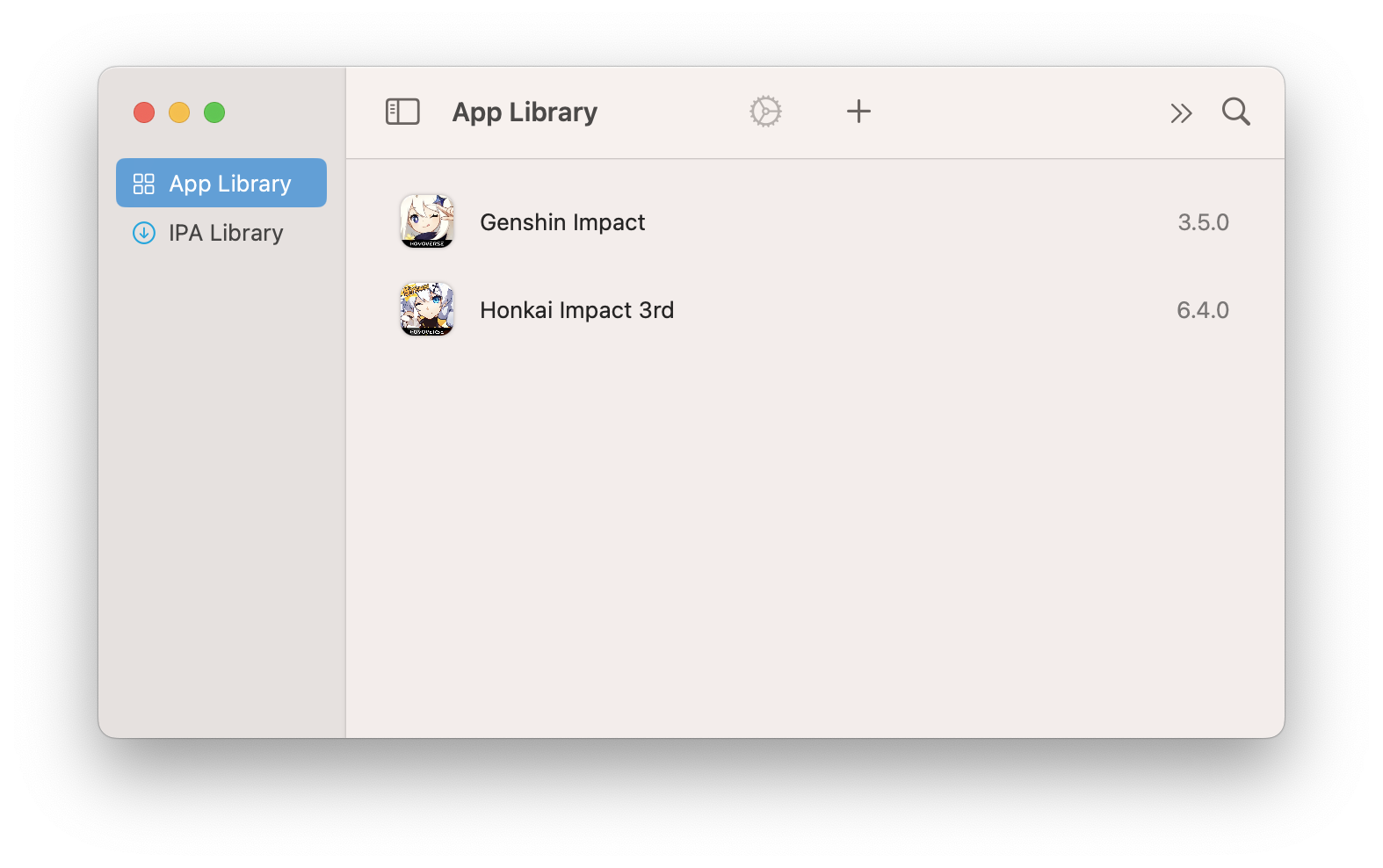
And this is what happens after you click the search bar, enter something, then click the x to cancel search
image

Workarounds:

  • Click IPA Library then click back on App Library
  • Restarting PlayCover

Steps to reproduce

  1. Resize the PlayCover window to as smallest as you can make it
  2. Click the search icon aka "magnifying glass"
  3. Enter some arbitrary letters or numbers or into the search bar/search field
  4. Click on the x icon to clear the string you entered
  5. Now the buttons for switching view options/layout disappears, and the settings and add IPA icon have shifted further to the left

Expected behaviour

UI elements not disappearing under these circumstances

Crash log

No crash

What version of PlayCover are you using?

Nightly/beta

What version of macOS are you using?

Ventura (macOS 13)

Issue Language

  • Yes my issue is written in English
Originally created by @FlyMeToTheMoonAndLetMePlayAmongTheStars on GitHub (Mar 7, 2023). Original GitHub issue: https://github.com/PlayCover/PlayCover/issues/845 ### Describe the bug This is what PlayCover normally looks like <img width="787" alt="image" src="https://user-images.githubusercontent.com/78054566/223296451-8178bae9-b313-4c37-8139-236dabc02952.png"> This is what happens after you click the search icon <img width="787" alt="image" src="https://user-images.githubusercontent.com/78054566/223296556-0b57f017-fa20-49f0-b8d0-98503e58707d.png"> And this is what happens after you click the search bar, enter something, then click the x to cancel search <img width="787" alt="image" src="https://user-images.githubusercontent.com/78054566/223296632-fad18c90-7593-422c-9a40-0aca76cc57c0.png"> Workarounds: - Click IPA Library then click back on App Library - Restarting PlayCover ### Steps to reproduce 1. Resize the PlayCover window to as smallest as you can make it 2. Click the search icon aka "magnifying glass" 3. Enter some arbitrary letters or numbers or into the search bar/search field 4. Click on the x icon to clear the string you entered 5. Now the buttons for switching view options/layout disappears, and the settings and add IPA icon have shifted further to the left ### Expected behaviour UI elements not disappearing under these circumstances ### Crash log ```shell No crash ``` ### What version of PlayCover are you using? Nightly/beta ### What version of macOS are you using? Ventura (macOS 13) ### Issue Language - [X] Yes my issue is written in English
kerem 2026-03-03 18:57:36 +03:00
  • closed this issue
  • added the
    bug
    label
Author
Owner

@TheMoonThatRises commented on GitHub (Sep 2, 2023):

Unable to reproduce anymore. Seems to have been a MacOS issue.

<!-- gh-comment-id:1703963479 --> @TheMoonThatRises commented on GitHub (Sep 2, 2023): Unable to reproduce anymore. Seems to have been a MacOS issue.
Sign in to join this conversation.
No milestone
No project
No assignees
1 participant
Notifications
Due date
The due date is invalid or out of range. Please use the format "yyyy-mm-dd".

No due date set.

Dependencies

No dependencies set.

Reference
starred/PlayCover#404
No description provided.