mirror of
https://github.com/PlayCover/PlayCover.git
synced 2026-04-26 16:25:54 +03:00
[GH-ISSUE #744] [Bug]: Resolution has been lowered with 2.0.4. #351
Labels
No labels
UI
app-support
bug
bug
documentation
duplicate
enhancement
game-support
good first issue
help wanted / caution
inactive
invalid
macos-beta
pull-request
question
wontfix
No milestone
No project
No assignees
1 participant

Notifications
Due date
No due date set.
Dependencies
No dependencies set.
Reference
starred/PlayCover#351
Loading…
Add table
Add a link
Reference in a new issue
No description provided.
Delete branch "%!s()"
Deleting a branch is permanent. Although the deleted branch may continue to exist for a short time before it actually gets removed, it CANNOT be undone in most cases. Continue?
Originally created by @Nipol on GitHub (Jan 24, 2023).
Original GitHub issue: https://github.com/PlayCover/PlayCover/issues/744
Describe the bug
Updated Ventura 13.2 and updated 2.0.4.
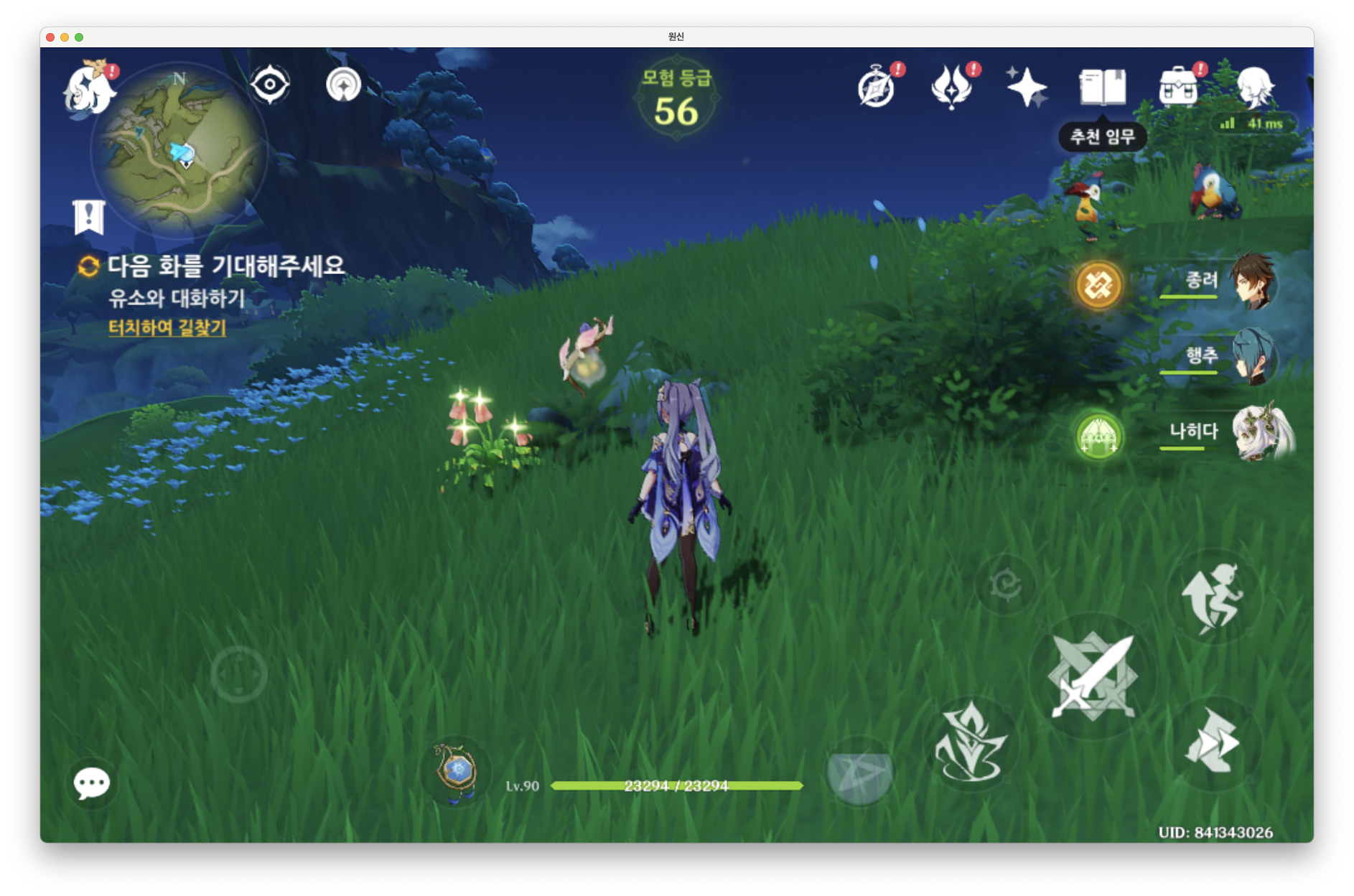
After that, the screen size of the genshin impact remains the same, but the resolution inside the game decreases, so the pixels stand out.
It looks like a small screen is zoomed in to a big screen.
There is another problem.
If the resolution is selected as
Default, the screen problem in 2.0.3 will be reproduced as it is.Steps to reproduce
Ventura 13.2 with 2.0.4.
Expected behaviour
I'm using a QHD display, and the resolution is generally clean.
Crash log
What version of PlayCover are you using?
2.0.4
What version of macOS are you using?
Ventura (macOS 13.2)
Issue Language
@ohaiibuzzle commented on GitHub (Jan 24, 2023):
Actually no, it has always kind of been like that. Think of the resolution inside PlayCover be more like an display output resolution. Genshin also have an internal render resolution that it uses (something 900p for M1 I think, because even though these are powerful ARM chips, their GPU aren't good enough to run at full native res). That is dynamically determined by the game based on device and processor on iOS
Playing around with the output resolution settings may help, but yeah you won't be running full res on these devices
@IsaacMarovitz commented on GitHub (Jan 24, 2023):
App Default is not intended to be used in games. Please use Auto, Custom, or one of the Presets.
@Nipol commented on GitHub (Jan 25, 2023):
Check this!
Both are 1440p, set at 16:10 ratio, but have different internally processed resolutions.
Ventura 13.1 with 2.0.3
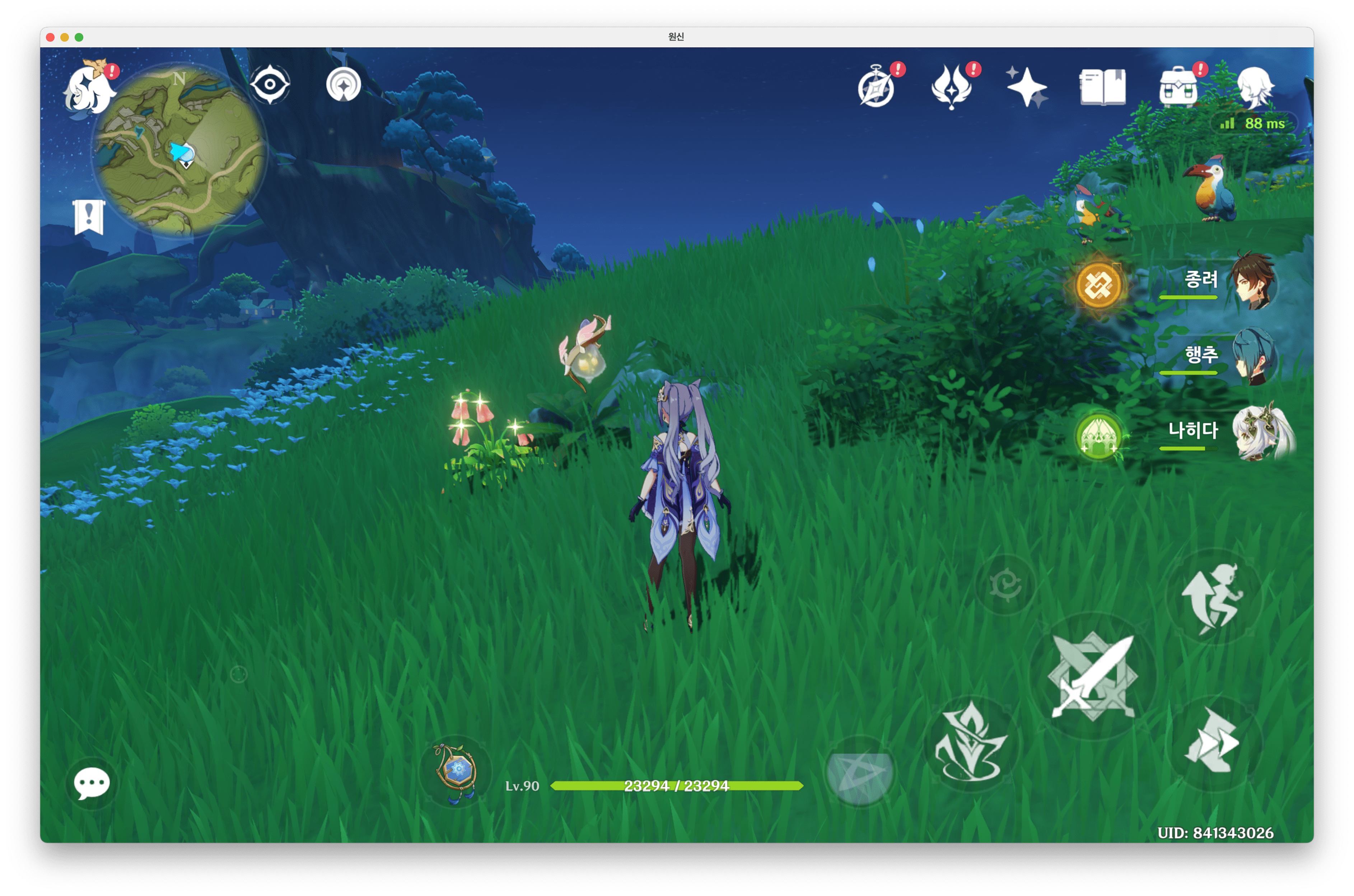
Ventura 13.2. with 2.0.4