mirror of
https://github.com/PlayCover/PlayCover.git
synced 2026-04-26 08:15:56 +03:00
[GH-ISSUE #746] [Bug]: game resolution issue on 2.0.4 #349
Labels
No labels
UI
app-support
bug
bug
documentation
duplicate
enhancement
game-support
good first issue
help wanted / caution
inactive
invalid
macos-beta
pull-request
question
wontfix
No milestone
No project
No assignees
1 participant

Notifications
Due date
No due date set.
Dependencies
No dependencies set.
Reference
starred/PlayCover#349
Loading…
Add table
Add a link
Reference in a new issue
No description provided.
Delete branch "%!s()"
Deleting a branch is permanent. Although the deleted branch may continue to exist for a short time before it actually gets removed, it CANNOT be undone in most cases. Continue?
Originally created by @FlyMeToTheMoonAndLetMePlayAmongTheStars on GitHub (Jan 24, 2023).
Original GitHub issue: https://github.com/PlayCover/PlayCover/issues/746
Describe the bug
games are somehow running at a noticeably lower resolution when using the M1 and M2 identifiers, and have little difference in graphical clarity vs A12Z.
i noticed this when playing genshin for like half an hour and saw my macbook's temperature were still around 40-50C, at first i was like "wow, did apple or playcover somehow improve optimization with these updates?" but then i realized the game resolution was lower than before and this is actually a bug
also when using the m2 identifier, the joystick UI on genshin gets abnormally BIG compared to m1
update: even the metal HUD shows there's something wrong with the game's render resolution/scaling
metal HUD from genshin (pre 2.0.4/macOS 13.1)

metal HUD from genshin (2.0.4/macOS 13.2)
my playcover settings of the game were consistent across the two versions, identifier set to M1, resolution set to auto (1440x900)
Steps to reproduce
test genshin on playcover 2.0.4 + macOS 13.2 vs. genshin on playcover 2.0.3 (or 2.0.2) + macOS 13.1
Expected behaviour
higher game resolution like it normally was before
Crash log
What version of PlayCover are you using?
2.0.4
What version of macOS are you using?
Ventura (macOS 13.2)
Issue Language
@FlyMeToTheMoonAndLetMePlayAmongTheStars commented on GitHub (Jan 24, 2023):
i took some screenshots on different resolution settings to see if increasing the resolution improves the render clarity (seems like it doesnt, yet there's still somehow a huge performance penalty at higher resolutions)
@zanderp25 commented on GitHub (Jan 24, 2023):
Yeah, they look exactly the same...
@porea commented on GitHub (Jan 25, 2023):
I got the same issue after upgraded to macOS 13.2, using playcover 2.0.4
@porea commented on GitHub (Jan 25, 2023):
@elisezhu123 commented on GitHub (Jan 25, 2023):
actually it will not change the resolution, because it i just the genshin in iOS. for ios, the restricted resolution for genshin is 2K, is can no more than 4k, the solution in the metal is just the size of your windows rather than the resolution itself
@porea commented on GitHub (Jan 25, 2023):
Unfortunately, after the upgrade to macOS 13.2, the resolution of Genshin is only 1024x576.
@Nipol commented on GitHub (Jan 25, 2023):
Comparison between versions of screenshot, https://github.com/PlayCover/PlayCover/issues/744#issuecomment-1402958432
@ohaiibuzzle commented on GitHub (Jan 25, 2023):
The observations so far points to that on 13.2 whatever Apple changed, it has forced apps to run in portrait mode all the time... somehow
PlayTools was taking what was supposed to be the height of the display area and shove it into the width, which is "good enough" to fill the display area, but is causing them to run at (basically) an aspect ratio lower
It only happens to apps that declare that they are landscape only as well. Portrait oriented apps appears to not run into the same issue
@Huxiaojiao233 commented on GitHub (Jan 26, 2023):
The same, while I update to macOS 13.2, my game's resolution is very weird. Here are my screenshot.
@vergsparda commented on GitHub (Jan 26, 2023):
same issue
@toocoolhenry commented on GitHub (Jan 26, 2023):
Same issue iOS 13.2 and play cover 2.04
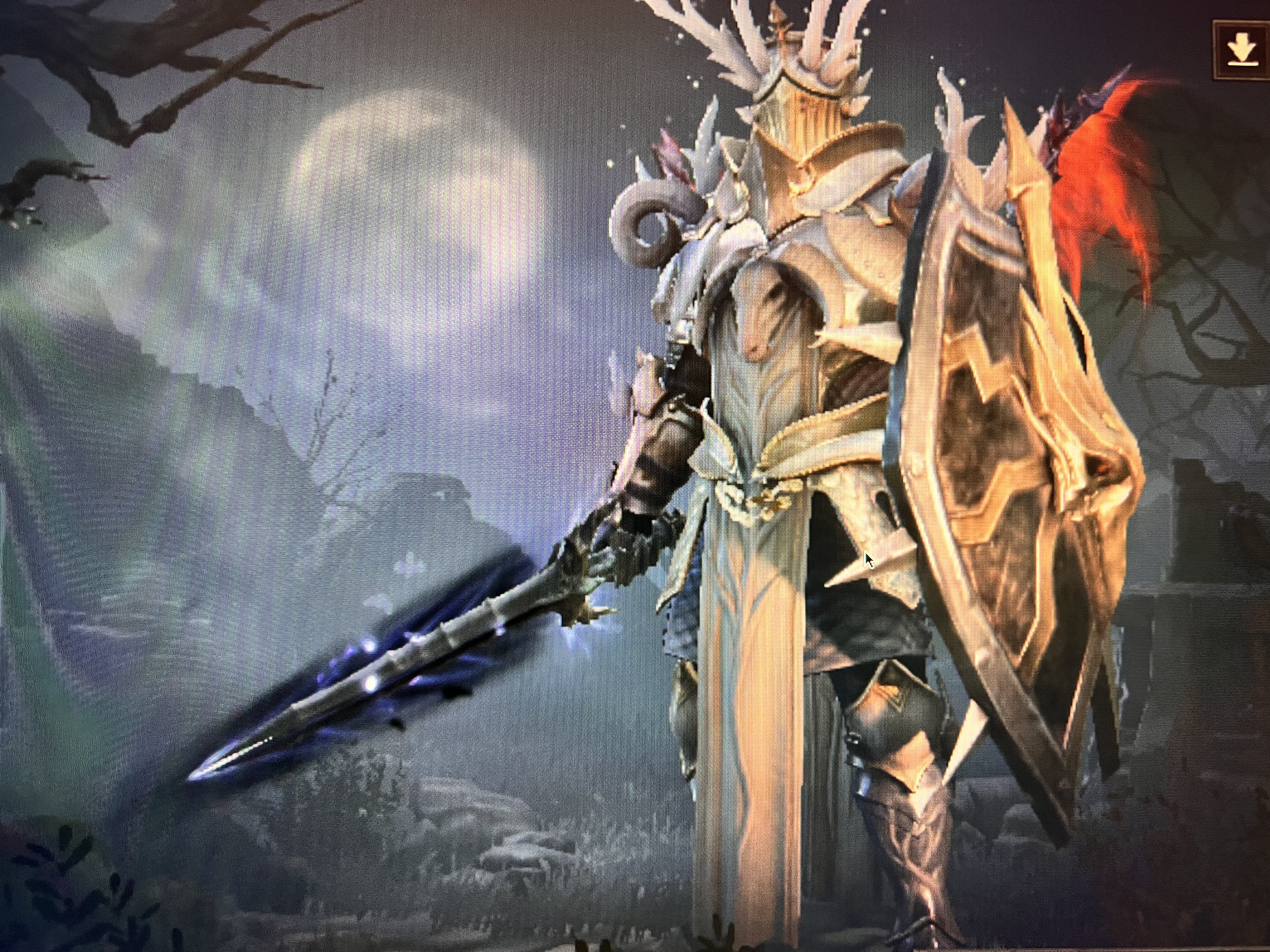
@1298509345 commented on GitHub (Jan 29, 2023):
same issue. If I knew, I wouldn't upgrade macos13.2
@Marsman1996 commented on GitHub (Jan 29, 2023):
It seems that we could start the game in the built-in screen, which makes the resolution better.
start game in built-in screen
start game in external screen (2560*1440)
@entisocial commented on GitHub (Jan 29, 2023):
The previous post inspired me, having a Mac mini I don't have an internal display, if I launch the game in the native resolution of 1920 x 1080 I get this:
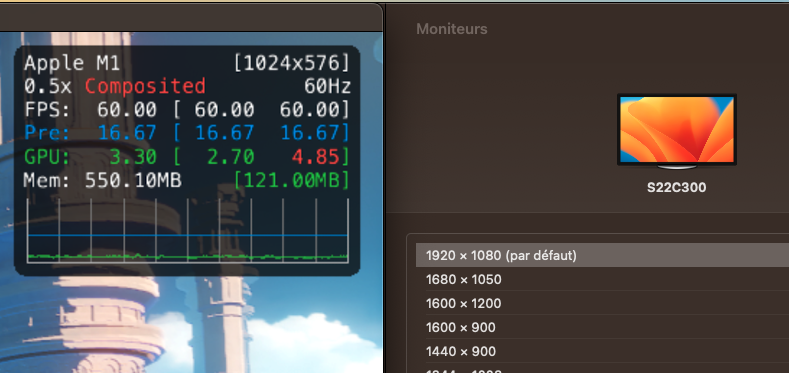
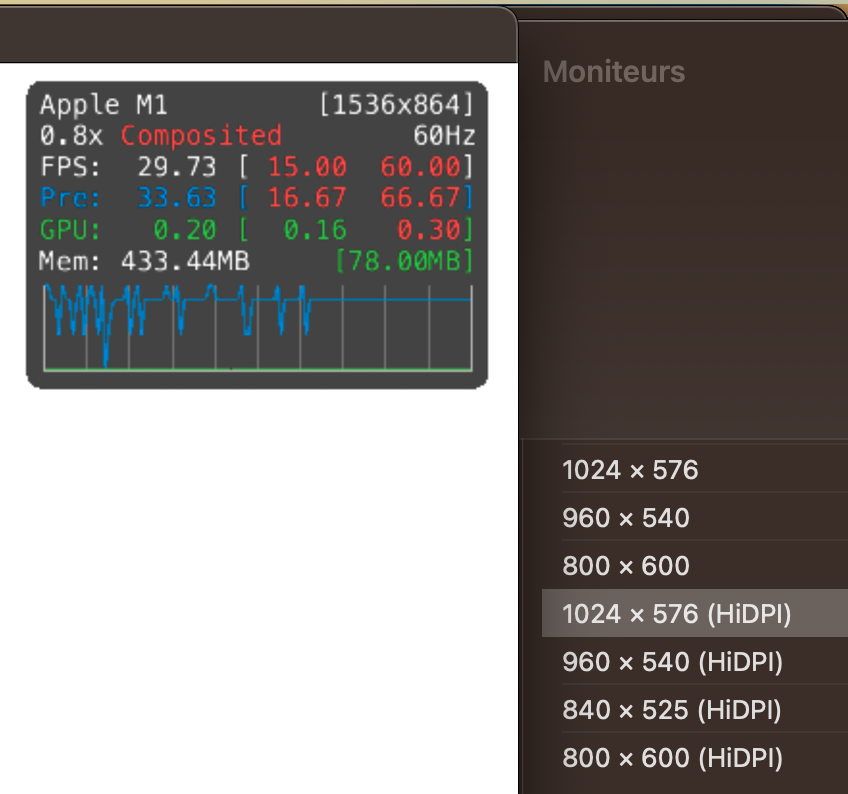
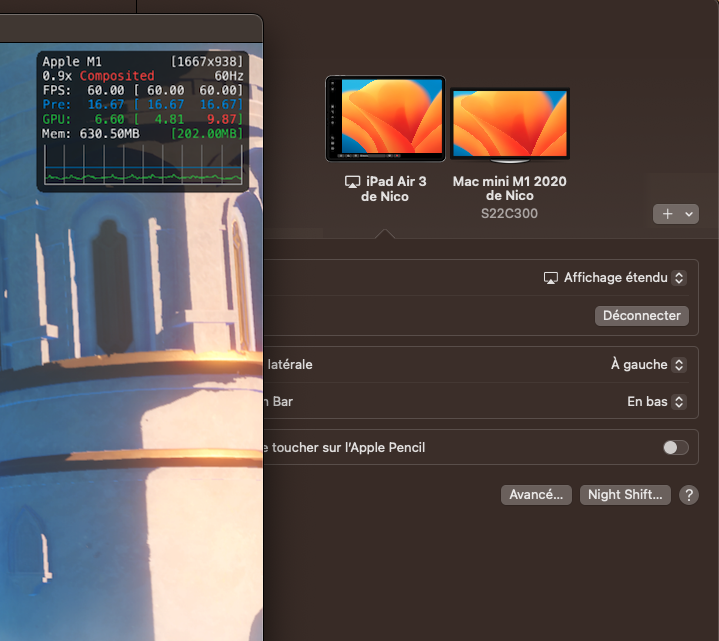
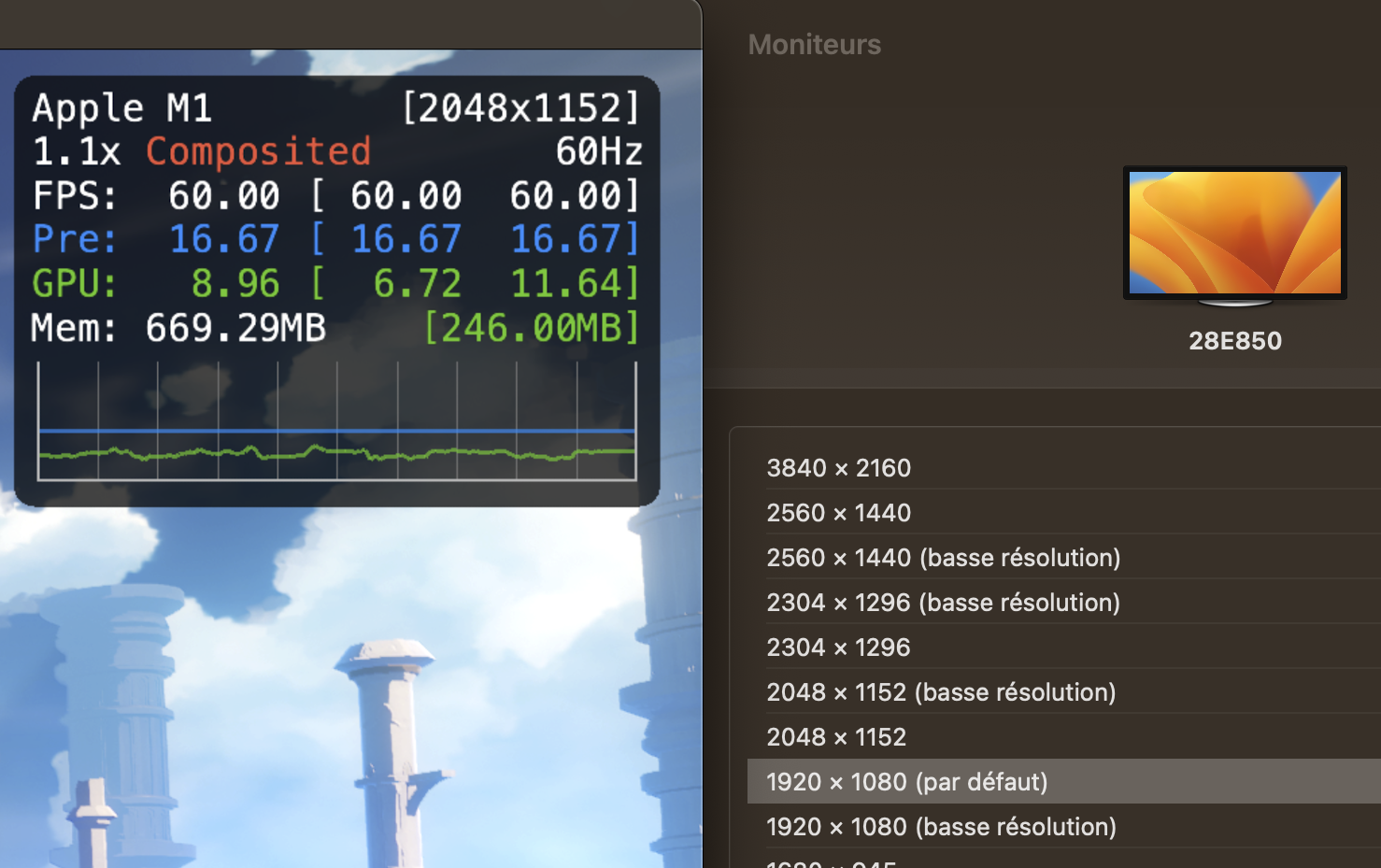
But if I change the settings for the monitor to be any hiDPI resolution the game would launch with a slightly better resolution:
If I extend my monitor with airplay to my iPad and launch it from there it gets even better:
I also happen to have an hdmi dongle that can spoof a 4k screen. If I launch the game with it I can get this:
@ohaiibuzzle commented on GitHub (Jan 29, 2023):
Okay, lemme explain the issue, so that we can just focus on the problem and not trying to chase around fixes
github.com/PlayCover/PlayTools@1e17f6d8dfgets around the issue by flipping the width and height of the display, but does NOT fix the orientation. This result in your display height being used as width, while macOS still thinking it's running in portrait, which decreases the resolution proportionally to your display's aspect ratio. The viewframe that you see is just macOS truncating what should be spanning way belowThe consequences are:
@lslqtz commented on GitHub (Jan 30, 2023):
Without injecting PlayTools, the app (Genshin Impact) launches normally in landscape mode, and the resolution on the Metal Hud seems to scale with the window size. Maybe we can wait and see Apple release the next version of macOS.
Edit: After using the latest nightly version (242), I found that the resolution displayed by the Metal HUD seems to have improved compared to 13.1, although it may not be meaningful under the limitation of the rendering resolution. Maybe it's my illusion.
@IsaacMarovitz commented on GitHub (Jan 30, 2023):
We have res control back: https://github.com/PlayCover/PlayTools/pull/75
Window still isn't displaying exactly as intended, but progress
@IsaacMarovitz commented on GitHub (Jan 30, 2023):
Fixed by https://github.com/PlayCover/PlayTools/pull/75