mirror of
https://github.com/PlayCover/PlayCover.git
synced 2026-04-26 08:15:56 +03:00
[GH-ISSUE #737] [Bug]: Keymap doesn't work on 2.0.3/latest nightly build #348
Labels
No labels
UI
app-support
bug
bug
documentation
duplicate
enhancement
game-support
good first issue
help wanted / caution
inactive
invalid
macos-beta
pull-request
question
wontfix
No milestone
No project
No assignees
1 participant

Notifications
Due date
No due date set.
Dependencies
No dependencies set.
Reference
starred/PlayCover#348
Loading…
Add table
Add a link
Reference in a new issue
No description provided.
Delete branch "%!s()"
Deleting a branch is permanent. Although the deleted branch may continue to exist for a short time before it actually gets removed, it CANNOT be undone in most cases. Continue?
Originally created by @MEMORIEmusic on GitHub (Jan 22, 2023).
Original GitHub issue: https://github.com/PlayCover/PlayCover/issues/737
Describe the bug
The keymap is simple not working even though it is imported and present
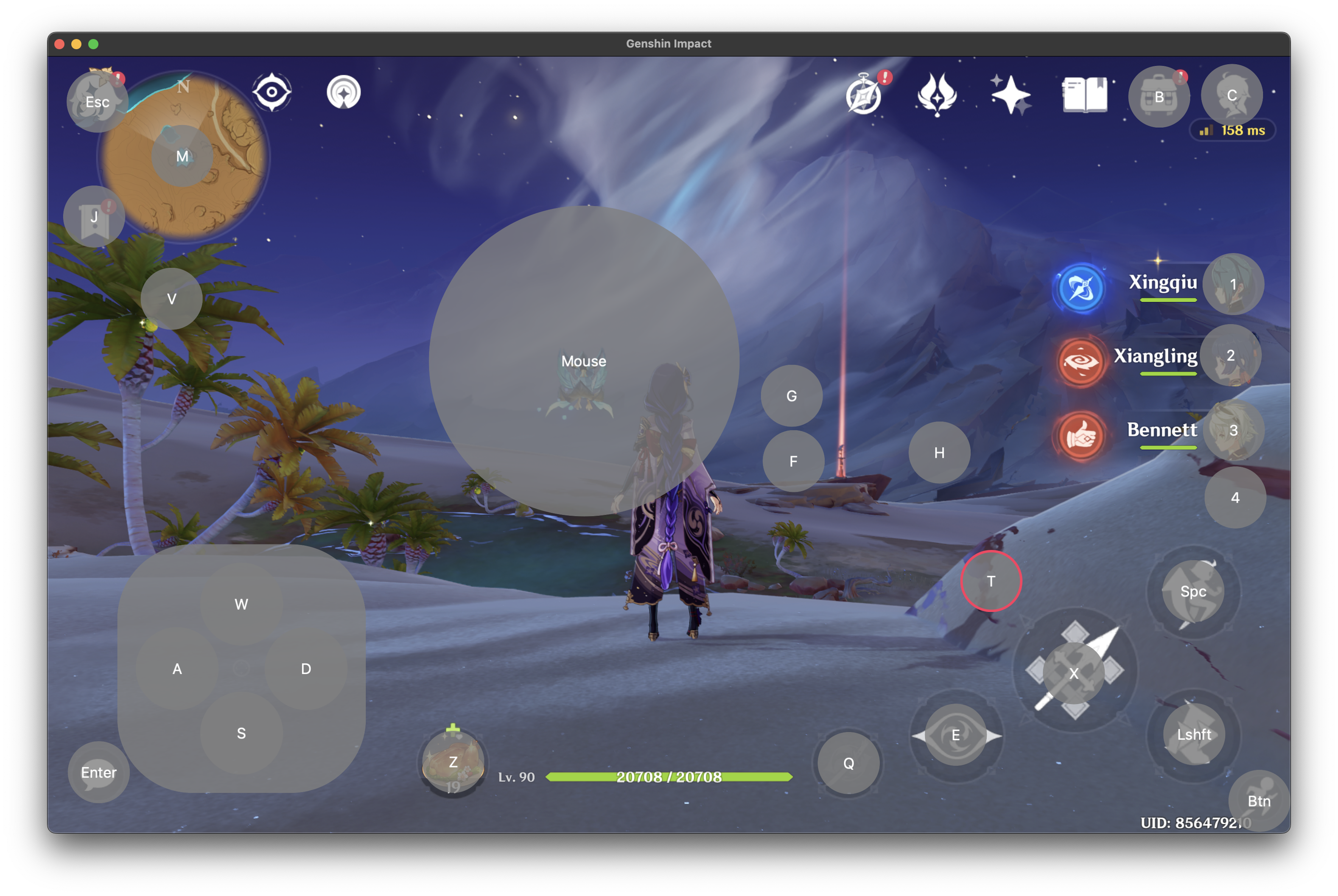
pressing option key doesnt do anything, and keyboards shortcuts like command + Q and command + K are not working either. I am also not able change previously assigned keymaps(like a sprint key is assigned to left shift, i cant seem to change it to anything else)
Steps to reproduce
Opening genshin, i guess?
Expected behaviour
Game should be able to be control with keys, and previously assigned keys in keymappings should be able to be changed. Keyboards shortcuts too should work.
Crash log
No response
What version of PlayCover are you using?
Nightly/beta
What version of macOS are you using?
Ventura (macOS 13)
Issue Language
@M0REKZ commented on GitHub (Jan 22, 2023):
i remember something similar happening to me, ¿can you use the multitouch on other ios apps? (the ones installed directly from app store)
@elisezhu123 commented on GitHub (Jan 25, 2023):
it seems not work for 13.2 as apple change something with the Xcode command line tools