mirror of
https://github.com/PlayCover/PlayCover.git
synced 2026-04-26 08:15:56 +03:00
[GH-ISSUE #397] [Bug]: Some apps open without a window #181
Labels
No labels
UI
app-support
bug
bug
documentation
duplicate
enhancement
game-support
good first issue
help wanted / caution
inactive
invalid
macos-beta
pull-request
question
wontfix
No milestone
No project
No assignees
1 participant

Notifications
Due date
No due date set.
Dependencies
No dependencies set.
Reference
starred/PlayCover#181
Loading…
Add table
Add a link
Reference in a new issue
No description provided.
Delete branch "%!s()"
Deleting a branch is permanent. Although the deleted branch may continue to exist for a short time before it actually gets removed, it CANNOT be undone in most cases. Continue?
Originally created by @Mistyswirl on GitHub (Oct 4, 2022).
Original GitHub issue: https://github.com/PlayCover/PlayCover/issues/397
Describe the bug
I've been playing on the old PlayCover build with my Genshin IPAs and everything's been working fine, but I just now tried to upgrade my PlayCover to the new version so I could have built-in keymapping. That all seemed to work fine, but then I tried uploading the Genshin 3.1 IPA I had been using and opening it.
The game seems to be open and there is sound playing, but I can't see the app anywhere on my computer. I was wondering if I need to try a different IPA (which I know are in the other server), or if maybe I did something wrong when downloading the new PC build.
Steps to reproduce
Expected behaviour
I expect the game to launch fully and have a visible window to interact with.
Crash log
No response
What version of PlayCover are you using?
Nightly/beta
What version of macOS are you using?
Monterey (macOS 12)
Issue Language
@JoseMoreville commented on GitHub (Oct 4, 2022):
Use latest, we can't provide support for nightlies but just import keymaps again, and it should work.
@Depal1 commented on GitHub (Oct 4, 2022):
There have been sparse reports of this happening with other apps allegedly starting with https://github.com/PlayCover/PlayCover/pull/342 and https://github.com/PlayCover/PlayTools/pull/38.
@Mistyswirl commented on GitHub (Oct 4, 2022):
The keymapping isn't the problem. I just tried importing the keymap I've been using and there were no changes to Genshin being able to launch properly.
@Depal1 commented on GitHub (Oct 4, 2022):
@JoseMoreville The second paragraph is the alleged issue.
@Depal1 commented on GitHub (Oct 4, 2022):
@ohaiibuzzle @IsaacMarovitz This is the issue someone informally reported the other day.
@ZhichGaming commented on GitHub (Oct 4, 2022):
@Mistyswirl Could you please try temporarily downgrading to 1.1.1, installing genshin and going back to nightly?
@Depal1 commented on GitHub (Oct 4, 2022):
For anyone attempting to replicate this, delete all app related files as described in https://github.com/PlayCover/PlayCover/issues/155.
@Mistyswirl commented on GitHub (Oct 4, 2022):
Okay, downgrading did fix it. PlayCover 1.1.0 opened with the same Genshin IPA still downloaded from the beta build and that didn't launch right, but then I deleted the Genshin app and dropped it back in and it seems to work now.
@Mistyswirl commented on GitHub (Oct 4, 2022):
Oh, 1.1.1 is the most recent. I'll go download that, but I expect it to work the same. Will edit this comment with an update.
Edit: Seems fine on the older build.
@IsaacMarovitz commented on GitHub (Oct 10, 2022):
@Mistyswirl PlayCover 1.1.0 was fundamentally broken, hence the need for 1.1.1. To return to the original issue, does opening the IPA installed in 1.1.1 in 2.0.0 cause the same no-window issue experienced before?
@IsaacMarovitz commented on GitHub (Oct 22, 2022):
Reopening cause this issue has cropped up again.
1.1.1 -> Nightly 113
Game: Alchemy Stars 1.12.1
macOS Version: 12.4
Game would not install properly in 1.1.1, does install correctly in 2.0.0, but failed to open with window.
Attempting to install the same game on my machine in latest nightly running macOS Ventura, the game installed and ran as expected.
@the-jason-json commented on GitHub (Oct 29, 2022):
Describe the bug:
The window for Honkai won't open even though the app icon shows in dock
Steps to reproduce:
tried to launch honkai
honkai not launching
I expect the game to launch fully and have a visible window to interact with.
No crash log i think
What version of PlayCover are you using?
2.0.0 alpha build
What version of macOS are you using?
Monterey (macOS 12)
Potential fix?
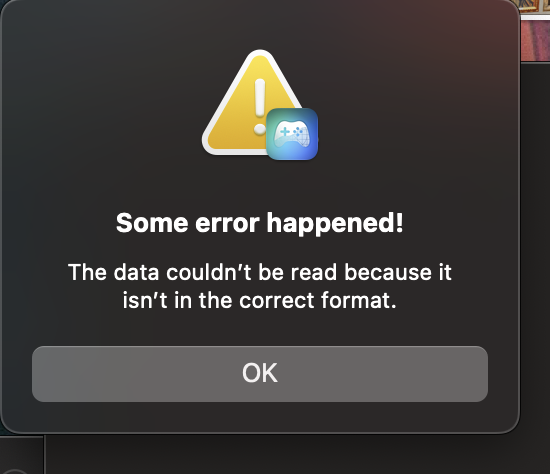
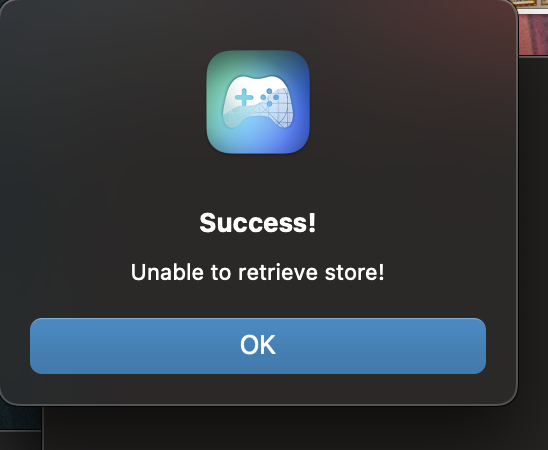
Uninstalling honkai and reinstalling in 1.1.1 allows it to run with a few errorsd