mirror of
https://github.com/alexal1/Insomniac.git
synced 2026-04-26 10:05:50 +03:00
[GH-ISSUE #5] Quickstart #4
Labels
No labels
bug
duplicate
enhancement
pull-request
No milestone
No project
No assignees
1 participant

Notifications
Due date
No due date set.
Dependencies
No dependencies set.
Reference
starred/Insomniac#4
Loading…
Add table
Add a link
Reference in a new issue
No description provided.
Delete branch "%!s()"
Deleting a branch is permanent. Although the deleted branch may continue to exist for a short time before it actually gets removed, it CANNOT be undone in most cases. Continue?
Originally created by @xerZV on GitHub (Jun 6, 2020).
Original GitHub issue: https://github.com/alexal1/Insomniac/issues/5
Could you please provide some quickstart example?
Where to put acc and pass?
@alexal1 commented on GitHub (Jun 6, 2020):
There's no need in acc and pass. No need in
quickstart.pytoo.This script simply sends touch events to your phone/tablet, where Instagram app is running. It presses buttons just like you would. So, instead of providing acc and pass just connect device to your computer.
In InstaPy you launch
quickstart.py, here you launchinsomniac.py. You can find detailed information on how to launch on the main page.@xerZV commented on GitHub (Jun 6, 2020):
Ah, I see. Will give a try. Thank you
@xerZV commented on GitHub (Jun 7, 2020):
Running on raspberry pi 4 and getting this error:
I guess Google has dropped support for the 32-bit version of the Android SDK....
Any suggestions?
@xerZV commented on GitHub (Jun 7, 2020):
Nvm, I got it.
https://askubuntu.com/questions/710426/android-sdk-on-ubuntu-32bit@xerZV commented on GitHub (Jun 7, 2020):
@alexal1
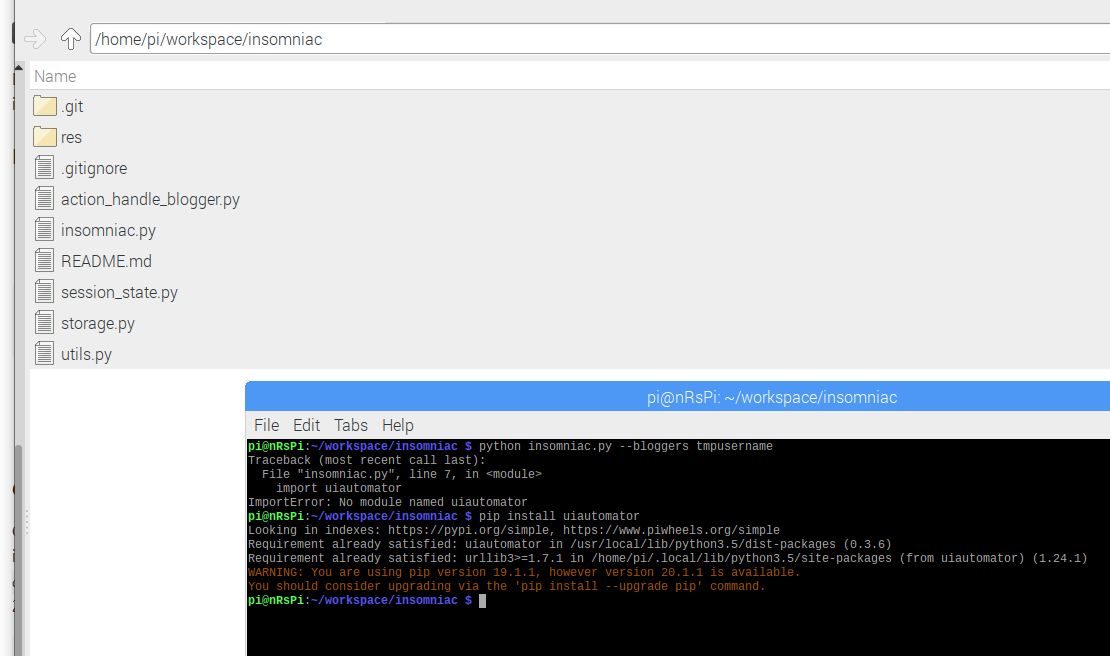
I created
tmp.pyAnd then
python tmp.pyand that opens the Clock application.So uiautomator is working fine
@xerZV commented on GitHub (Jun 7, 2020):
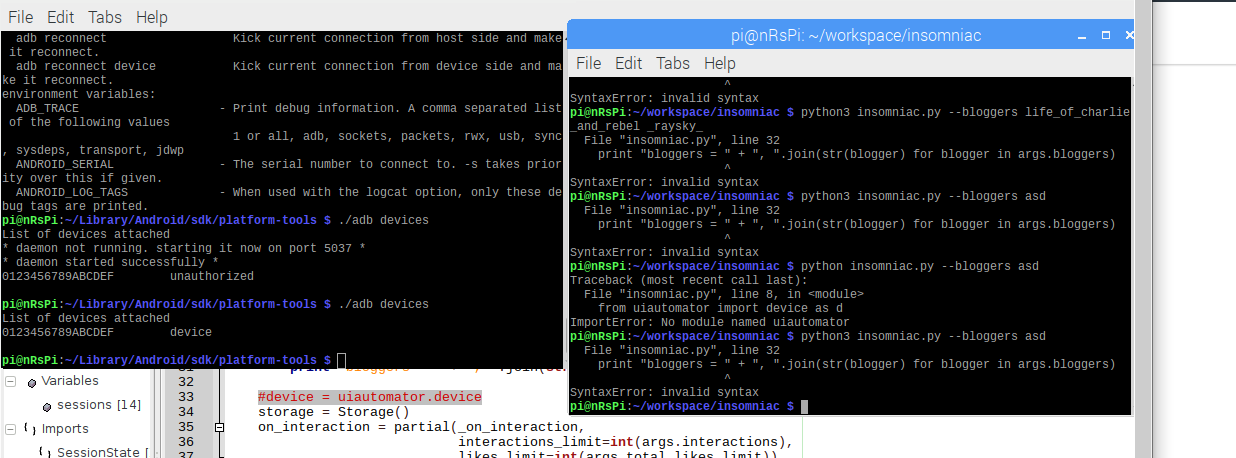
I changed this
import uiautomatorwith this
from uiautomator import device as dThen commented line #33
#device = uiautomator.deviceand renamed
devicetodin your script.Now I have a progress but still getting errors:
@alexal1 commented on GitHub (Jun 7, 2020):
Pls check
python --versionMy output is
Python 2.7.16. For now the script works on Python 2.I think you've installed
uiautomatorfor Python 3 only.@xerZV commented on GitHub (Jun 7, 2020):
So how can I install uiautomator for python 2?
@xerZV commented on GitHub (Jun 7, 2020):
Oh, my
pipwas pointing topython 3instead ofpython 2so I had to use specificallypip2 install uiautomator@alexal1 commented on GitHub (Jun 7, 2020):
@xerZV since of
v1.2.3the script works on Python 3. I did the migration today for everybody's convenience.@xerZV commented on GitHub (Jun 7, 2020):
@alexal1 Nice. I tried it today and it works like a charm! I'm not a python dev but looking forward to learn it so maybe I will fork it and try to improve it somehow.
@alexal1 commented on GitHub (Jun 7, 2020):
@xerZV glad to hear that, feel free to make PRs too :)