mirror of
https://github.com/KelvinTegelaar/CIPP.git
synced 2026-04-25 08:16:01 +03:00
[GH-ISSUE #929] FEATURE REQUEST: Audit Logs #487
Labels
No labels
API
Feature
NotABug
NotABug
Planned
Sponsor Priority
Sponsor Priority
bug
documentation
duplicate
enhancement
needs more info
no-activity
no-priority
not-assigned
pull-request
react-conversion
react-conversion
roadmap
security
stale
unconfirmed-by-user
unconfirmed-by-user
wontfix
No milestone
No project
No assignees
1 participant

Notifications
Due date
No due date set.
Dependencies
No dependencies set.
Reference
starred/CIPP#487
Loading…
Add table
Add a link
Reference in a new issue
No description provided.
Delete branch "%!s()"
Deleting a branch is permanent. Although the deleted branch may continue to exist for a short time before it actually gets removed, it CANNOT be undone in most cases. Continue?
Originally created by @nc-azure on GitHub (May 19, 2022).
Original GitHub issue: https://github.com/KelvinTegelaar/CIPP/issues/929
Hi,
Is it possible to view the audit logs from CIPP in regards to, which user made changes on CIPP?
If looking on the customers tenant, after making a change, it refers to the Global Admin account which was used for setting up CIPP rather than the Engineer who made the changes.
If there is a workaround, please advise :)
@KelvinTegelaar commented on GitHub (May 19, 2022):
already exists, Avatar icon -> Logbook
@nc-azure commented on GitHub (May 19, 2022):
Hi Kelvin,
Thank you for the fast response.
As you could imagine, certain customers would like an export of the logs on certain investigations.
This Logbook doesn't display a username of the Engineer.
Is this already available or is this something that needs to be enabled?
Thank you
Brendan
@KelvinTegelaar commented on GitHub (May 19, 2022):
The logbook shows the engineers UPN, e.g:
@nc-azure commented on GitHub (May 19, 2022):
I do apologize Kelvin, I must be doing something wrong.
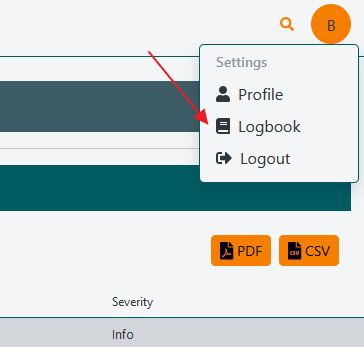
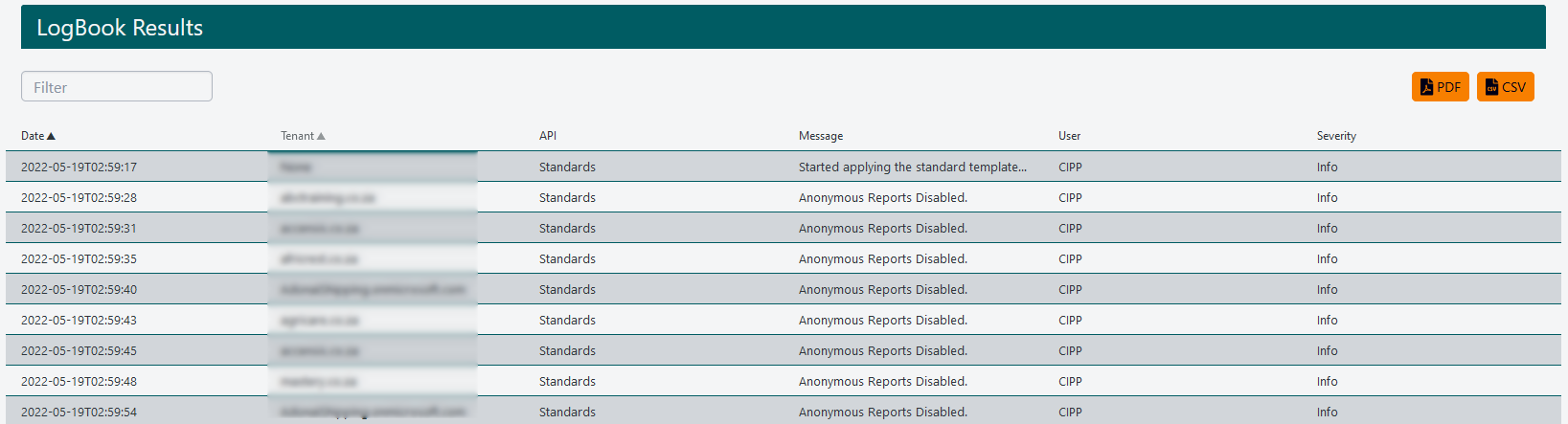
Please see screenshots attached of what I can see.
@KelvinTegelaar commented on GitHub (May 19, 2022):
Standards run under the system user, you can see who setup a standard in the logbooks, or on list applied standards page, in the last two columns.
@nc-azure commented on GitHub (May 19, 2022):
I see, thank you for your responses Kelvin.
Really appreciate it and really loving CIPP :)