mirror of
https://github.com/BoostIO/BoostNote-App.git
synced 2026-04-27 05:15:56 +03:00
[GH-ISSUE #725] UI is too small on higher resolutions and not able to adapt on Big Sur #376
Labels
No labels
android 🤖
assigned to core 🦹
bug 🐛
documentation 📚
documentation 📚
duplicate 🚫
external issue 🔼
external issue 🔼
feature request 🌟
funded on issuehunt 💵
help wanted 🆘
improvement request 🔨
improvement request 🔨
ios 🍎
mobile 📱
needs investigation 🔬
needs more info ℹ️
needs specs 📐
plugin idea 🔌
plugin idea 🔌
poll 🗳️
pull-request
question ❓
rewarded on issuehunt 🎁
security issue 🔑
won’t fix ❌
No milestone
No project
No assignees
1 participant

Notifications
Due date
No due date set.
Dependencies
No dependencies set.
Reference
starred/BoostNote-App#376
Loading…
Add table
Add a link
Reference in a new issue
No description provided.
Delete branch "%!s()"
Deleting a branch is permanent. Although the deleted branch may continue to exist for a short time before it actually gets removed, it CANNOT be undone in most cases. Continue?
Originally created by @kazijn on GitHub (Dec 17, 2020).
Original GitHub issue: https://github.com/BoostIO/BoostNote-App/issues/725
Current behavior
UI is too small on high resolutions on Big Sur and this cannot be made bigger/smaller
Expected behavior
Being able to change the UI size or having it dynamically adjust to the resolution
Steps to reproduce
Open the application in 1920*1080 on Big Sur, then open in 4K
Environment
Desktop/Web
@guneskaan commented on GitHub (Dec 22, 2020):
Hi, have you tried using Command + Plus/Minus to resize the UI? Could you attach a screenshot of your setup? Thanks
@kazijn commented on GitHub (Dec 22, 2020):
Those buttons have no effect on Big Sur. I don't know whether it is a Big Sur bug or something that you need to adapt for the new release.
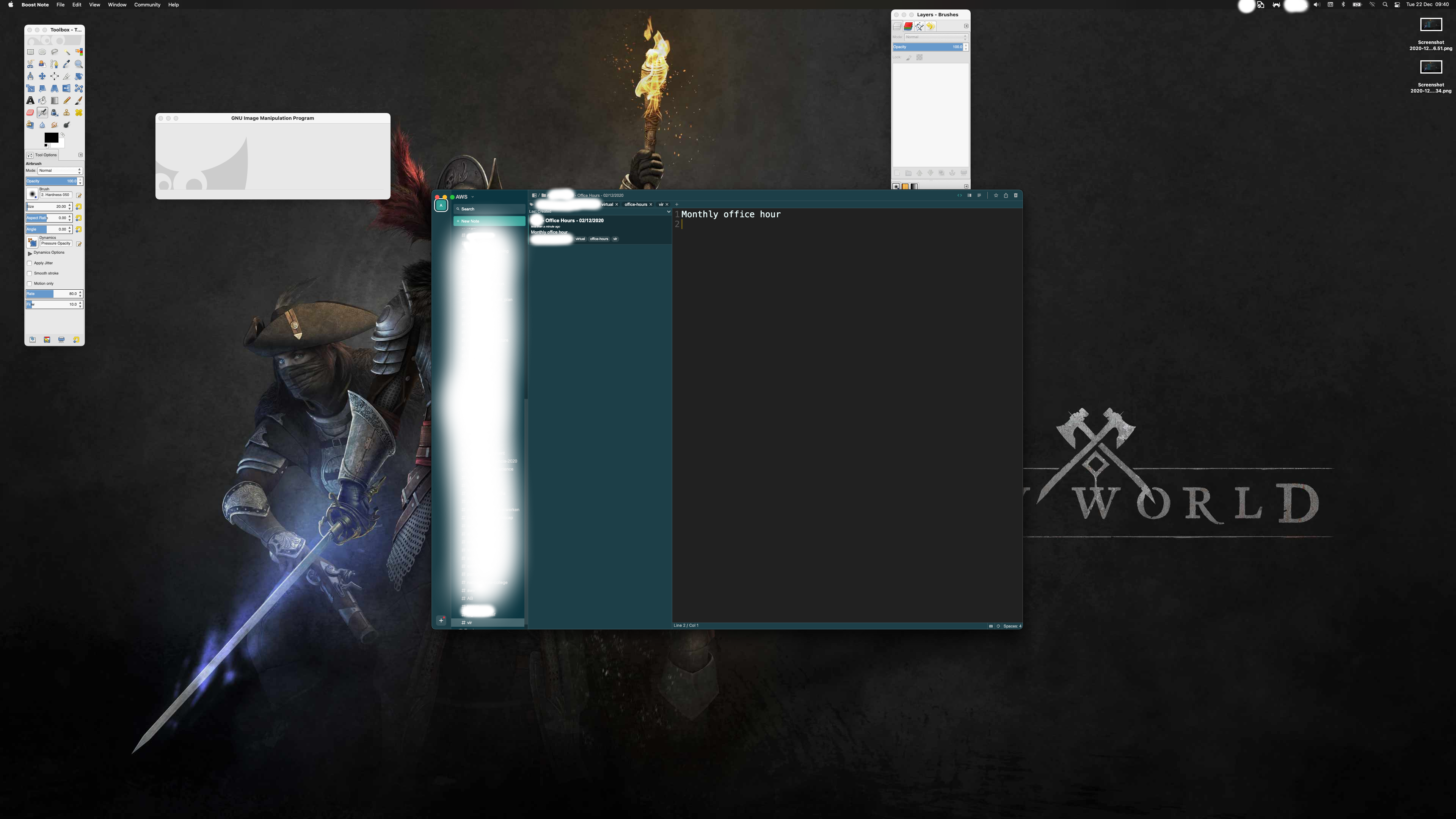
@guneskaan commented on GitHub (Dec 22, 2020):
Thank you. You're right. I've just tested on Big Sur and neither the keyboard shortcuts or clicking Top Menu View -> Zoom In/Out are working. I'm working on a fix
@guneskaan commented on GitHub (Dec 23, 2020):
Looks like zoomin/zoomout options got commented out in
github.com/BoostIO/BoostNote.next@31a934415f/src/electron/menu.ts. @Rokt33r, how will zoomin/zoomout features be handled?@mohdomama commented on GitHub (Dec 25, 2020):
I am facing the same issue on linux.
@Rokt33r commented on GitHub (Dec 27, 2020):
@guneskaan Sorry, it is not implemented yet. But it should be quite easy to handle. I'll make a PR and ship it in the next version.
@ashleywaite commented on GitHub (Jun 22, 2021):
I just upgraded from 0.9.0 where it worked to 0.18.0 and this doesn't appear to have been corrected yet...
@Komediruzecki commented on GitHub (Jun 22, 2021):
Hi, all,
I started to investigate this and made a fix for cloud workspaces, for local workspaces I need to investigate a bit more, I'll try to finalize this for next release as it is essential feature!
Thank you for the patience!
@Rokt33r commented on GitHub (Aug 23, 2021):
@Komediruzecki #1080 should fix this issue, right?
@Komediruzecki commented on GitHub (Aug 23, 2021):
@Rokt33r Yes, that should do it, local space has this feature already merged.
@Rokt33r commented on GitHub (Aug 25, 2021):
Fixed in #1080. It will be shipped in the next version of the desktop app(probably next week)