mirror of
https://github.com/BoostIO/BoostNote-App.git
synced 2026-04-26 21:05:55 +03:00
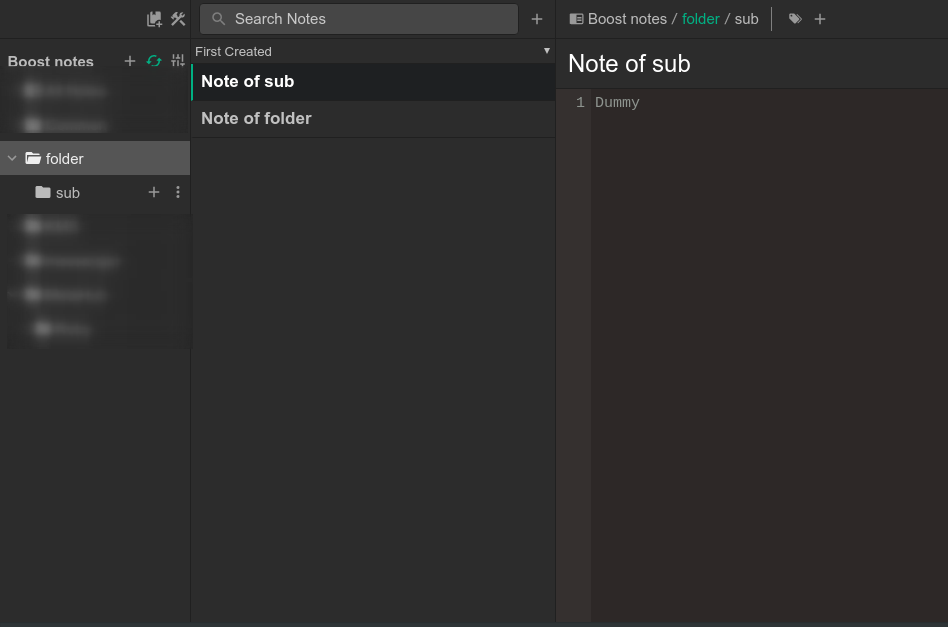
[GH-ISSUE #525] Notes in subfolder displayed in parent folder #263
Labels
No labels
android 🤖
assigned to core 🦹
bug 🐛
documentation 📚
documentation 📚
duplicate 🚫
external issue 🔼
external issue 🔼
feature request 🌟
funded on issuehunt 💵
help wanted 🆘
improvement request 🔨
improvement request 🔨
ios 🍎
mobile 📱
needs investigation 🔬
needs more info ℹ️
needs specs 📐
plugin idea 🔌
plugin idea 🔌
poll 🗳️
pull-request
question ❓
rewarded on issuehunt 🎁
security issue 🔑
won’t fix ❌
No milestone
No project
No assignees
1 participant

Notifications
Due date
No due date set.
Dependencies
No dependencies set.
Reference
starred/BoostNote-App#263
Loading…
Add table
Add a link
Reference in a new issue
No description provided.
Delete branch "%!s()"
Deleting a branch is permanent. Although the deleted branch may continue to exist for a short time before it actually gets removed, it CANNOT be undone in most cases. Continue?
Originally created by @triet-truong on GitHub (Jul 8, 2020).
Original GitHub issue: https://github.com/BoostIO/BoostNote-App/issues/525
Actual behavior:
Expected behavior:
Is it an intentional feature design in Boost Note?
@Flexo013 commented on GitHub (Jul 11, 2020):
This is by design. To achieve your preferred method you can do the following:
Make a subfolder (in this case
@root) and use that for the notes that were originally in the main folder. That way you only see the notes from the root folder while selecting that subfolder. Note that it doesn't need to start with@, I only chose this to make sure it is always at the top.