mirror of
https://github.com/ArchiveBox/ArchiveBox.git
synced 2026-04-25 17:16:00 +03:00
[GH-ISSUE #491] Question: wget problems #319
Labels
No labels
expected: maybe someday
expected: next release
expected: release after next
expected: unlikely unless contributed
good first ticket
help wanted
pull-request
scope: all users
scope: windows users
size: easy
size: hard
size: medium
size: medium
status: backlog
status: blocked
status: done
status: idea-phase
status: needs followup
status: wip
status: wontfix
touches: API/CLI/Spec
touches: configuration
touches: data/schema/architecture
touches: dependencies/packaging
touches: docs
touches: js
touches: views/replayers/html/css
why: correctness
why: functionality
why: performance
why: security
No milestone
No project
No assignees
1 participant

Notifications
Due date
No due date set.
Dependencies
No dependencies set.
Reference
starred/ArchiveBox#319
Loading…
Add table
Add a link
Reference in a new issue
No description provided.
Delete branch "%!s()"
Deleting a branch is permanent. Although the deleted branch may continue to exist for a short time before it actually gets removed, it CANNOT be undone in most cases. Continue?
Originally created by @poblabs on GitHub (Sep 26, 2020).
Original GitHub issue: https://github.com/ArchiveBox/ArchiveBox/issues/491
I'm getting this error below on a lot of sites. The archive is failing with the wget command:
If I remove
--span-hostsfrom the wget command, it seems to work somewhat - some stuff is still missing.Any tips on how to get past this?
@poblabs commented on GitHub (Sep 26, 2020):
Maybe this is an ipv4 / ipv6 issue? Using
-4seems to work somewhat too but not entirely.@poblabs commented on GitHub (Sep 27, 2020):
On the same sites which wget fails, the chromium singlepage, pdf, etc. also fails. I'm a bit lost on why these normall working sites are failing in these 2 tools
@cdvv7788 commented on GitHub (Sep 27, 2020):
Can you try changing the user agent? Those sites may be blocking the requests based on that.
@poblabs commented on GitHub (Sep 27, 2020):
Nope - no change when I set the chrome user agent, or the wget user agent. Can you try adding https://belchertownweather.com and see if it works for you? I have about 6 sites that fail and that is one of them.
@cdvv7788 commented on GitHub (Oct 20, 2020):
@poblabs I was able to add it without any issues:
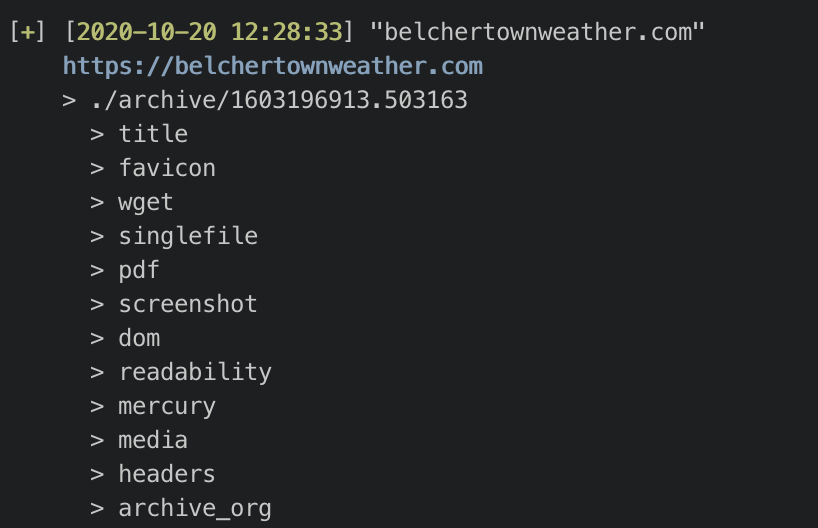
This seems to be a network issue. Can you try running it on a VPN?
@poblabs commented on GitHub (Oct 20, 2020):
Strange. When trying it on localhost to the website (I own the website), it still gives me an error but this time with chromium.
I am running this in docker.
wget appears to work but it's not downloading everything. Some JS files are 404'ing.
Not sure what to make of it.
@cdvv7788 commented on GitHub (Oct 20, 2020):
What docker image are you using? Can you try building an image with the version on
masterand try again? (docker build -t archivebox --no-cache).You can also try the individual commands, to see how they are failing. That may give us more information.
@poblabs commented on GitHub (Oct 20, 2020):
Same result with master built docker. It seems to be the 1 website of mine giving me problems. I just tried a bunch more and they seem ok. Not sure why mine is special but I don't think this is an archivebox problem. 🤷🏻♂️
@cdvv7788 commented on GitHub (Oct 20, 2020):
@poblabs feel free to re-open the issue if you find something that we can help with.