mirror of
https://github.com/ArchiveBox/ArchiveBox.git
synced 2026-04-25 09:06:02 +03:00
[GH-ISSUE #462] Question: "archivebox: command not found" #305
Labels
No labels
expected: maybe someday
expected: next release
expected: release after next
expected: unlikely unless contributed
good first ticket
help wanted
pull-request
scope: all users
scope: windows users
size: easy
size: hard
size: medium
size: medium
status: backlog
status: blocked
status: done
status: idea-phase
status: needs followup
status: wip
status: wontfix
touches: API/CLI/Spec
touches: configuration
touches: data/schema/architecture
touches: dependencies/packaging
touches: docs
touches: js
touches: views/replayers/html/css
why: correctness
why: functionality
why: performance
why: security
No milestone
No project
No assignees
1 participant

Notifications
Due date
No due date set.
Dependencies
No dependencies set.
Reference
starred/ArchiveBox#305
Loading…
Add table
Add a link
Reference in a new issue
No description provided.
Delete branch "%!s()"
Deleting a branch is permanent. Although the deleted branch may continue to exist for a short time before it actually gets removed, it CANNOT be undone in most cases. Continue?
Originally created by @Slusho64 on GitHub (Sep 1, 2020).
Original GitHub issue: https://github.com/ArchiveBox/ArchiveBox/issues/462
Please bear with me as I'm a novice Linux user. I followed the quickstart guide, cloning the git repo and running the setup script, which all went well. however, when I try to run
archivebox add < ~/bookmarks.html(I put my file in my home/[username] director), it says "archivebox: command not found". Is this a PATH issue? How can I fix this?I tried on Ubuntu and WSL2 Ubuntu (not sure if this should work on WSL or if you need to use Docker on that or what all the limitations are of that system).
Also, on the Configuration page on this project, there's a link "Creating a Config File" that seems to lead to a nonexistent section of that same page, so I'm not sure how to configure archives.
@cdvv7788 commented on GitHub (Sep 1, 2020):
@Slusho64 what instructions did you follow? did you run
pip install archivebox? Can you runpip freezeand check that archivebox is in the list?@Slusho64 commented on GitHub (Sep 2, 2020):
I used the Quickstart guide, cloning the git and then running the setup script for the dependencies. It didn't say to use pip. I tried pip after reading your comment but I couldn't get it to work for hours until I found a comment that made me realize it's not pip but pip3 that must be run. Now I have ArchiveBox installed and running. However, when I add or update, it gives errors that it could not make pdf, screenshot, or DOM backups (I do not understand what wget, warc, and dom are and which of them are necessary for an html backup, and I haven't been able to find a clear explanation in the documentation or even via web searches) both in Linux and WSL. On Linux, the backups are still made but on WSL, the first error causes the whole thing to stop running. So I am able to run it on Linux, albeit without those backup features, and the backups that it produces are sometimes excellent and sometimes very screwed up.
@pirate commented on GitHub (Sep 2, 2020):
Running directly on the WSL is not supported 😿 , I recommend using Linux or Docker in WSL 2 only.
https://code.visualstudio.com/blogs/2020/03/02/docker-in-wsl2
Docker commands should be runnable from PowerShell once you have it set up:
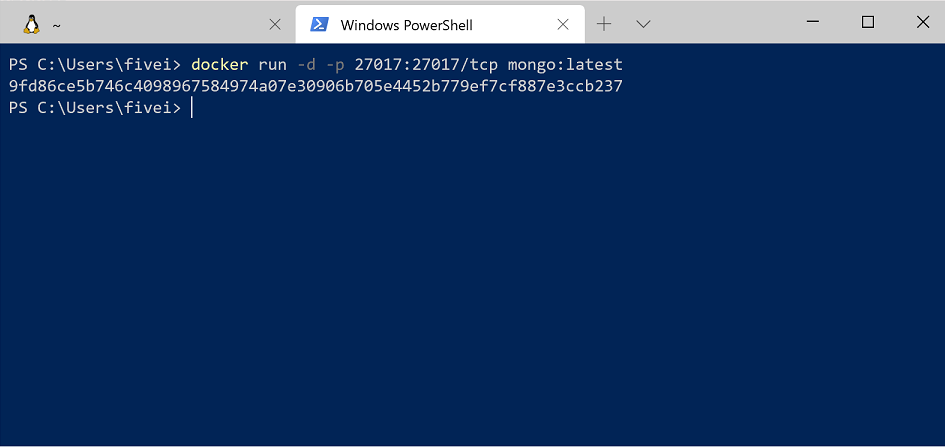
Then open http://127.0.0.1:8000 on the host.
@Slusho64 commented on GitHub (Sep 2, 2020):
Thanks for the info on WSL. Any idea why screenshot, PDF, and sometimes DOM don't work on my proper Ubuntu install either? Do I even want DOM (again, I can't find what it is)?
@cdvv7788 commented on GitHub (Sep 2, 2020):
What error is it raising in those cases? The easiest way to use
archiveboxis docker...this way you avoid missing dependencies.@Slusho64 commented on GitHub (Sep 5, 2020):
Alright I tried Docker and it wouldn't work in WSL or Ubuntu proper (it wouldn't process anything in the bookmarks file) so I just went back to the previous way I got it working in Ubuntu and ran it, errors be damned. I did run into it hanging on the DOM portion of a site that was no longer online so I edited it out of my HTML file. I've spent as much time as I'd like on this and I got a reasonably satisfactory result. Thanks for the help.