mirror of
https://github.com/1Remote/1Remote.git
synced 2026-04-25 13:36:03 +03:00
[GH-ISSUE #54] Connecting to VNC error: value does not fall within expected range #42
Labels
No labels
area-configuration
area-ct-app
area-ct-rdp
area-ct-remoteapp
area-ct-ssh
area-ct-vnc
area-launcher
area-list
area-tags
area-teamwork
bug
chore
dependencies
general-build/ci
general-performance
general-refactor
general-security
general-supportive
general-ux
meta-documentation
meta-enhancement
meta-enhancement
meta-feature
meta-help-wanted
meta-unknown-error
priority-hi
priority-low
pull-request
question
resolution-duplicate
resolution-invalid
resolution-wontfix
stale
task-put-off
task-still-considering
task-working-in-progress
No milestone
No project
No assignees
1 participant

Notifications
Due date
No due date set.
Dependencies
No dependencies set.
Reference
starred/1Remote#42
Loading…
Add table
Add a link
Reference in a new issue
No description provided.
Delete branch "%!s()"
Deleting a branch is permanent. Although the deleted branch may continue to exist for a short time before it actually gets removed, it CANNOT be undone in most cases. Continue?
Originally created by @arcana261 on GitHub (Jan 8, 2021).
Original GitHub issue: https://github.com/1Remote/1Remote/issues/54
Originally assigned to: @VShawn on GitHub.
Describe the bug
When I try to connect to remote VNC server, I get this error.
To Reproduce
x11vnc -create -listen 0.0.0.0 -env PATH="$PATH" -env FD_PROG=/usr/bin/fluxbox -env X11VNC_FINDDISPLAY_ALWAYS_FAILS=1 -env X11VNC_CREATE_GEOM=${1:-1920x1080x16} -gone 'killall Xvfb' -bg -nopwdone in Ubuntu 20.04Expected behavior
Connect to remote VNC server
Screenshots
Desktop (please complete the following information):
Additional context
@VShawn commented on GitHub (Jan 9, 2021):
sorry, I tested VNC via TightVNC on windows when I developeded, and it work properly for me.
No much test was run on Linux because I don't have a Linux OS with desktop to test it. But I prefer xrdp butter Xthen VNC if I need a desktop environment one day. In fact I add VNC protocol just in case.
😕
Note that PRemoteM was based on VNCSharp, it is archived and not support VNC4 or higher(RFB protocol over 3.8 are proprietary).
some discussions about this:
https://github.com/mRemoteNG/mRemoteNG/issues/494
@VShawn commented on GitHub (Jan 9, 2021):
update
Tested on Ubuntu18 LTS via x11vnc by
x11vnc -auth guess -rfbauth /etc/x11vnc.pass -rfbport 5900 -forever -display :1I need more information to locate this issue, can you give your screen-shot of this bug?
@arcana261 commented on GitHub (Jan 9, 2021):
Thank you for your reply!
Here is the screenshot:
@arcana261 commented on GitHub (Jan 9, 2021):
It might also help that I've run x11vnc under WSL.. But I don't expect VNC to fail because of this.. other tools work just fine..
@VShawn commented on GitHub (Jan 9, 2021):
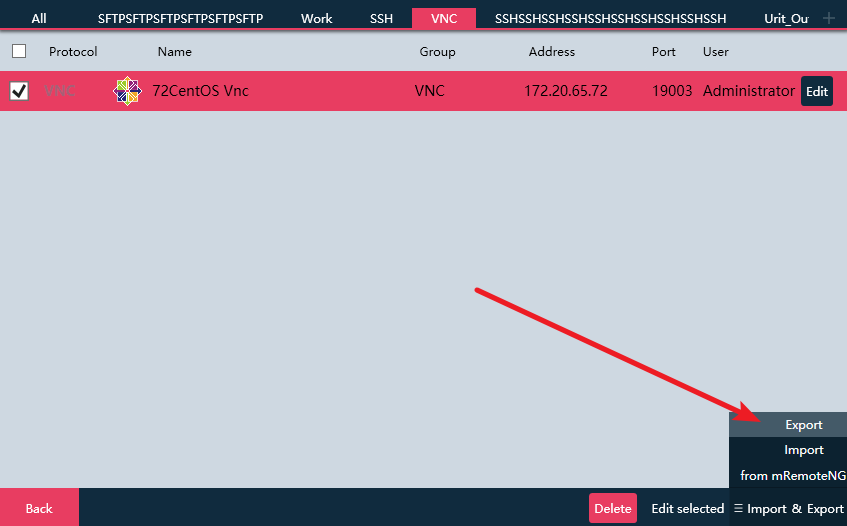
it is not a VNC protocol fault, but a value verification fault, can you show me your address info?
or it is best for me to send me your config file to my email if it can be shown to me.
@VShawn commented on GitHub (Feb 18, 2021):
close: no further report for long and can't reproduce this bug.