mirror of
https://github.com/1Remote/1Remote.git
synced 2026-04-25 13:36:03 +03:00
[GH-ISSUE #310] Volume Mixer icon isn't changed back after connecting to RDP session #269
Labels
No labels
area-configuration
area-ct-app
area-ct-rdp
area-ct-remoteapp
area-ct-ssh
area-ct-vnc
area-launcher
area-list
area-tags
area-teamwork
bug
chore
dependencies
general-build/ci
general-performance
general-refactor
general-security
general-supportive
general-ux
meta-documentation
meta-enhancement
meta-enhancement
meta-feature
meta-help-wanted
meta-unknown-error
priority-hi
priority-low
pull-request
question
resolution-duplicate
resolution-invalid
resolution-wontfix
stale
task-put-off
task-still-considering
task-working-in-progress
No milestone
No project
No assignees
1 participant

Notifications
Due date
No due date set.
Dependencies
No dependencies set.
Reference
starred/1Remote#269
Loading…
Add table
Add a link
Reference in a new issue
No description provided.
Delete branch "%!s()"
Deleting a branch is permanent. Although the deleted branch may continue to exist for a short time before it actually gets removed, it CANNOT be undone in most cases. Continue?
Originally created by @Gameniti on GitHub (Oct 30, 2022).
Original GitHub issue: https://github.com/1Remote/1Remote/issues/310
Originally assigned to: @VShawn on GitHub.
Describe the bug
In the Windows Audio Mixer the PRemoteM fader keeps showing the icon of the first connection you have made with rdp instead of changing back to PRemoteM icon/Icon of another RDP session.
To Reproduce
Steps to reproduce the behavior:
Expected behavior
When changing RDP session the name AND the icon should change correspondingly.
Screenshots
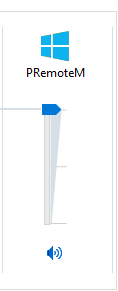
Desktop (please complete the following information):
Additional context
I also think it's weird that you only get the volume fader when you start a session and not when opening the program. I mean you still have it if you close every session but it only shows when you start connecting to a client.
@VShawn commented on GitHub (Nov 1, 2022):
Hi thanks for the report, I know this bug for the first time 😂
@VShawn commented on GitHub (Nov 3, 2022):
failed to find a solution :(
@itagagaki commented on GitHub (Dec 7, 2024):
While trying to find a workaround for this issue, I noticed something odd.
On the "Release / Any CPU" build, if I run it with "Start Without Debugging" and the option "Show current session icon instead of the app icon when connected" is checked, the icon that appears in the Volume Mixer is the icon of that session icon.
However, if I run it with "Start Debugging" on the same build, the icon in the taskbar is the icon of the session icon, but the icon that appears in the Volume Mixer is the 1Remote app icon.
@itagagaki commented on GitHub (Dec 7, 2024):
Initially there is no 1Remote on the Volume Mixer.
It will appear when we start an RDP session. Good.
But it stays there when the RDP session ends. This is the first thing that annoys me.
I still don't know why.
@VShawn commented on GitHub (Dec 9, 2024):
Yes, when I started investigating, I had no clue and I still haven't been able to find the cause. I didn't even find a Windows API to control the Volume Mixer icon.
@itagagaki commented on GitHub (Dec 9, 2024):
This seems to be a quirk of the Volume Mixer.
If you restart the Volume Mixer instead of restarting 1Remote, it will show an icon for the current RDP session. This suggests that Volume Mixer does not expect the application's icon to change and will continue to use the one it has. As there seems to be no way of notifying the Volume Mixer of the icon change, there is probably nothing that can be done on the 1Remote side.
By the way, should the Volume Mixer icon change when you switch the active RDP session? In the first place, should the Volume Mixer display an icon for each RDP session? I think not. Because this fader changes the volume coming from all sessions of 1Remote. So I think it is right that there should be no session icon, just the 1Remote app icon. The Volume Mixer is a bit odd in that respect too.
There is an alternative: an alternative app for the Volume Mixer is available from the Windows Store. Examples are 'EarTrumpet' and 'Volumey'. I have tried both and they both just show the 1Remote app icon. I think that is fine. And I found Volumey better. Both have source code available on GitHub.
@VShawn commented on GitHub (Dec 10, 2024):
Nope
@itagagaki commented on GitHub (Dec 13, 2024):
The subject says “Taskbar icon”, but it looks like it should be changed to "Volume Mixer icon".
@itagagaki commented on GitHub (Feb 5, 2025):
I noticed that when I launch 1Remote from Explorer and start an RDP session, the volume mixer shows the RDP session icon, but when I launch it from Visual Studio, the volume mixer shows the 1Remote icon. Same exe and same settings. Mysterious.
@itagagaki commented on GitHub (Feb 11, 2025):
As I wrote in the previous comment, when I do "Start Debugging" or "Attach to Process... (=1Remote)" in Visual Studio, the Volume Mixer shows the 1Remote application icon when the RDP session starts, but when I do "Start Without Debugging" or simply launch 1Remote from another shell, the Volume Mixer shows the RDP session icon.
If the reason for this difference can be determined, I think this issue could be solved. But so far I have no idea.
P.S.
When start without debugging:

then run RDP:

Volume Mixer displays the RDP session icon.
When start debugging:

then run RDP:

All of 1Remote windows are doubled, and all but one are 1Remote app icons. The only one is the RDP session icon.
Volume Mixer displays the 1Remote app icon.
@VShawn commented on GitHub (Mar 10, 2025):
I edit the code to to avoid copy the voice file to the output folder when build by set dummy.wav as a resource.
@itagagaki commented on GitHub (Mar 10, 2025):
Hmmm, apparently not quite the same thing.
As for the 1Remote icon being added to the volume mixer by playing dummy.wav when starting 1Remote, both codes give the same result. However, when I launched the Volume Mixer after running 1Remote and connecting to the RDP host, it became the 1Remote icon if it was a real file, but using
GetResourceStreamturned it into an RDP session icon.@VShawn commented on GitHub (Mar 10, 2025):
but it passed my test before I pushed the code. as the screenshoot shows I played some sound on RPD and the icon did not changed.
@itagagaki commented on GitHub (Mar 10, 2025):
Have you run it from Visual Studio? If so, I got the same results. But not when I ran the generated exe.
@VShawn commented on GitHub (Mar 10, 2025):
Based on your suggestion, I downloaded and ran the nightly version 1Remote-1.1.1-net6-x64-nightly-20250310-0228fc.zip, and the icon is still OK.
@itagagaki commented on GitHub (Mar 10, 2025):
Sorry. I tested again and the result of the icon being a session icon happened in the previous revision as well.
Steps:
So, I think your modification is OK. My bad.
I thought I had passed the above test as well, but there may have been a mistake. Anyway, I now know that if the Volume Mixer is launched while an RDP session window has the focus, it will become the RDP session icon. As for that, well, it seems a bit impossible to deal with and I don't think it's an issue we should be spending so much effort on, but if I can find a way to deal with it, I'll PR again.
@VShawn commented on GitHub (Mar 11, 2025):
agree, no need to put more effort into this