mirror of
https://github.com/1Remote/1Remote.git
synced 2026-04-25 13:36:03 +03:00
[GH-ISSUE #261] Screen with 125% zoom is bleary #230
Labels
No labels
area-configuration
area-ct-app
area-ct-rdp
area-ct-remoteapp
area-ct-ssh
area-ct-vnc
area-launcher
area-list
area-tags
area-teamwork
bug
chore
dependencies
general-build/ci
general-performance
general-refactor
general-security
general-supportive
general-ux
meta-documentation
meta-enhancement
meta-enhancement
meta-feature
meta-help-wanted
meta-unknown-error
priority-hi
priority-low
pull-request
question
resolution-duplicate
resolution-invalid
resolution-wontfix
stale
task-put-off
task-still-considering
task-working-in-progress
No milestone
No project
No assignees
1 participant

Notifications
Due date
No due date set.
Dependencies
No dependencies set.
Reference
starred/1Remote#230
Loading…
Add table
Add a link
Reference in a new issue
No description provided.
Delete branch "%!s()"
Deleting a branch is permanent. Although the deleted branch may continue to exist for a short time before it actually gets removed, it CANNOT be undone in most cases. Continue?
Originally created by @zhj9709 on GitHub (Jun 20, 2022).
Original GitHub issue: https://github.com/1Remote/1Remote/issues/261
Originally assigned to: @VShawn on GitHub.
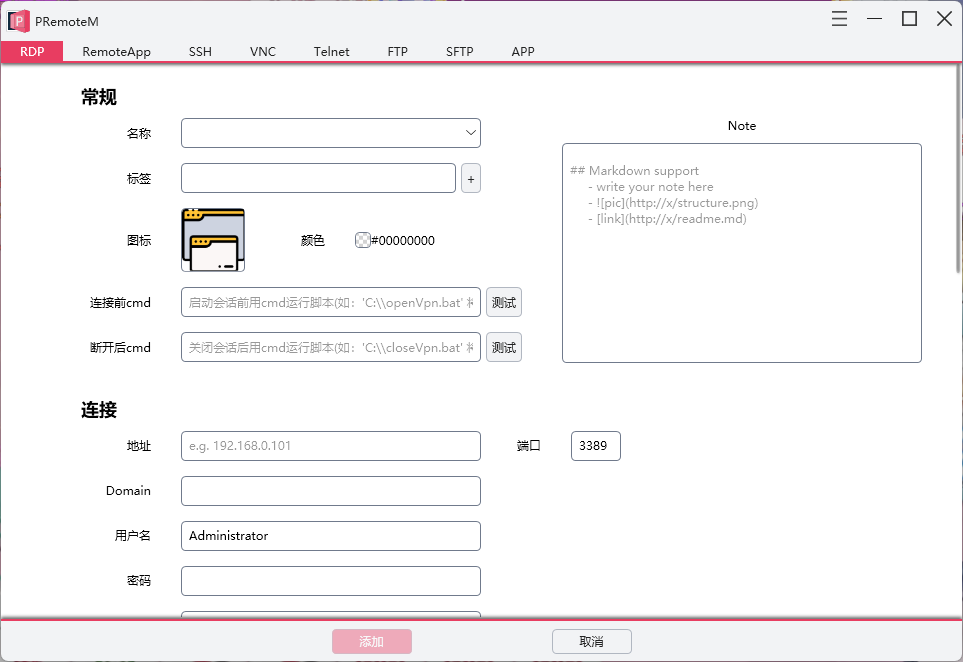
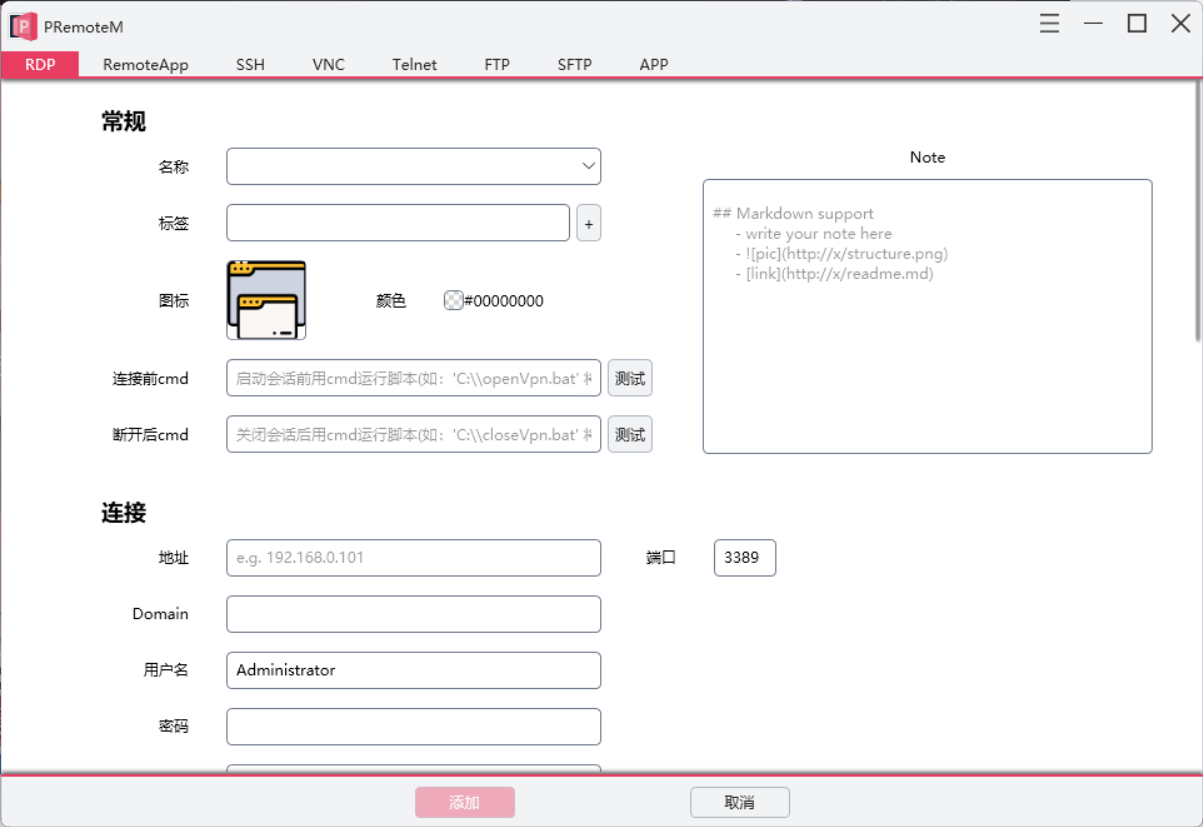
笔记本14英寸,1080p分辨率,缩放125%。使用PRemoteM远程画面会比系统自带的mstsc远程画面模糊一点。
软件本身显示也会模糊一点。
可能是Windows缩放的锅,但希望可以再优化一下。
@VShawn commented on GitHub (Jun 21, 2022):
可以给个截图看看MSTSC和PRemoteM对比效果么? 不过这一块似乎没有留有清晰度设置接口,我看你无法改进这个,要不你把桌面体验设置为高试试?
@zhj9709 commented on GitHub (Jun 21, 2022):
昨天是想上传图片的,但公司的网络不允许上传。
这里的模糊应该是软件没有适配好125%的缩放。就算不连远程桌面,软件本身显示在125%的缩放下也比100%缩放模糊。
@zhj9709 commented on GitHub (Jun 21, 2022):
100%缩放
125%缩放
@VShawn commented on GitHub (Jun 23, 2022):
您说的程序本身界面的模块的模糊确实存在,但事实上在 HiDPI 适配上我没有做任何工作,一切都是由微软的WPF框架自己处理的,我所作的仅仅是确保 WPF 的 per Monitor DPI aware 特性处于启用状态。
然后我去搜索了一圈都没有找到 125% 分辨率下模糊的解决方案,倒是有解释说 125% 缩放下像素无法被整除,所以会模糊。
@VShawn commented on GitHub (Jul 13, 2022):
捣鼓了一通,没有任何改善。不修了 😢