mirror of
https://github.com/1Remote/1Remote.git
synced 2026-04-25 13:36:03 +03:00
[GH-ISSUE #185] SSH sessions not in Fullscreen on UHD Resolutions #157
Labels
No labels
area-configuration
area-ct-app
area-ct-rdp
area-ct-remoteapp
area-ct-ssh
area-ct-vnc
area-launcher
area-list
area-tags
area-teamwork
bug
chore
dependencies
general-build/ci
general-performance
general-refactor
general-security
general-supportive
general-ux
meta-documentation
meta-enhancement
meta-enhancement
meta-feature
meta-help-wanted
meta-unknown-error
priority-hi
priority-low
pull-request
question
resolution-duplicate
resolution-invalid
resolution-wontfix
stale
task-put-off
task-still-considering
task-working-in-progress
No milestone
No project
No assignees
1 participant

Notifications
Due date
No due date set.
Dependencies
No dependencies set.
Reference
starred/1Remote#157
Loading…
Add table
Add a link
Reference in a new issue
No description provided.
Delete branch "%!s()"
Deleting a branch is permanent. Although the deleted branch may continue to exist for a short time before it actually gets removed, it CANNOT be undone in most cases. Continue?
Originally created by @FaySmash on GitHub (Jan 21, 2022).
Original GitHub issue: https://github.com/1Remote/1Remote/issues/185
Originally assigned to: @VShawn on GitHub.
Describe the bug
Since the Update to 0.6.1 SSH sessions don't use the Fullscreen anymore when running a UHD Display.
To Reproduce
Steps to reproduce the behavior:
Expected behavior
PremoteM should utilize the Fullscreen in SSH Connections.
Screenshots
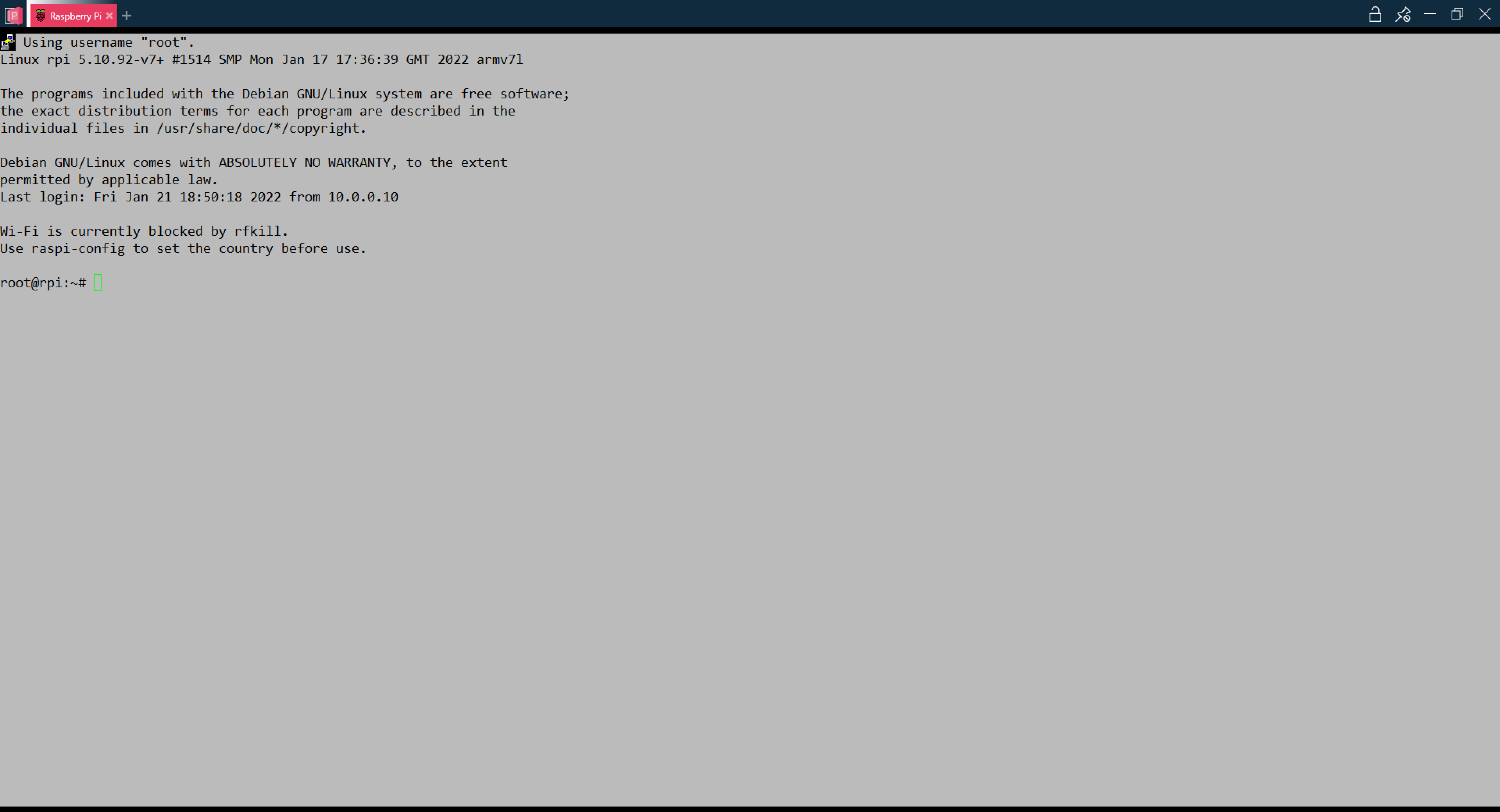
Using RemoteM in FHD:
Using RemoteM in UHD:
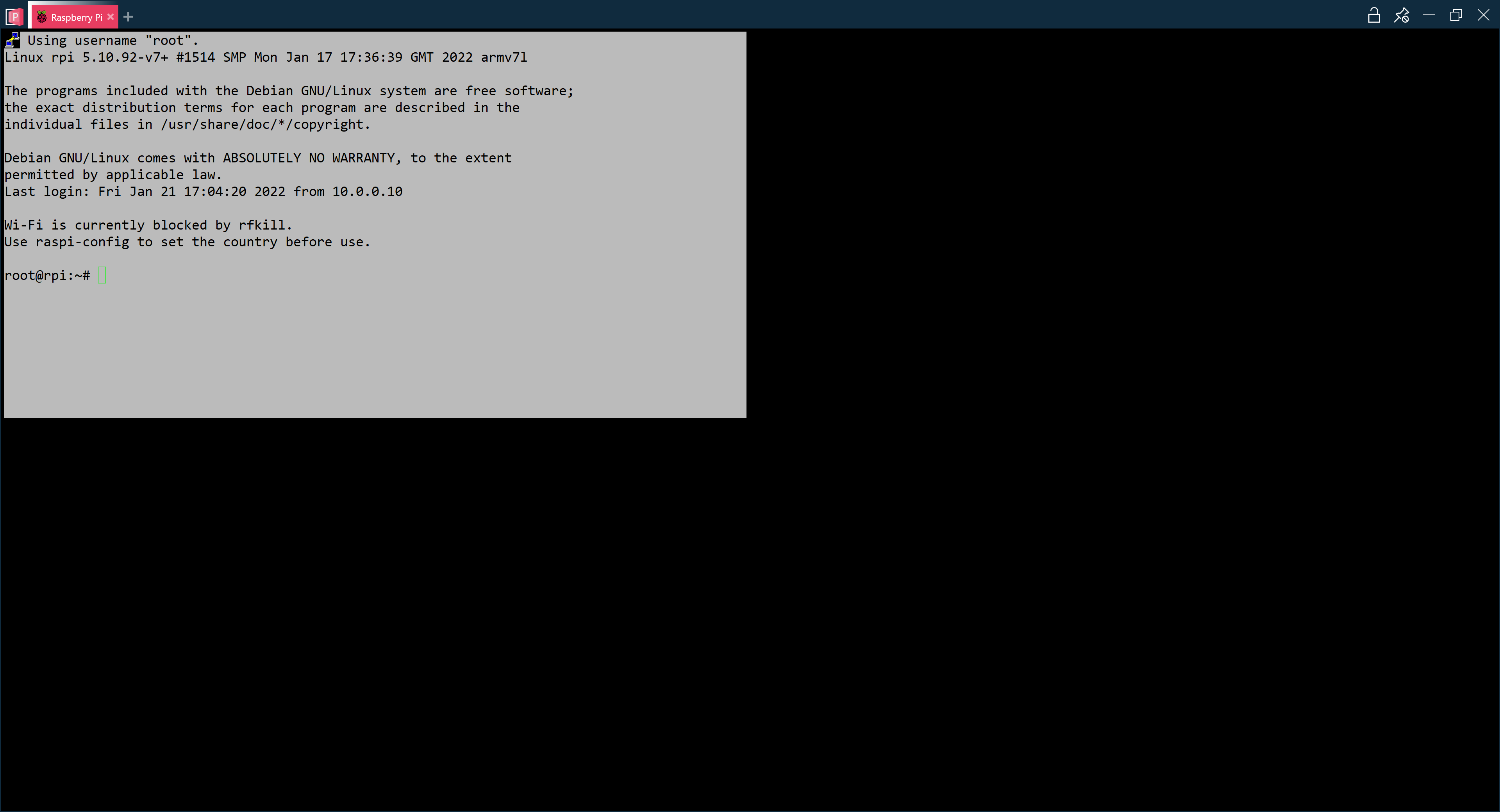
Desktop (please complete the following information):
Additional context
Worked in previous Versions
@VShawn commented on GitHub (Jan 22, 2022):
emm... I'm not sure why it does not work. I'll debug it later when I'm free.
here‘s a quick test on Win11 + WSL Ubuntu20.04 with my 4k 150% monitor
Tested on 0.6.1.1 with internal Kitty
@FaySmash commented on GitHub (Jan 22, 2022):
That's what it looks like with 150% scaling:
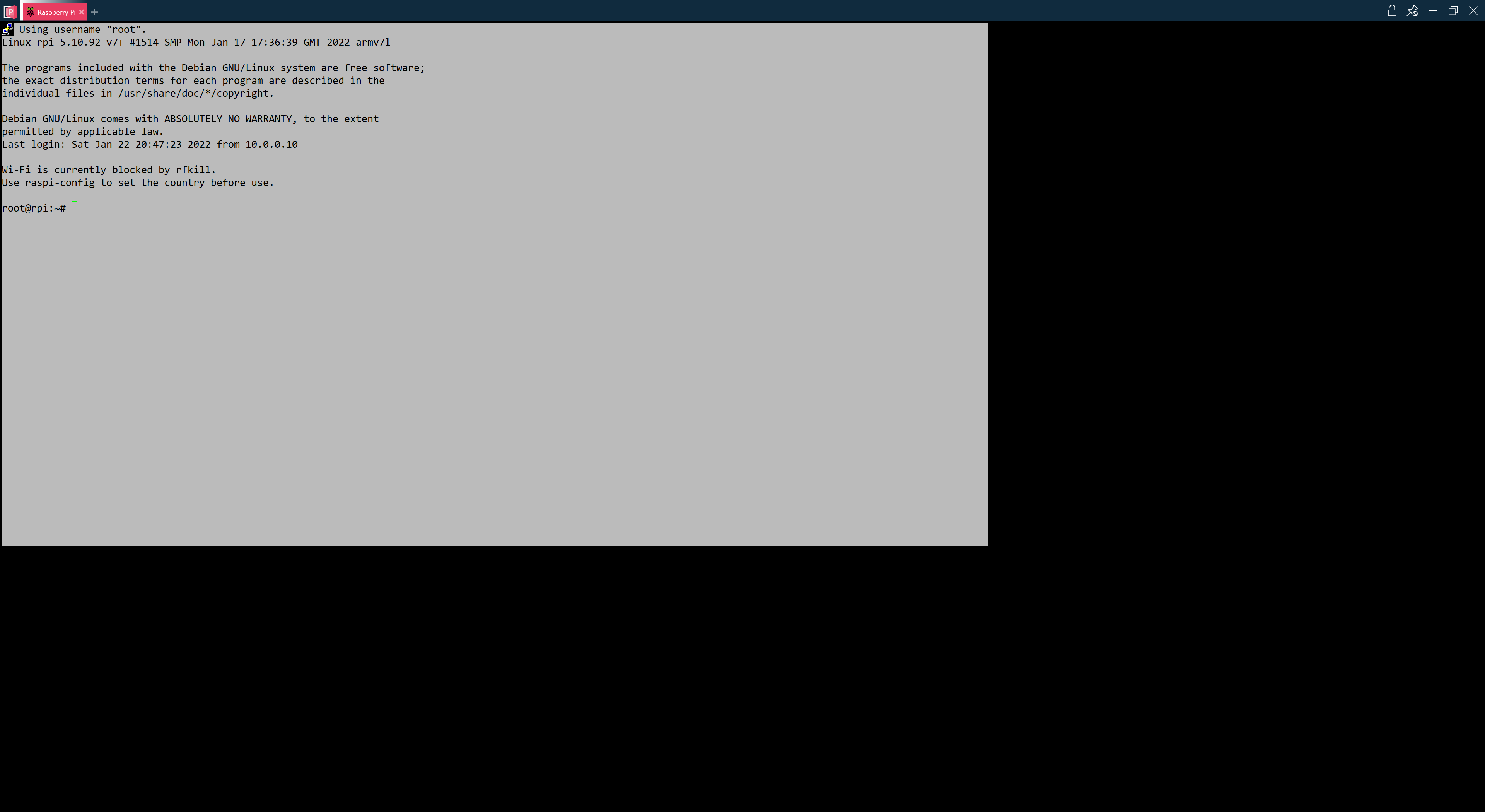
Same settings:
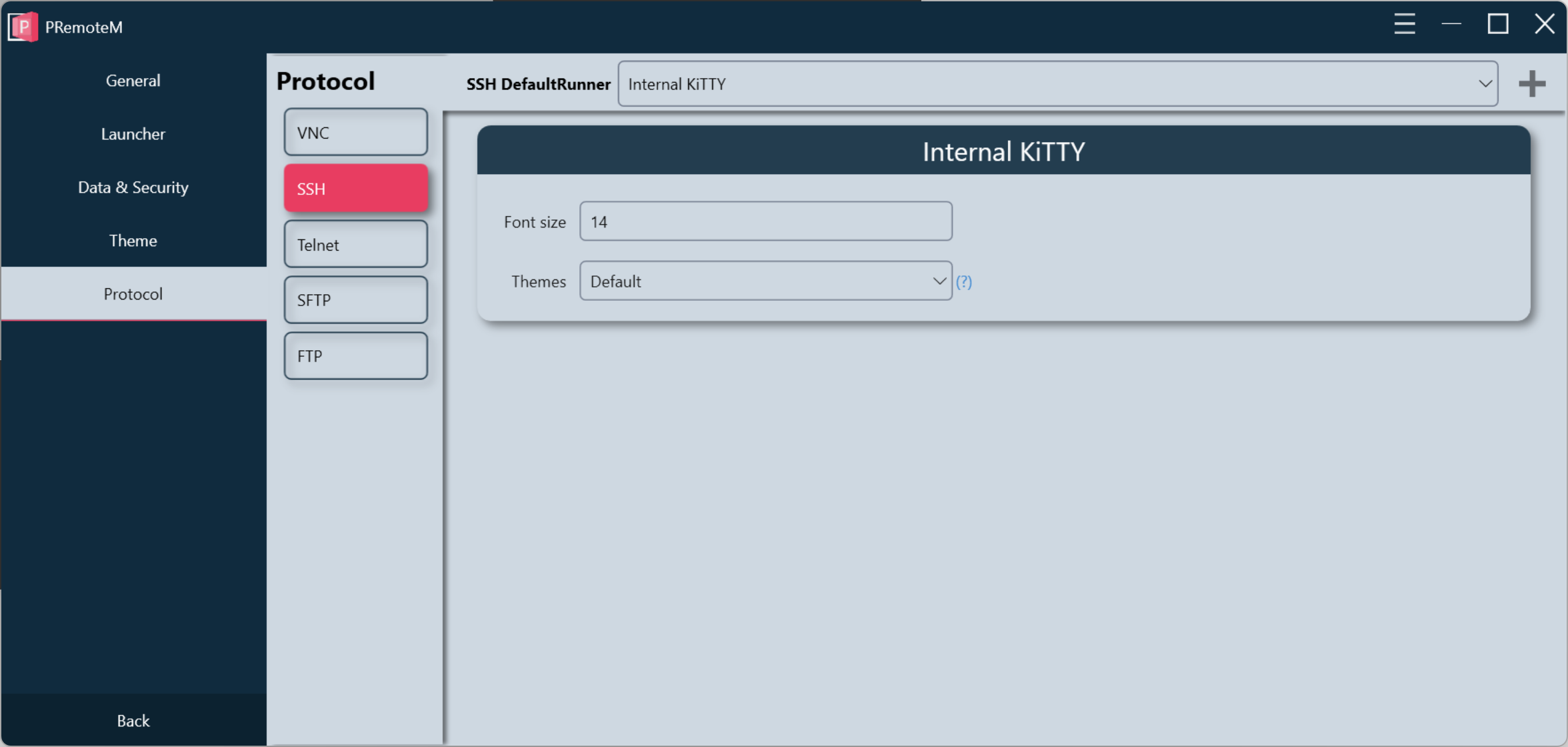
but I'm on 0.6.1 not 0.6.1.1
I have this problem with FreeBSD / Debian / Ubuntu remote hosts.
EDIT: This problem also appears on a newly installed Windows 10 VM
@VShawn commented on GitHub (Jan 23, 2022):
fix it by restore the resize method to 0.5.11
@VShawn commented on GitHub (Jan 23, 2022):
@FaySmash you can try it
PRemoteM-0.6.1.2-beta.zip
@FaySmash commented on GitHub (Jan 23, 2022):
that fixed it for me